
Participant
July 20, 2023
Answered

Path Options not showing up
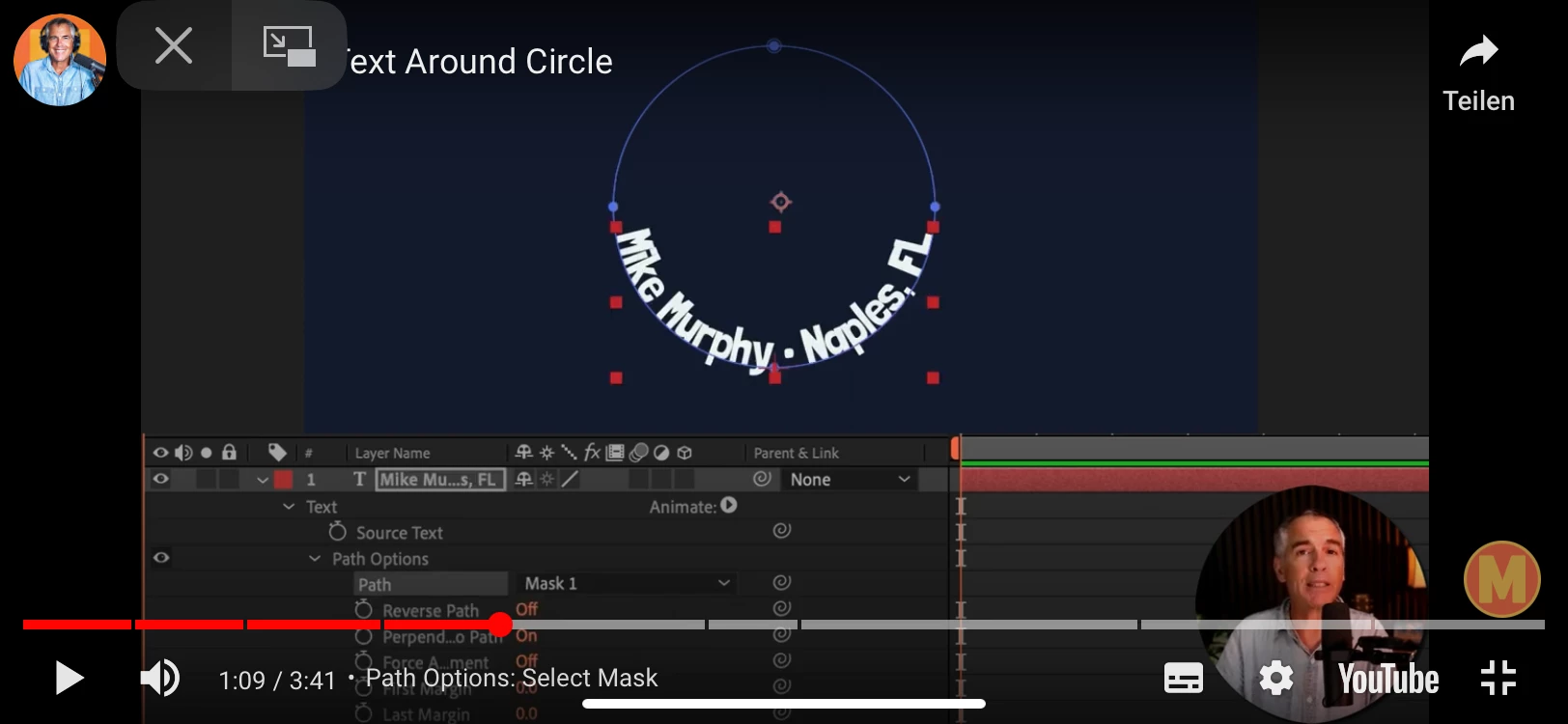
  • July 20, 2023
  • 1 reply
  • 1572 views

 in the picture in the path options you can see next to path you can choose mask 1 or none but when I try to do it the little window with these options is not there after creating a mask. 
I don't know what to do since I want to animate text in a circle and need this. 

Hope you can help 
This topic has been closed for replies.
Correct answer Andrew Yoole

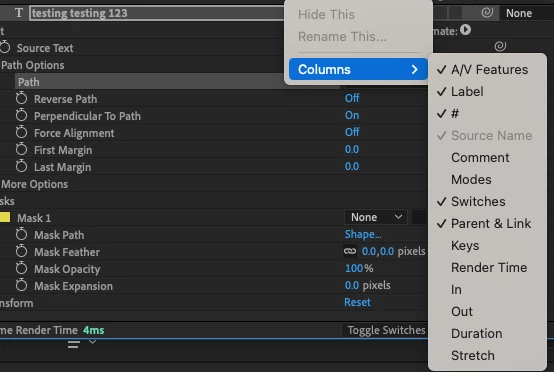
You simply don't have the "Switches" column visible in the timeline.  


Right click on the grey bar where you can see "Parent & Link" (sorry, that's the English version) and select "Switches" to make it visible.


1 reply

Andrew Yoole
Inspiring
July 20, 2023

Please post a picture of your own timeline with the text layer selected and all edited parameters displayed (Press UU to reveal all edited parameters.)

Participant
July 20, 2023

 thanks for your reply here is what it looks like on my screen as you can see the little window is not there I just tried it on my friends computer and there it like in the picture in the question 

Andrew Yoole
Andrew YooleCorrect answer
Inspiring
July 21, 2023

You simply don't have the "Switches" column visible in the timeline.  


Right click on the grey bar where you can see "Parent & Link" (sorry, that's the English version) and select "Switches" to make it visible.