

mushanga75
Known Participant
August 14, 2020
Answered

Pattern on background and animation

  • August 14, 2020
  • 3 replies
  • 639 views

Hello folks,

I need a little help: I would like to create the animation of the first few seconds of the video, ie the hexagons that light up randomly and use a background just like the one used in the video.
Is it possible to achieve everything using only AE or is it necessary to go through AI?


The BG is a simple pattern made by AI and Ps? 


https://www.youtube.com/watch?v=O1ZQmY5H0Dc 


Thnx everybody


This topic has been closed for replies.
Correct answer Rick Gerard

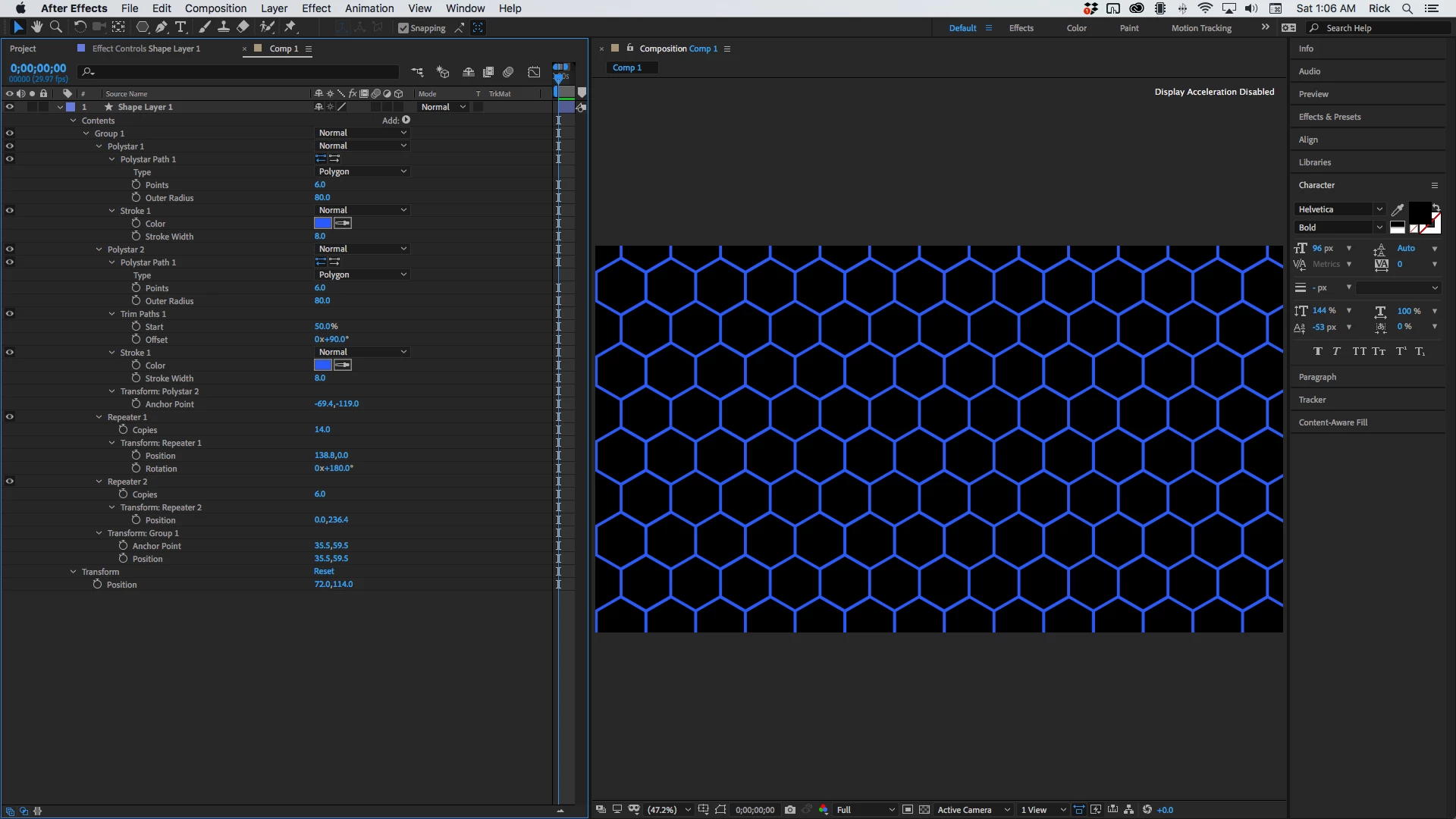
The grid is pretty easy. All it takes is two copies of a hexagon shape, two instances of Trim Paths, Group the pair of hexagons, then apply repeater twice. This took less than 5 minutes.

Getting the random fill is a little more difficult. I'll have to think about that one for a minute.


Or, as Mylenium suggested - AE Scripts.com


3 replies

Rick GerardCommunity ExpertCorrect answer
Community Expert
August 15, 2020

The grid is pretty easy. All it takes is two copies of a hexagon shape, two instances of Trim Paths, Group the pair of hexagons, then apply repeater twice. This took less than 5 minutes.

Getting the random fill is a little more difficult. I'll have to think about that one for a minute.


Or, as Mylenium suggested - AE Scripts.com


mushanga75
Known Participant
August 16, 2020

Thnx to everybody...

I immediately start to work!


Mylenium
Legend
August 15, 2020

There's a hex grid creation script on AEScripts.com that covers all your needs.


Mylenium

Martin_Ritter
Legend
August 14, 2020

You can create such a pattern with AE shape layers, but I would always use AI for such, because dealing with paths is a bit of a pain in AE.


In AI, create one hexagon and use transformation effect to place a copy next to it. Then repeat the effect use (CTRL + T, I think, but not sure), to create a row. Group the row and repeat.


In AE, create one hex with shape layer, duplicate it ,  use expression on position to place it. Duplicate more (now with expression code) to create a row. Pre-Comp the row and repeat.


Or find the background as image online somewhere. Create the hexacon as fill and place it randomly with fadeing animation.


There are many ways ...


*Martin