WILLB
Inspiring
January 21, 2020
Answered

Pen in Shape Layer - Stroke is not working

  • January 21, 2020
  • 1 reply
  • 4678 views

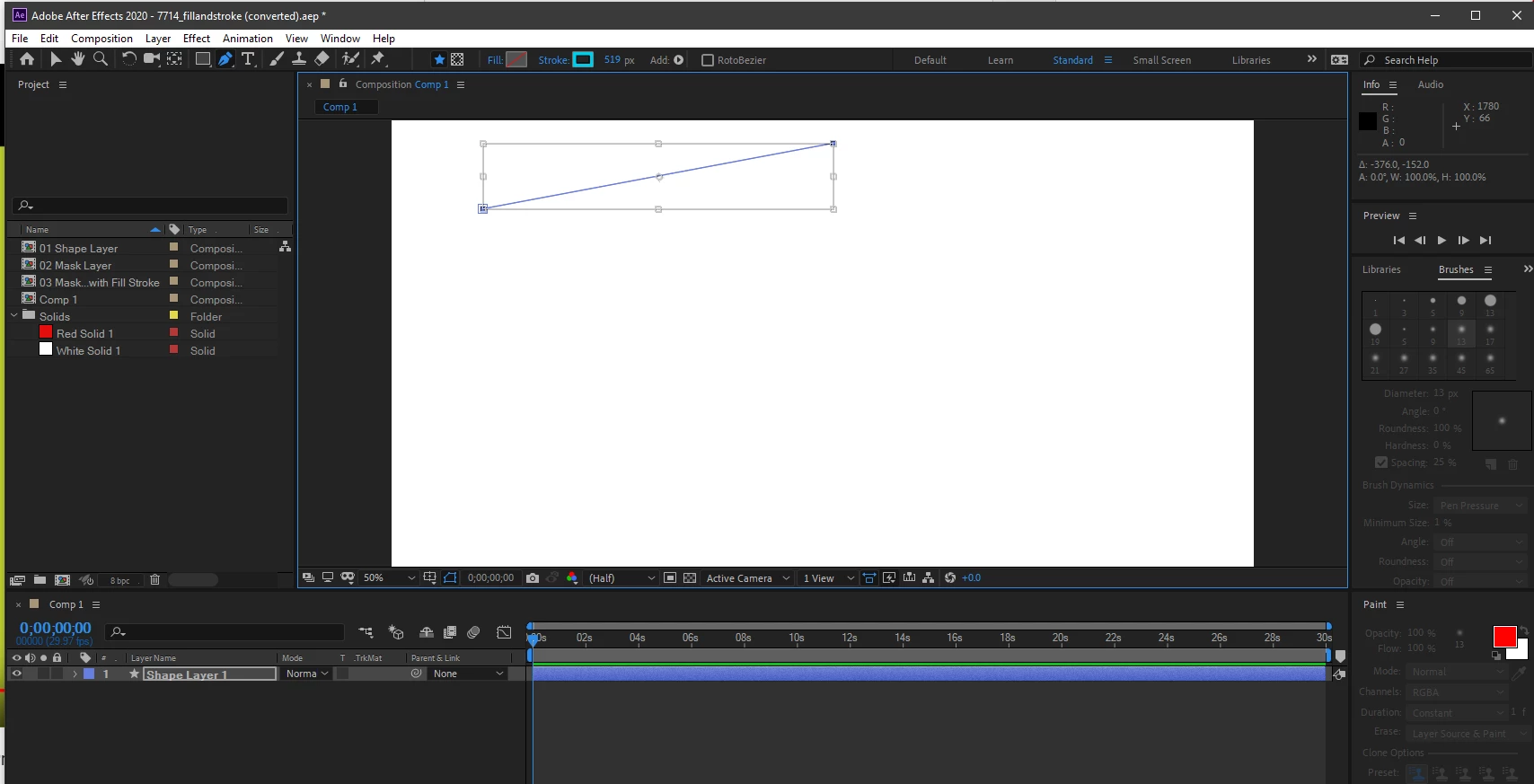
Selected the Pen Tool>> Shape Layer>>>Selected the Stroke Type and Stroke Width
then Drew the Line, but the Stroke isn't applying to the Line. 

I tried to adjust the px, size Up & Down but it didn't do any changes.


Could someone please help me to fix this? 
This topic has been closed for replies.
Correct answer P.M.B

Click "stroke" (the blue word next to the swatch) and make sure the opacity is not at zero.

1 reply

nishu_kush
Legend
January 22, 2020

Hi there,


Thanks for reaching out. I tried the same at my end, and it seems to be working fine.

Here's what I did - selected the Pen tool > changed the color and width of the stroke > drew a line. The changes I made were applied to the stroke.

You can reset the preferences of After Effect to make the settings default. Here's how: https://community.adobe.com/t5/after-effects/faq-how-to-reset-trash-preferences-in-after-effects/td-p/10634342

Let us know how it goes.


Thanks,

Nishu

WILLB
WILLBAuthor
Inspiring
January 22, 2020

Hi Nishu, 


I tried to reset the Preference by Holding down Alt (Windows) while launching After Effects.

but it didn't change anything, so I tried 

to reset the Preferences and Plug-in cache at the same time by

holding down Control-Shift-Alt (Windows) while the application is starting.

Released the keys when the splash screen appears.


Neither one did anything to fix the problem, 

I'm attaching other Screen Capture in gif to show the progress, 

please review and let me know how i can fix this. 


Thank you!

Community Expert
January 22, 2020

When you have problems with any layer the first thing to do is select the layer and press the U key twice. This will show you all the modified properties. When dealing with a shape layer with a path that has a stroke you should see this:

If you don't see something like that then spin down the shape properties and look for a stroke. 


If there is no stroke applied, then you can add one using the add button.


If there is a stroke and you don't see one then try changing the Project settings and change GPU acceleration. If that does not fix the problem then you need a clean install of AE.


I noticed a white background so I assume you set the comp background color to white. If you use the Media Encoder to render or your use the Render Cue to render and you do not set the color to Premultiplied with Alpha in the output module your background will be black. If you want a white background you have to put a white solid on the bottom layer.