Participating Frequently
July 26, 2020
Question

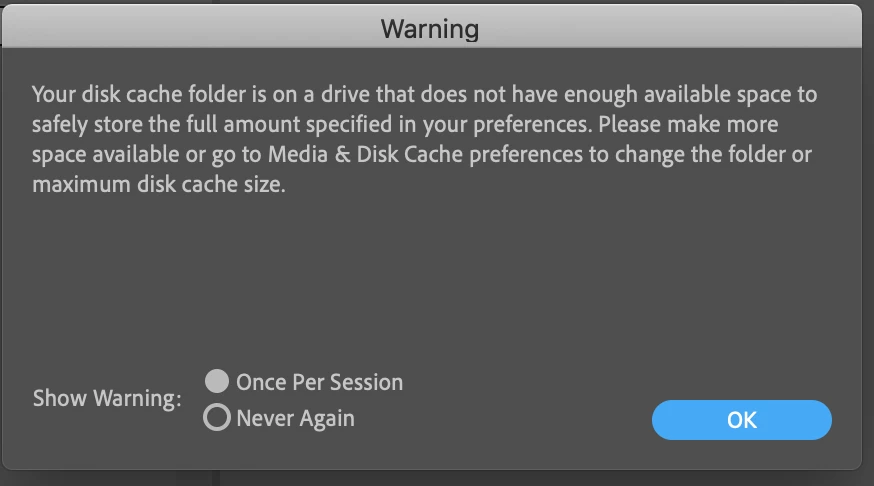
Persistent false-alarm about lack of space for disc cache.

  • July 26, 2020
  • 1 reply
  • 319 views

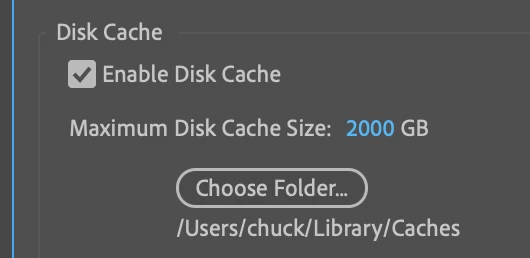
Every time I launch After Effects I get a warning about not having enough space for the disc cache, even though I have a 2TB HD with more than 1TB of unused space, and 2000GB allowed for the disc cache. Could anyone advise me as to what's going on, and anything I may need to do differently?


Thanks.


This topic has been closed for replies.

1 reply

Mylenium
Legend
July 26, 2020

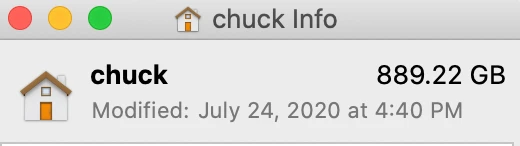
Could be the typical user permissions issues that plague recent versions of OS X and prevent Adobe apps from accessing some folders or worse yet file system level stuff. A File --> Info on the respective Library folders might be enlightening as may an excursion to your disk utility.


Mylenium

Participating Frequently
July 26, 2020

Thank you, @Mylenium,


You have to forgive me, I don't have a depth of technical knowledge regarding these kinds of issues, so I may be doing an ineffectually literal version of interpreting your advice.


So I went into all of the folders and enabled all permissions to everyone (I'm the only person using this laptop, so hopefully that's a safe thing to do.


No difference in the results, unless I need to restart my computer.


 I also took a look with Disc Utility, but I don't have any idea how to interpret the data or if it suggests anything actionable to do.


Is there anything else I should do? 


Or perhaps, at the end of the day, should I just ignore the warnings when launching After Effects and get on with my work?

Legend
January 8, 2022

You could set your disc cache to a bit less than 2000 GB - however much you've got free in the location/volume where it can store it. eg. if you've got other files on there besides the disc cache then it can't give the max of 2000 GB for the cache (if the drive is about 2000 GB).


Mine's saying something similar though (which is a nuisance). For me the caches are the only thing stored on the drive (and it's not split). And when I restart AE when it's stored slightly over it's 2100 GB max it gives that message about there not being enough room to safely store it. But it's a 3.63 TB disc with only the caches on. All it needs to do is delete/overwrite the old caches when it wants to write new caches, but it doesn't seem to be doing that.


The only way to temporarily stop the warning message seems to be to select the "purge all memory & disc cache" option. But that will make it unnecessarily need to recreate newer caches of things you've done recently instead of using the already cached ones. Or maybe making the max cache size no more than half the free space on the disc might stop it giving the message, but that would be a bit of a waste of the half the disc that could have been used. And also purging all the disc cache when it shouldn't really need to could decrease the life of the SSD if it is one.


I think Adobe should change the way it works so it recognises how much cache space it has used before it gives that message and knows (and does) overwrite the oldest caches when it needs new cache written to. This should make things work better and also should increase the life of SSD by not having to delete and recreate caches unnecessarily.