JNSStudios
Participating Frequently
May 9, 2017
Answered

Pixel Graphics Rendering Question

  • May 9, 2017
  • 1 reply
  • 278 views

Hey,

So I'm trying to make an animation with pixel graphics in AE CS3. I put them in and they were all blurry. So I changed the Quality button from smooth to hard edges and it looked fine.

So in the Video Editor it looked like this:
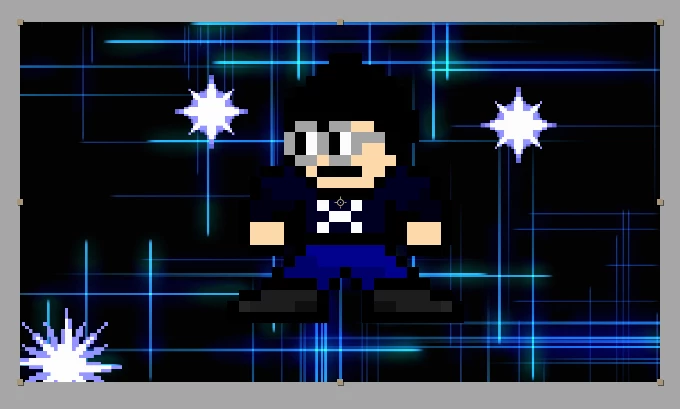
But when I did a test export it became all blurry!

How cam I fix this? Please help!

-ViralVillager_YT
This topic has been closed for replies.
Correct answer Roei Tzoref

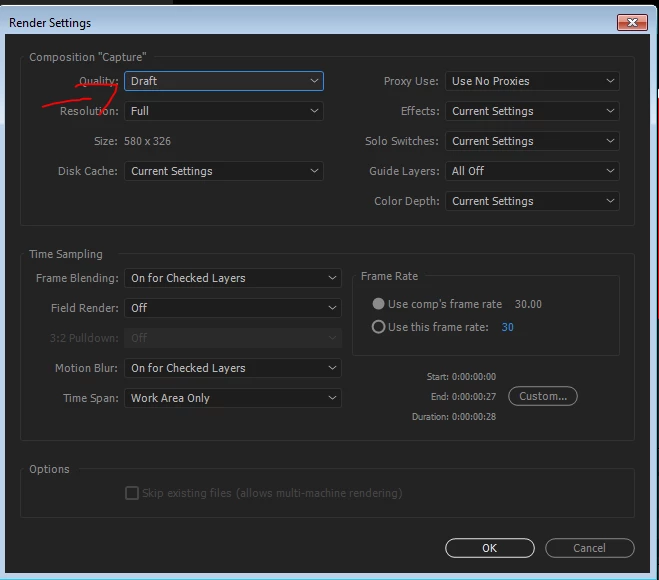
what are your export settings? show them to all to us. but first, since you are setting your layers to be draft/aliased - when you render, make sure your quality settings is set to DRAFT and not the default best settings that overrides the layer switches for draft...

1 reply

Roei Tzoref
Roei TzorefCorrect answer
Legend
May 9, 2017

what are your export settings? show them to all to us. but first, since you are setting your layers to be draft/aliased - when you render, make sure your quality settings is set to DRAFT and not the default best settings that overrides the layer switches for draft...

JNSStudios
Participating Frequently
May 9, 2017

I changed it and it worked! Thanks!

Roei Tzoref
Legend
May 9, 2017

Yay! mark it green please