There is a problem with the Comp Panel resolution and you have a design issue:
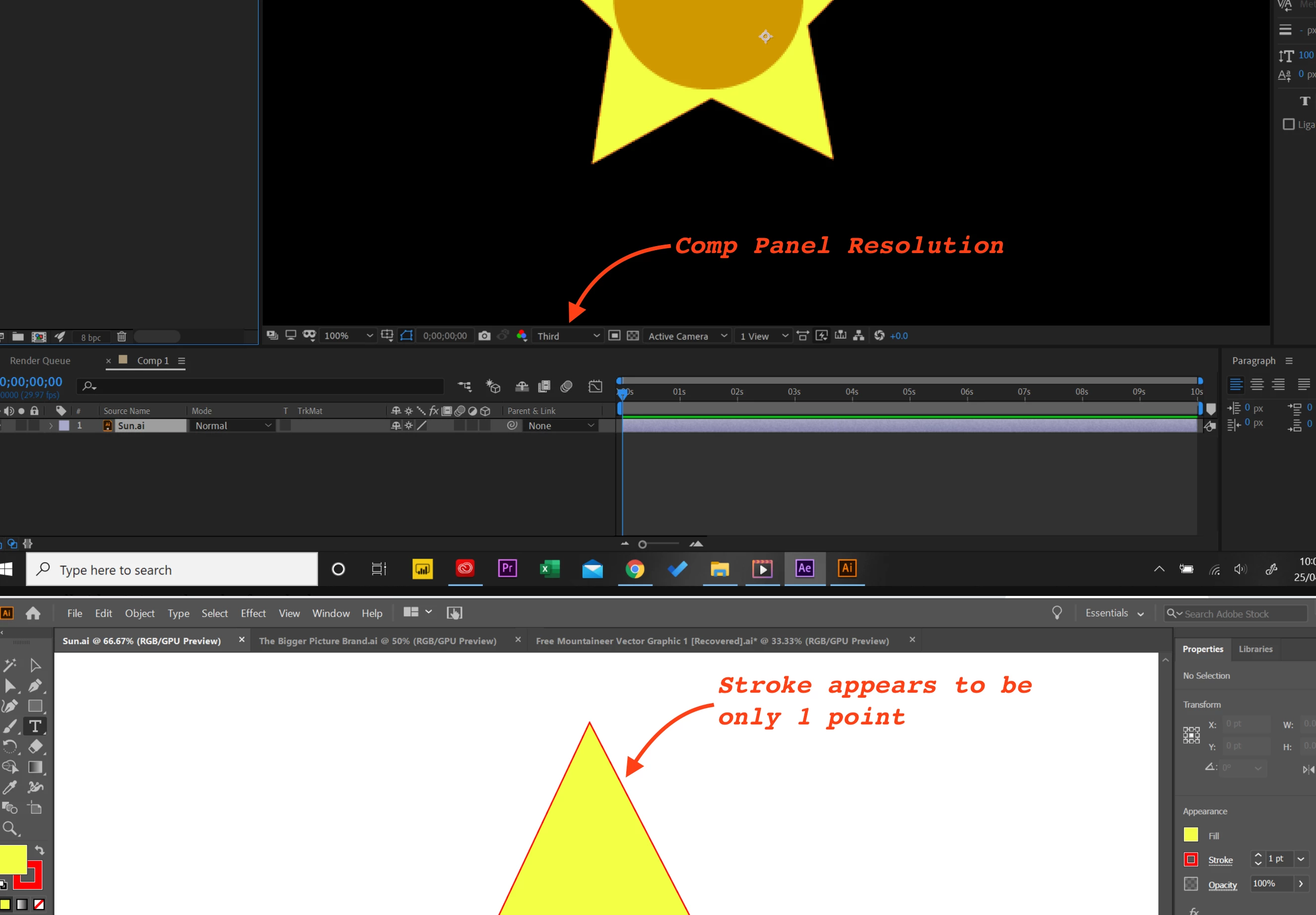
Generally it is best to set the comp panel resolution to Auto. You have set it to 1/3. That will fix the preview issue.
The design issue is more subtle. Single-pixel strokes are never a good idea when designing graphics for video. Put a fully saturated color like 255, 255, 0 for the yellow 255, 0, 0 for the red and 255, 255, 255 for the white together and horizontal and vertical red lines that are perfectly aligned with the pixel grid will still be red. The problem is worse because the color values are all maxed out and there is no room for interpretation. Even if you get the thin red lines perfectly aligned to the grid, when the video is compressed for delivery the color sampling is going to be looking at 2 red pixels and 2 yellow ones, checking the luminosity value of those 4 pixels and trying to figure out which color is more important so the color of the red line is going to change. When designing artwork in Illustrator, especially if it has thin lines, it is important to have Snap To Pixel turned on in Illustrator, to preview your artwork with Pixel Preview turned on, and make sure that shapes with important horizontal and vertical edges are an even number of points (pixels) high and wide so they can be accurately lined up on the pixel grid and the edges stay as clean as possible. This view of two yellow boxes with a single point red stroke against a white background demonstrates the problem of alignment.
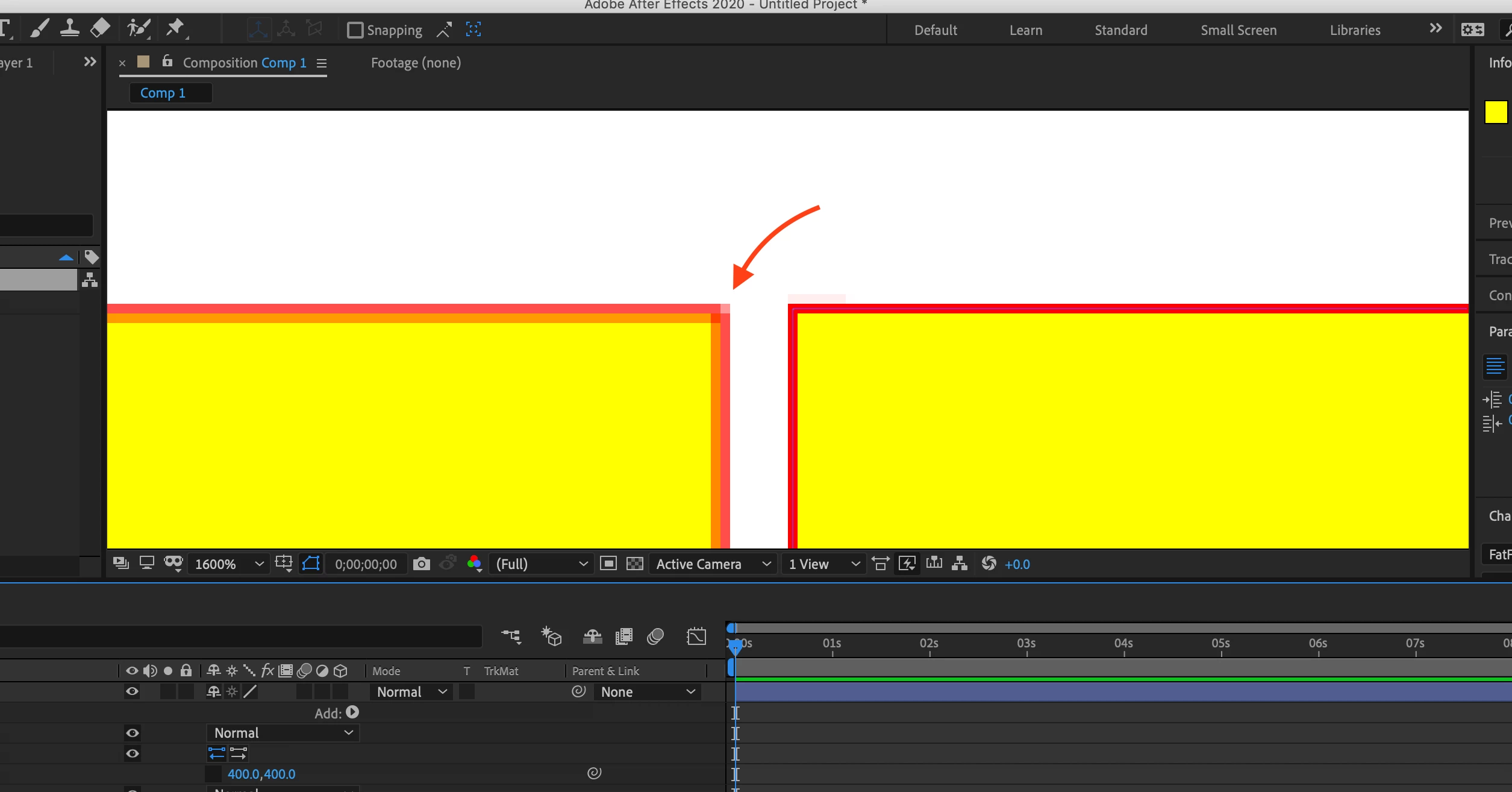
The red arrow I added to the screenshot points to a block of 4 pixels. When the video is rendered to any of the current delivery formats the software is going to have to decide what the average color of that block of pixels is going to be. Even the right side shape that is lined up is going to face that problem.
I hope this makes sense.
 AdChoices