
ncarlton
Participant
October 3, 2017
Answered

Play SWF from Jing in After Effects or Premiere

  • October 3, 2017
  • 1 reply
  • 1085 views

Hello, I have a number of SWF screen capture movies, saved from Jing (free product from TechSmith). That is my starting point.

I need to get them into a video.

If the only option is to simply play them on screen, and re-record them as a QuickTime movie screen capture, I will do that.

But ideally, I would either add them into After Effects or Premiere projects.

All the answers I've read so far talk about SWF animations (frame by frame animations), not Jing files ... is there any way to add Jing files directly and have them "play" within After Effects or Premiere? Let me know if i'm not providing enough detail.
This topic has been closed for replies.
Correct answer Rick Gerard

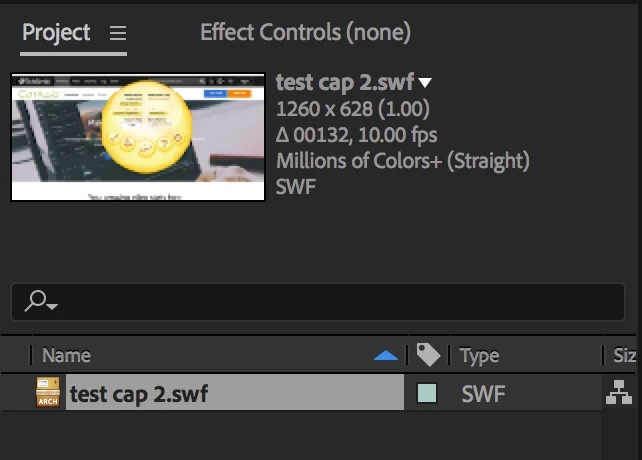
Jing is a free app that will only let you save as a png or a swf video. If you save the swf file from Jing you can open it in After Effects and get the video. The audio does not seem to import. If you want to have more options to save the video you need to upgrade and you do that by buying Camtasia. Opening the SWF video in AE and creating a DI from AE that you could edit in Premiere Pro is a reasonable way to turn the flash file into a video, you'll just have to redo the audio. You should note that the video is only 10fps so you probably don't want to just make a comp from it. Dropping it in a standard comp will preserve the correct playback speed.

SWF files will not open in Premiere pro, the file produced by Jing is not an mp4 in a SWF wrapper and I have not tried to open the file in Animate so I am of no help there.

It's kind of a useful little app for some quick things but not much use in producing tutorials or explainer videos because you can't easily edit the content.

Kind of a fun little app for something really quick.

1 reply

Nexahs1138
Inspiring
October 3, 2017

Why did you save these recordings as SWF, that format isn't even used any more as it died out with Flash.

Rick GerardCommunity ExpertCorrect answer
Community Expert
October 3, 2017

Jing is a free app that will only let you save as a png or a swf video. If you save the swf file from Jing you can open it in After Effects and get the video. The audio does not seem to import. If you want to have more options to save the video you need to upgrade and you do that by buying Camtasia. Opening the SWF video in AE and creating a DI from AE that you could edit in Premiere Pro is a reasonable way to turn the flash file into a video, you'll just have to redo the audio. You should note that the video is only 10fps so you probably don't want to just make a comp from it. Dropping it in a standard comp will preserve the correct playback speed.

SWF files will not open in Premiere pro, the file produced by Jing is not an mp4 in a SWF wrapper and I have not tried to open the file in Animate so I am of no help there.

It's kind of a useful little app for some quick things but not much use in producing tutorials or explainer videos because you can't easily edit the content.

Kind of a fun little app for something really quick.

ncarlton
ncarltonAuthor
Participant
October 5, 2017

Rick Gerard - thank you for your kind and helpful explanation. I tried again and this time it worked! I tried in several different new comps and now I see that it basically works but you're right, doesn't support audio. This is perfect, thanks so much! I must have done something silly in my earlier attempts.

One thing I love about this is the ability to have multiple SWF files playing in different portions of the AE comp "screen" at once!