
Please help with setting to export transparent green screen from After Effects
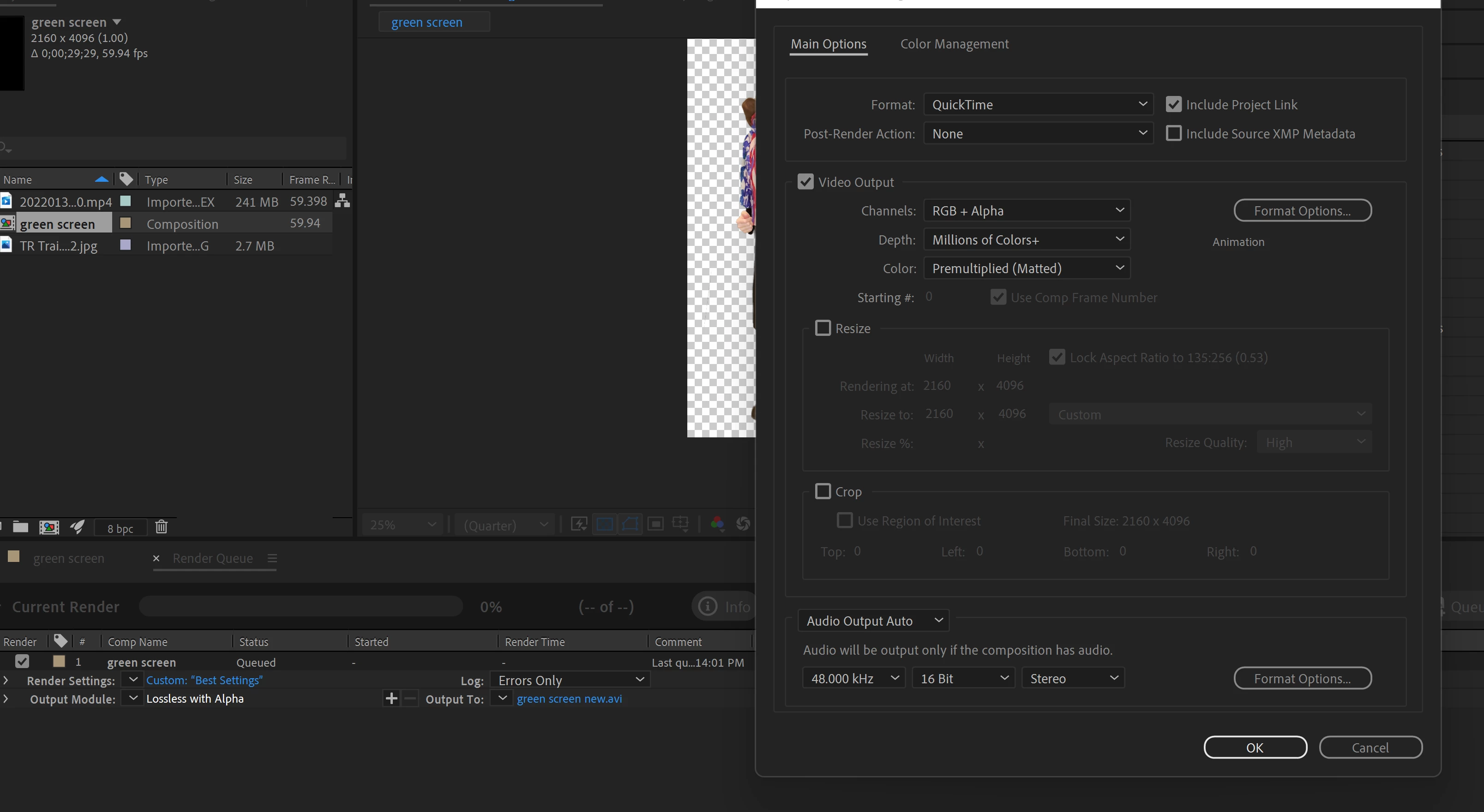
I have used keylight to remove a green screen from a clip. The only thing I used beside the keylight, was a simple drawn mask to cut off the sides of the wall behind the green screen. I need to export it with a transparent background, so I can import it into Premier with a transparent backgroud. I've watched several videos, and have read in this Adobe community what the proper setting should be. They all pretty much say the same thing. I have rendered it out 4 times now, and it still had a black background when I import into Premier. Using screen opacity it Premier didn't help, I tried. These are the most current setting I used. I have also tried changing the format options to a couple of different things, nothing is helping. I'm sure I'm just not doing something right. Please help?
I'm using the most up to date version of AE as of 1-30-2022
thanks
 AdChoices