
Inspiring
December 3, 2025
Question

Plz help me understand this error in expression

  • December 3, 2025
  • 1 reply
  • 314 views

In a linked in learning course, there was this example expression... 


It wasn't really explained well... the syntax for the b variable of the array index ([1]) on the wiggle function perhaps just shows my lack of javascript (?) familiarity.. but can someone explain how this index on the scale property is being 'used' by the wiggle function?
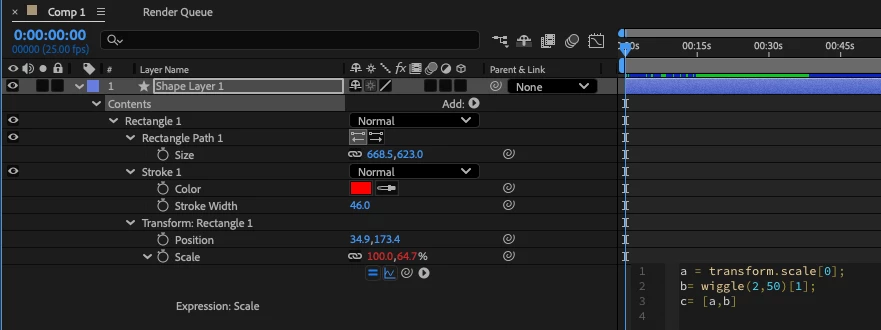
 

2025-12-03_05-12-15.png


Perhaps asking a slightly different way... why does removing the array index ([1]) from the wiggle function cause an error on the FIRST line of code?
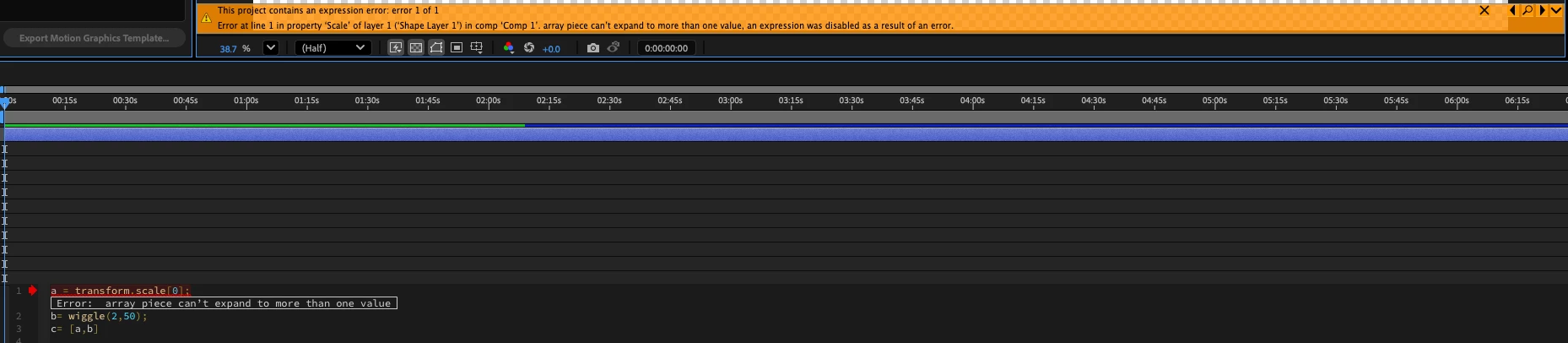
 

DoYouLikeHam_0-1764760576264.png

while omitting that b= assignment statement altogether resolves the error?  It seems counter intuitive for modification in the second line like above to cause an error to the first line, and I'd like to understand what is going on so if/when I encounter other errors, I have a better understanding of how the system as a whole is functioning.
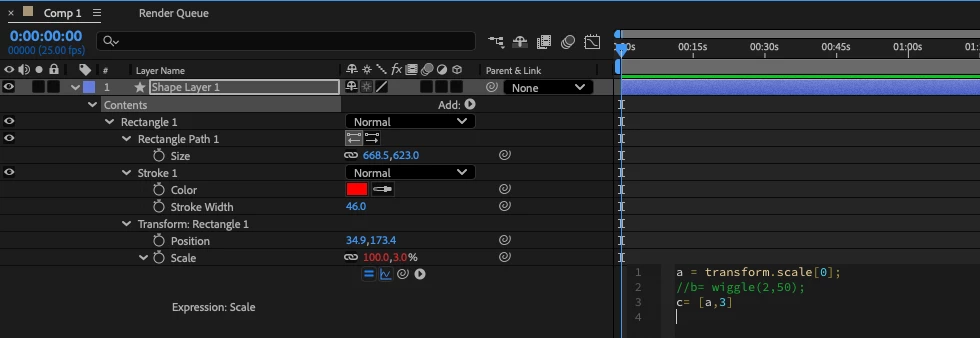
DoYouLikeHam_1-1764760690210.png


1 reply

ShiveringCactus
Community Expert
Community Expert
December 3, 2025

Properties in After Effects that have two values, for example scale height and scale width, use an array in expressions.

in the expression you have:

  • a is being set as the width value of the scale property
  • b is using a wiggle, based on the value, to vary the current scale values twice per second (2) by up to 50%.  But as wiggle produces an array, the expression takes the second value, which corresponds to the scale height  [1].
  • c then sets the scale width to be a and the scale height to be b.


So by removing the [1], you're setting the scale to be [a,[50,50]] which is an array too far.   

Hope that makes sense


Inspiring
December 3, 2025

I think that makes sense... but doesn't help me understand why it tells me the error is in line 1, where I'm assigning the value of 'a' w/ array index [0].

Dan Ebberts
Community Expert
Community Expert
December 3, 2025

The error message is incorrect and not very helpful. Sometimes you can get better/more info by temporarily switching to the Legacy ExtendScript expression engine (File > Project Settings > Expressions), but in this case it will tell you that the error is in line 0.