
seppet73011669
Participant
November 11, 2016
Answered

PNG_SEQUENCE COLOR SPACE adobe RGB 1998

  • November 11, 2016
  • 1 reply
  • 485 views

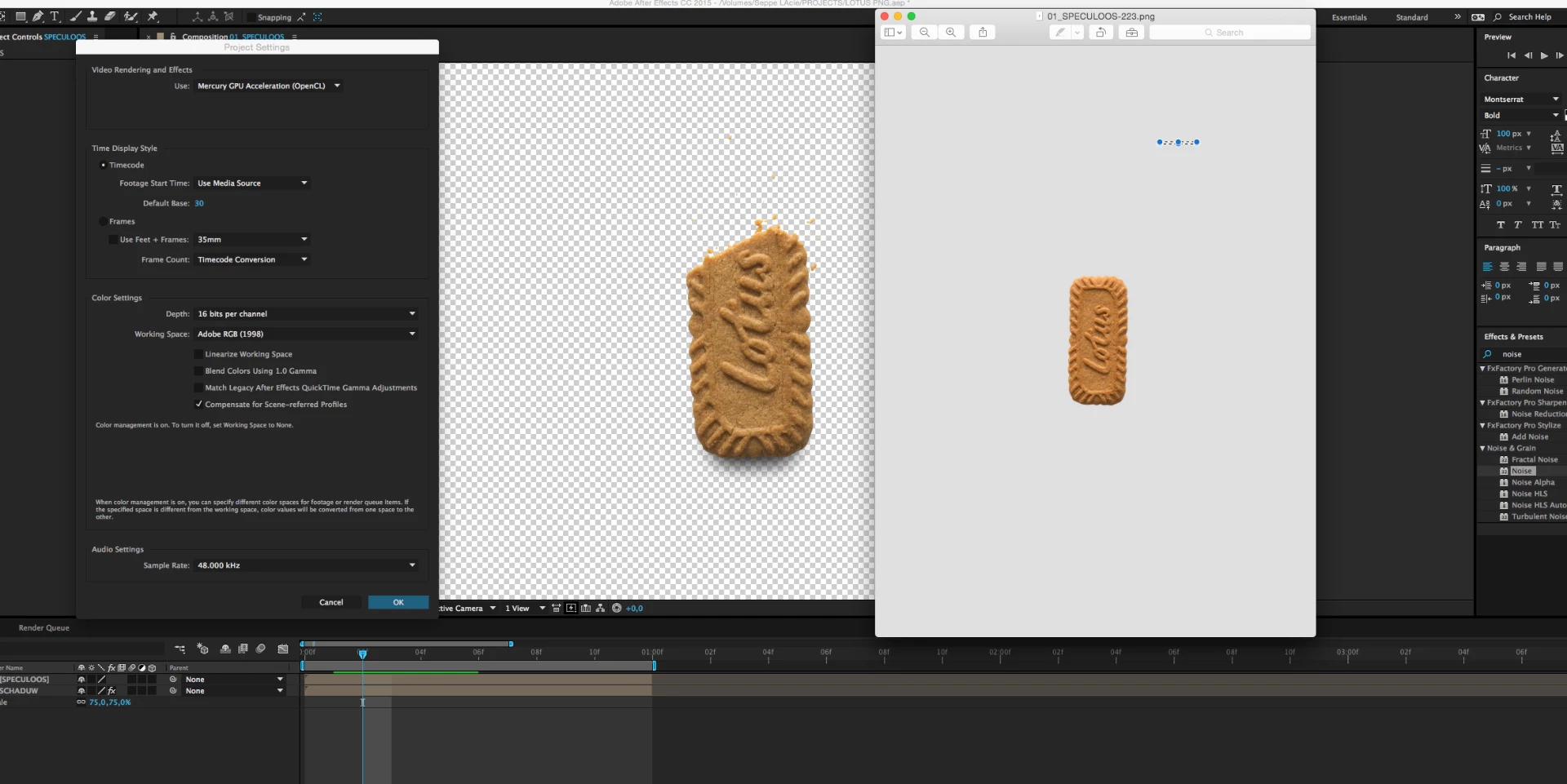
I got a lot of PNG files where I have to replicate a shade for. I got these in adobe RGB 1998 colorspace.

So i put my color profile as Adobe RGB 1998 color space. The problem is that it doesnt appear to be the same colors..

Is there something im not doing right?

Right is the original picture en left what i see in After effects.

Also the original file is 280mb and when i render out as png-seq the file is 2,4mb..
This topic has been closed for replies.
Correct answer seppet73011669

Ok so for anybody's interest I found the problem. AE interpret my footage in a different colorspace. when i selected the right colorspace in interpret footage/main/colorspace/ adobe RGB 1998 it appeared right on the screen..

1 reply

seppet73011669
seppet73011669AuthorCorrect answer
Participant
November 11, 2016

Ok so for anybody's interest I found the problem. AE interpret my footage in a different colorspace. when i selected the right colorspace in interpret footage/main/colorspace/ adobe RGB 1998 it appeared right on the screen..

Community Expert
November 11, 2016

It looks like you are using Preview to to compare colors. You should not be doing that because Preview does not support color management. The only accurate way to judge color is to use apps the support color management throughout your entire production process.