
Participant
May 13, 2017
Answered

Position Key Frames Not Working Correctly?

  • May 13, 2017
  • 1 reply
  • 3158 views

I must either be going insane or After Effects is broken. Take a look at this video and watch as the red square randomly goes backwards before continuing on its path. The four key frames I have on position are:

X:1334 (off the screen) Y:360 5 frames later: X:680 Y:360 3 seconds later: X:600 Y:360 5 frames later: X:-58 (off the screen) Y:360

​So what I wanted to happen was have the red square slide in from the right side quickly, then slowly continue moving for 3 seconds, then speed up again and continue off the screen. I must be doing something wrong.
    This topic has been closed for replies.
    Correct answer Horshack

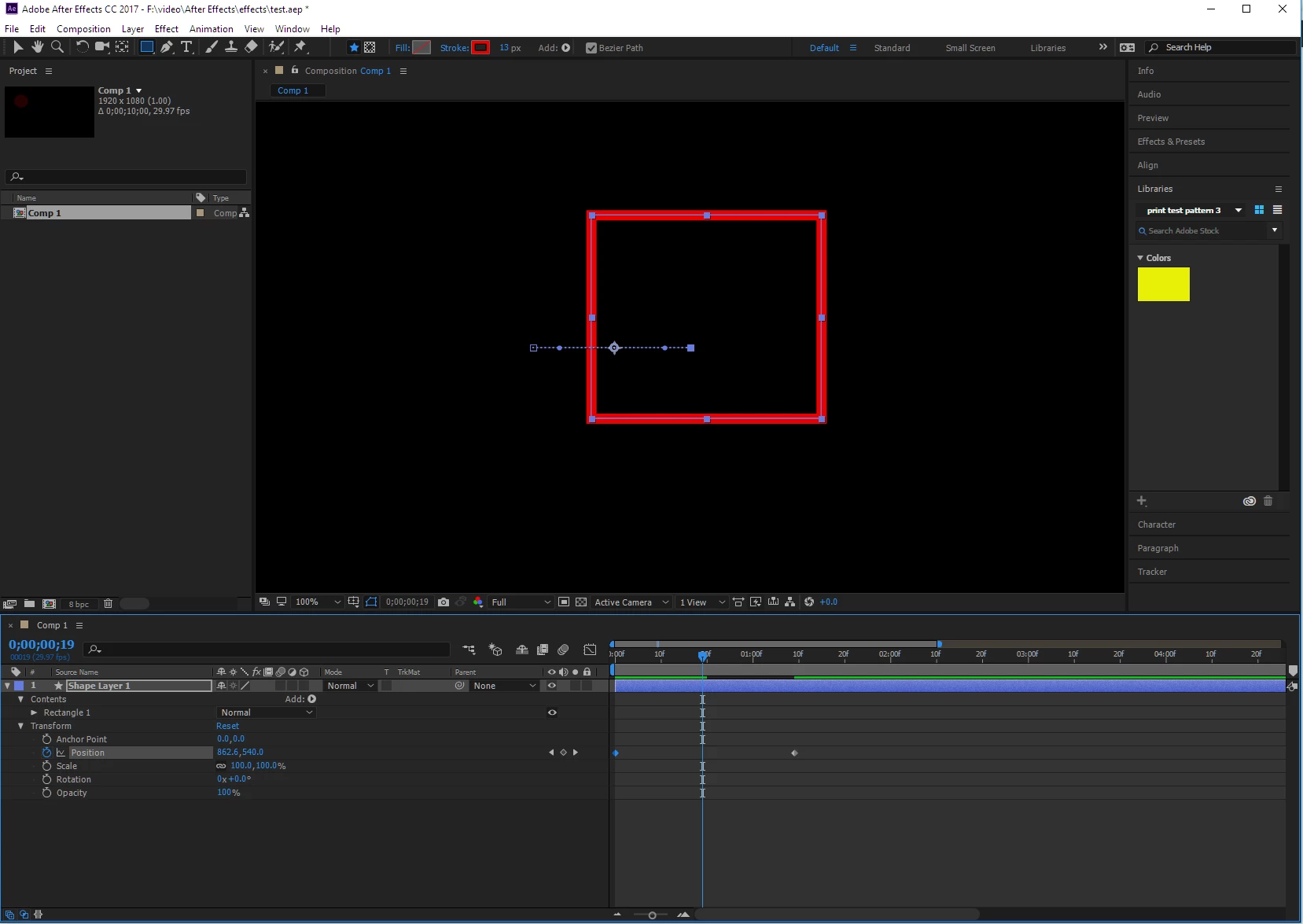
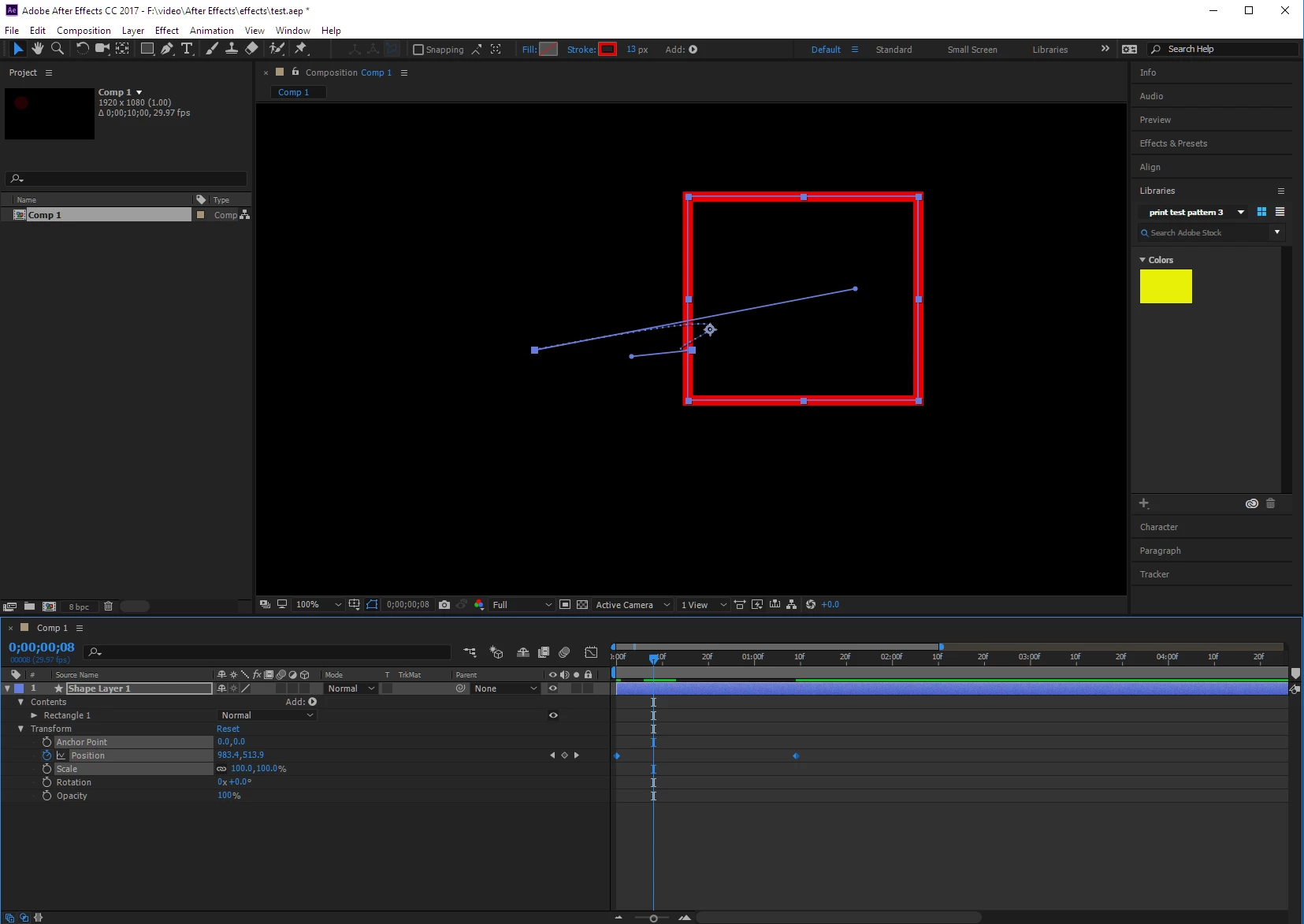
    Looks like you have a bend in your bezier curve for your position spatial keyframe. Spatial keyframes have bezier curves which allow the movement to do things other than simply moving from point A to point B. Click on the position property and check the bezier path between the keyframes. It should be straight for what you want to accomplish (first screen shot below) - you likely have a bend (second screen shot below). You can eliminate the bend by manipulating the bezier handles in the composition window or an easier way is to simply select the keyframes and then right/control click and select "Keyframe interpolation" and then pick "Linear" for the spatial interpolation.

    1 reply

    Horshack
    HorshackCorrect answer
    Legend
    May 14, 2017

    Looks like you have a bend in your bezier curve for your position spatial keyframe. Spatial keyframes have bezier curves which allow the movement to do things other than simply moving from point A to point B. Click on the position property and check the bezier path between the keyframes. It should be straight for what you want to accomplish (first screen shot below) - you likely have a bend (second screen shot below). You can eliminate the bend by manipulating the bezier handles in the composition window or an easier way is to simply select the keyframes and then right/control click and select "Keyframe interpolation" and then pick "Linear" for the spatial interpolation.