Pre-comp results not matching what I see before I precomp
I'm using AE along with Element 3D to animate a skeleton doing cartwheels on our local tennis court. The skeleton is an Element 3D object, and I've also performed image-based lighting as described in a tutorial on Video Copilot's website.
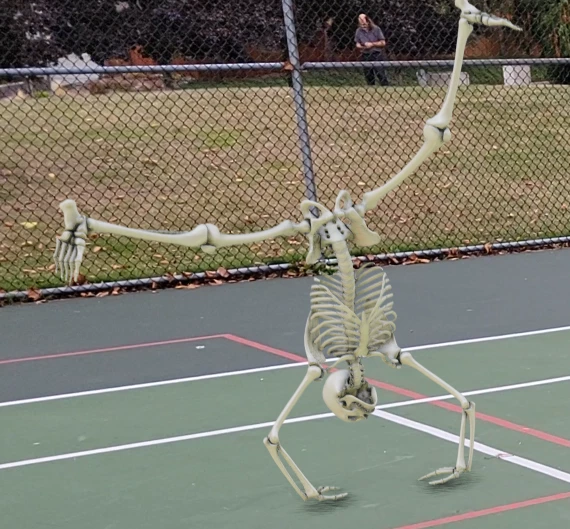
This image is from my preview on my screen. You can see I've got some ambient occlusion enabled (forming the shadows under the hands) and also have a *very* faint shadow (I set the intensity at 3%) formed from a parallel light source (which is also very low intensity as most of the lighting is coming from the image-based lighting).
These are all the layers. Layers 2-12 are all part of the skeleton in some way (9-12 aren't shown in video output as they aren't needed and only used for 3d tracked ground plane and for setting up the image based lighting).
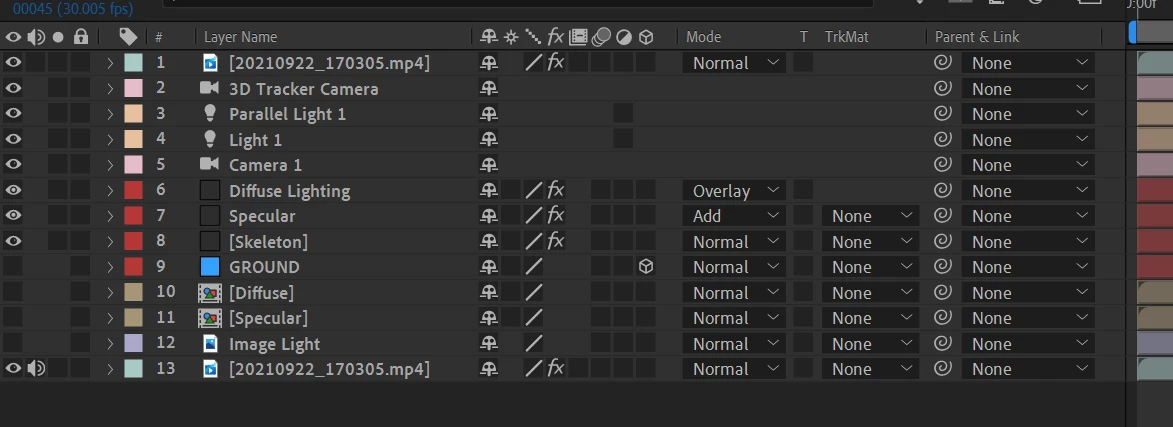
6-7 are duplicates of 8 with modifications for image-based lighting purposes.
If I select layers 2-12 and pre-compose them, suddenly I get an image that is not like the previewed one. The shadow gets darker and I end up with a dark outline around the skeleton.
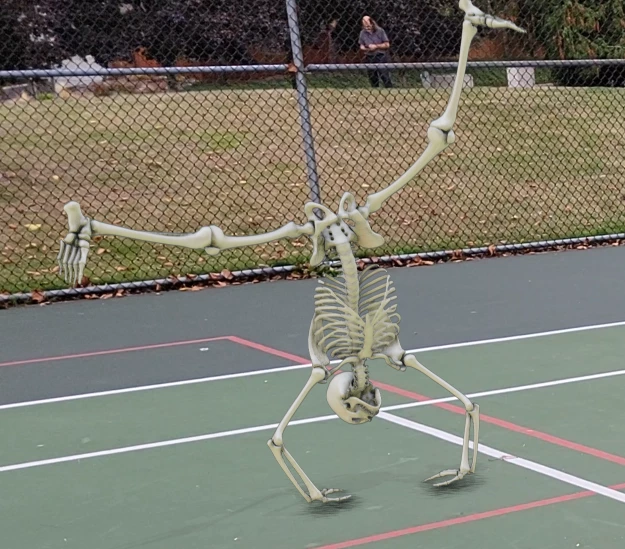
I have not been able to figure out why things change when I precompose. I want it to look like what I see before I precompose.
 AdChoices