S_ A
Inspiring
April 4, 2025
Answered

precomp is not working

  • April 4, 2025
  • 2 replies
  • 326 views

Hi,


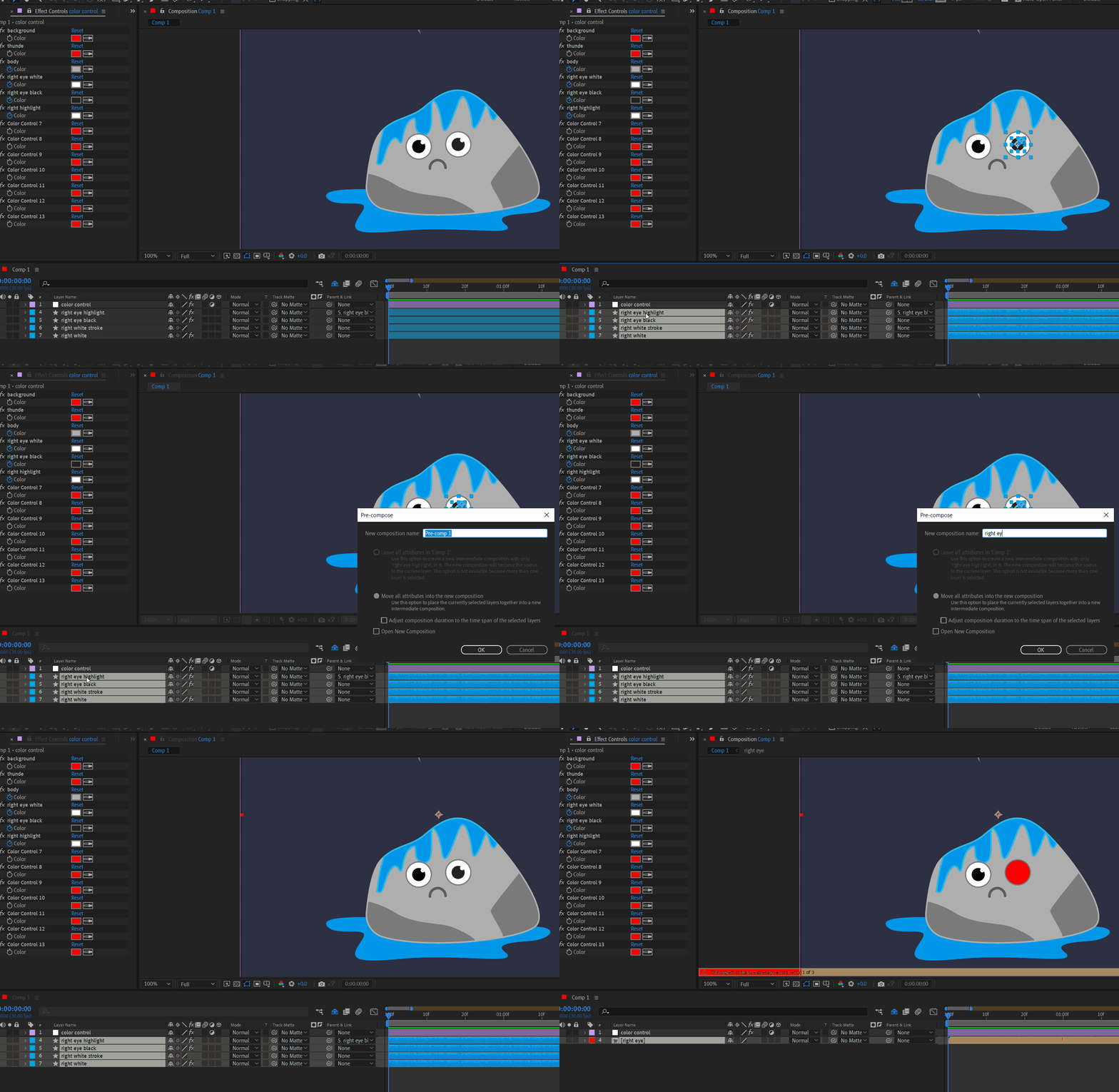
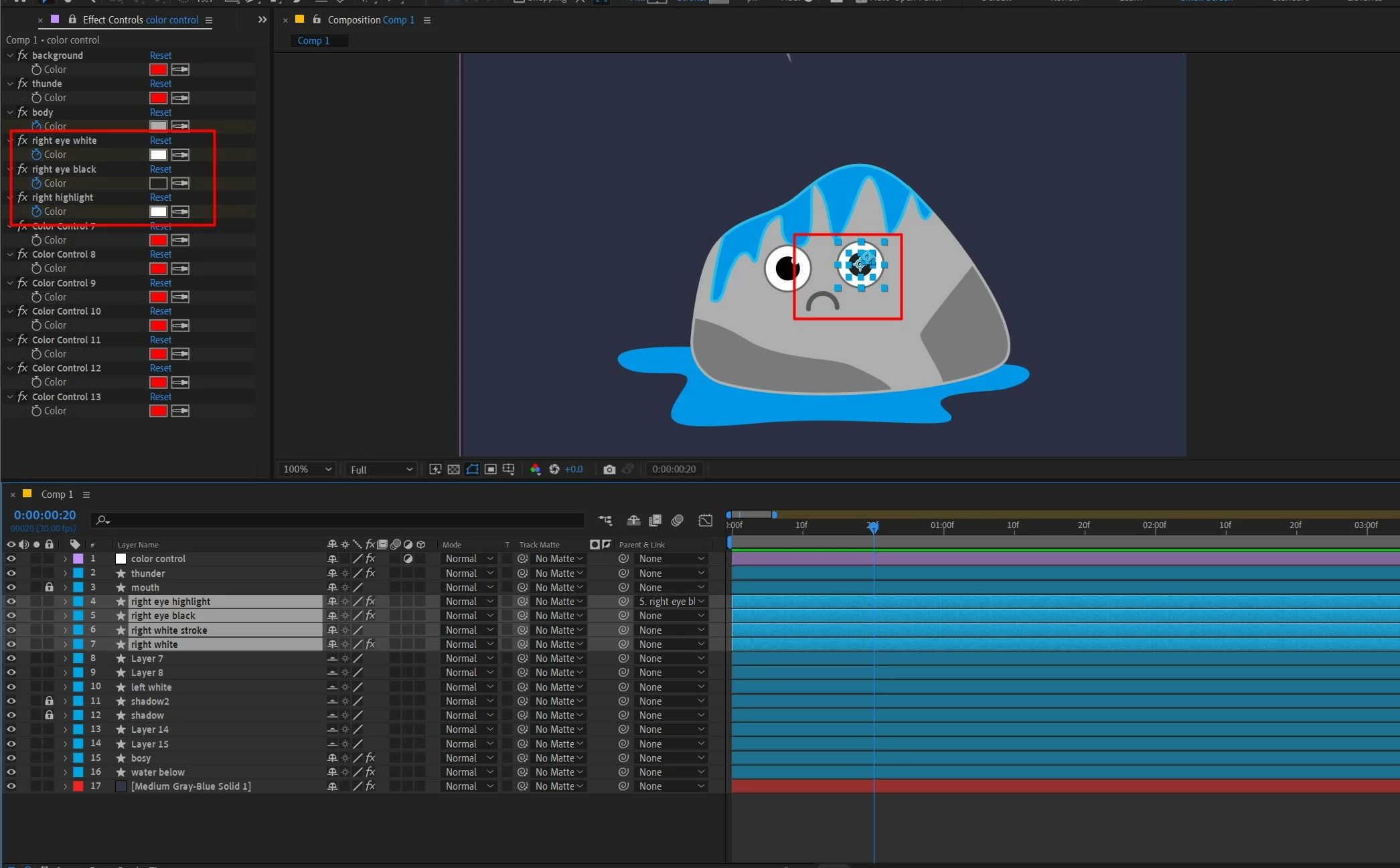
I have applied some color control on a character's eye. Now I want to precomp it and duplicate for another eye. But When I precomp all the eye layers' color effects are gone.


what is the best way to solve this?  I need help. Please guide me. Thank you.
 

Correct answer Rick Gerard

Your expressions controlling the color fill are broken because you moded the layers to a new comp. You can modify the expression in the pre-comp by replacing thisComp with  Comp("Your Main Comp's name") at the start of the expressions. You can also lock the Color Control effects panel, open the pre-comp, and drag the pickwhip from the pre-comp to the color control in the main comp. 

2 replies

Rick GerardCommunity ExpertCorrect answer
Community Expert
April 8, 2025

Your expressions controlling the color fill are broken because you moded the layers to a new comp. You can modify the expression in the pre-comp by replacing thisComp with  Comp("Your Main Comp's name") at the start of the expressions. You can also lock the Color Control effects panel, open the pre-comp, and drag the pickwhip from the pre-comp to the color control in the main comp. 

S_ A
S_ AAuthor
Inspiring
April 8, 2025

Thank you so much.

nishu_kush
Legend
April 7, 2025

Try including the Color Control layer in the Precomp.

Let me know if that helps.


Thanks,
Nishu