
Participant
September 4, 2021
Question

Precomposed layers disappear at random.

  • September 4, 2021
  • 4 replies
  • 3491 views

I am having issues when I precompose layers. This artwork was created in Illustrator and converted to an after effects shape layer. I attached screenshots


Screenshots 1 and 2: Elements of the Pre Comp disseapper. The girls arm is missing. I checked the layer opacity and it is at 100%.
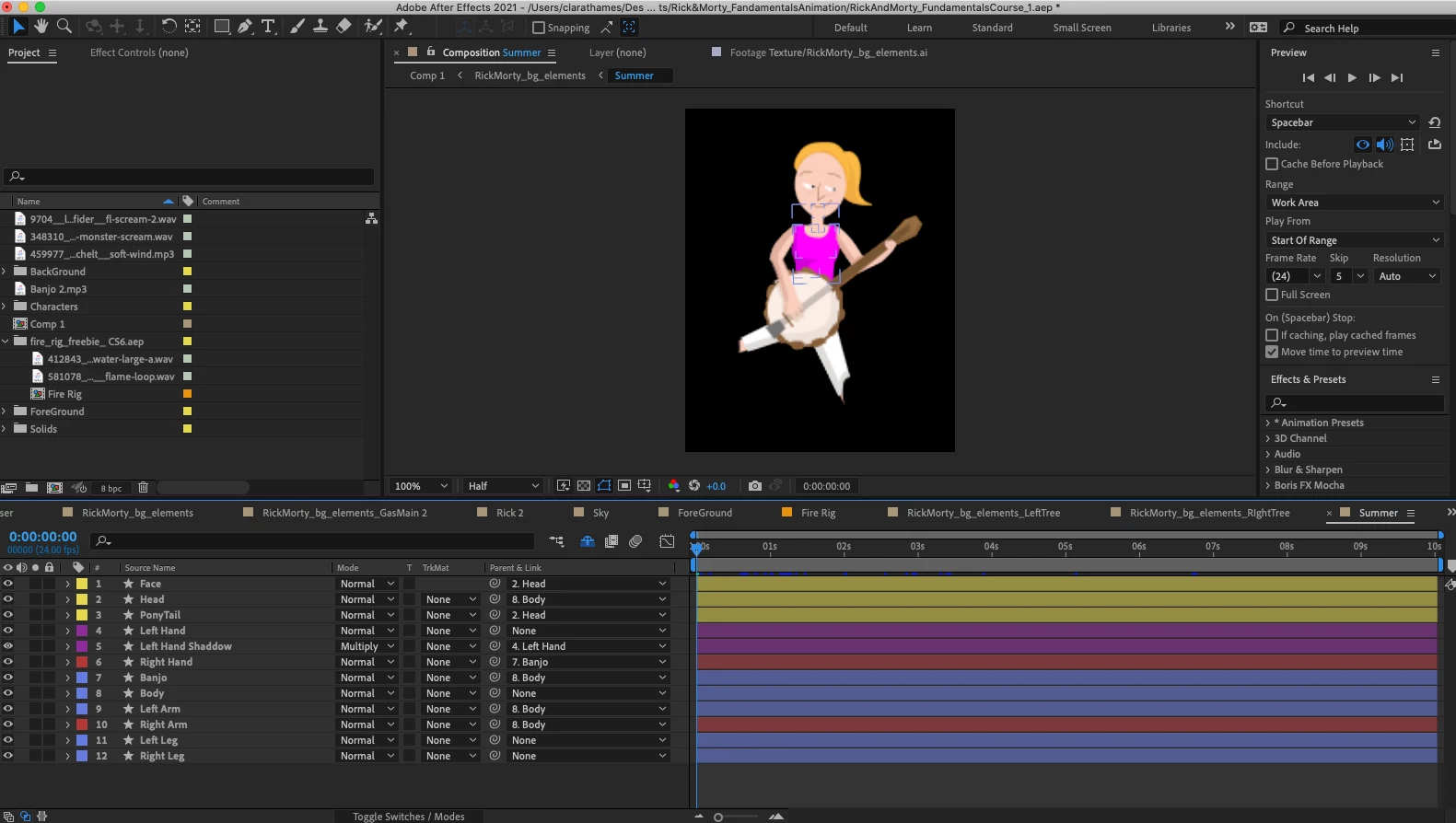
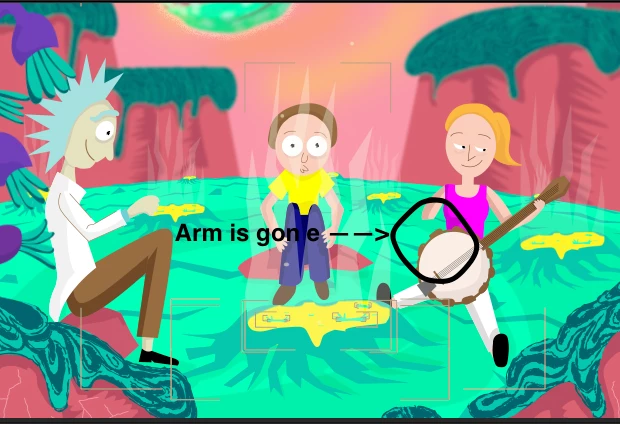
 

Screenshot 3: This group of purple plants was in a pre comp that kept disappearing. I tried to un precompose the comp. The layers appear cut up or sliced. The opacity is at 100% and there are no mask.
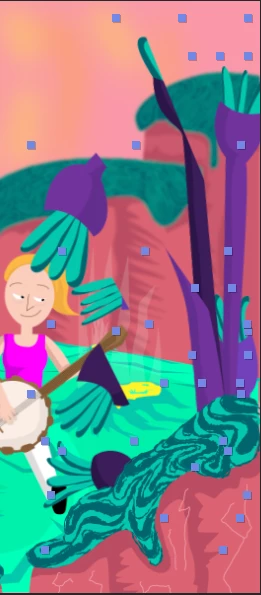
 

This topic has been closed for replies.

4 replies

Inspiring
September 6, 2021

Hi BlueClatter - nice graphics
At first glance, I note that your layer for the Left Hand has not been parented to any other layers. You might want to check this.
I agree that it's always important to post link to any tutorial you are following. Not just because it might be from a well intentioned individual, but quite often older tutorials use workflows that have changed / improved in later versions. 

Community Expert
September 4, 2021

Unless you are animating the vector paths or using shape layer animators or planning on changing to the C4D rendering engine and extruding the shape layers, there is absolutely no reason at all to convert vector files (Illustrator layers) to shape layers. Your comp will take longer to render and you have fewer options.


That said, if layers are disappearing and they are all 2D then you have rendering order problems. If they are 3D then you have Z offset problems. You have shown us the layer problems but you have not revealed the modified properties of the problem layers by pressing the 'u' key twice so we have no idea what is going on in your comp. 


I suggest you start checking modified properties and soloing layers until you find the problem layer. If you can't figure it out with that troubleshooting workflow embed some screenshots that show us what is going on in your comp.

Participant
September 5, 2021

Thanks @Rick Gerard. I couldn't find a problem layer. I decided to start the animation over and that is working. I attached screenshots of the layers with the U key turned on. I am using a CC Bend It effect and loopOut("pingpong"). The loop out expression have been offset on every other layer.


I am making this animation as part of a tutorial. The tutorial converted all the illustrator layers to after effects shape layers so that was the reason I did that.

Participant
September 5, 2021

Never mind that didn't work either


Community Expert
September 4, 2021

Can you post a screenshot of your workspace showing the top composition? It will be even better if you show the switches besides the modes column, I suspect that there is 3d layers in the main comp and maybe you are using c4d render engine, just a wild guess.

manal shanableh
Legend
September 4, 2021

I noticed that in screenshot 1, a layer name left hand shoadow its mode is multiplay and rest layers are normal.


so what is this?

Participant
September 4, 2021

@manal shanableh it is a shaddow that goes under the left arm and on top of the banjo. It is set to multiply on purpose