
Inspiring
July 17, 2021
Answered

precomposition has stopped showing....

  • July 17, 2021
  • 1 reply
  • 374 views

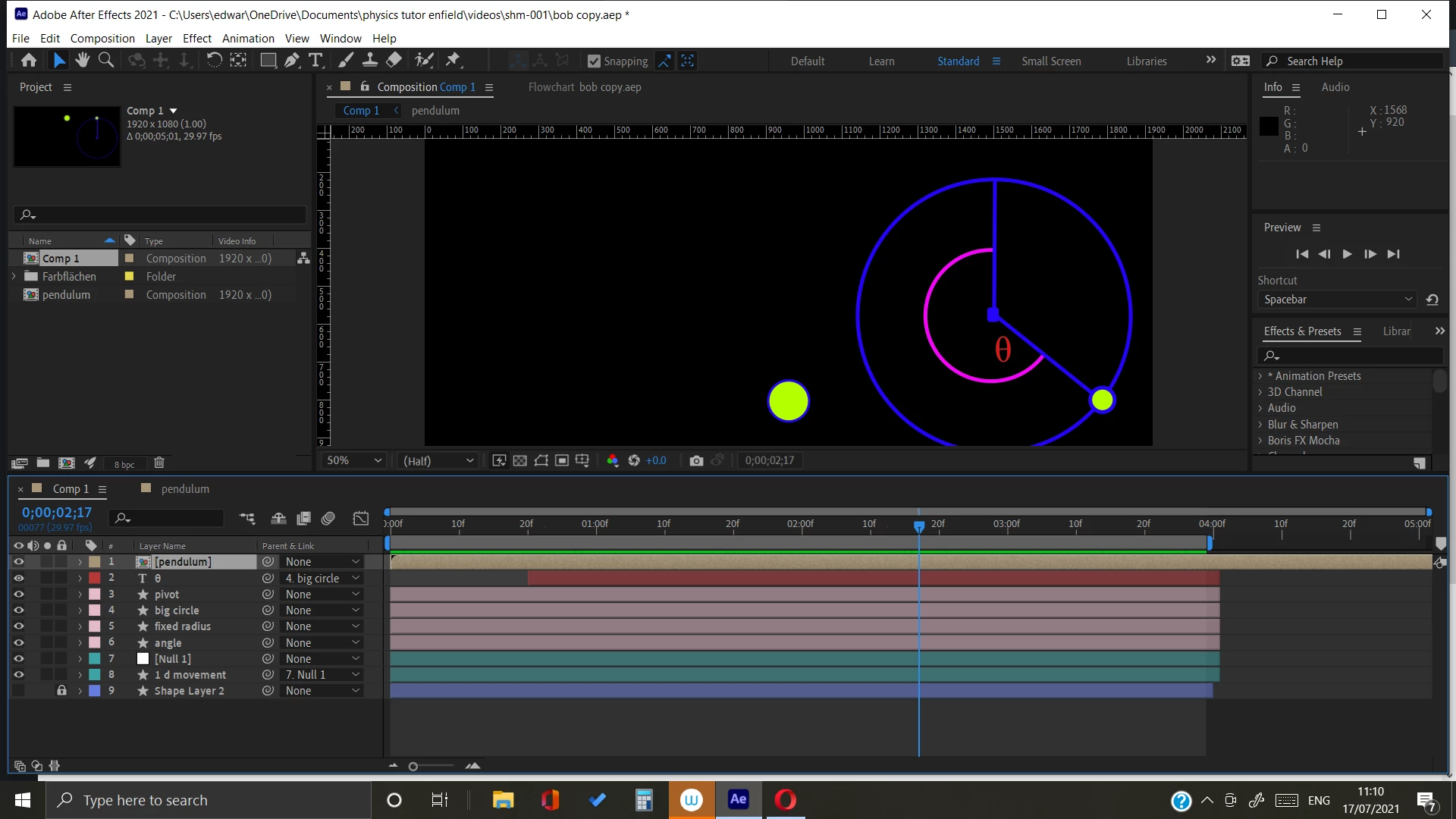
HI - I am new to AE. I have a simple composition like this, which has a precomposition within it (called pendulum)
 

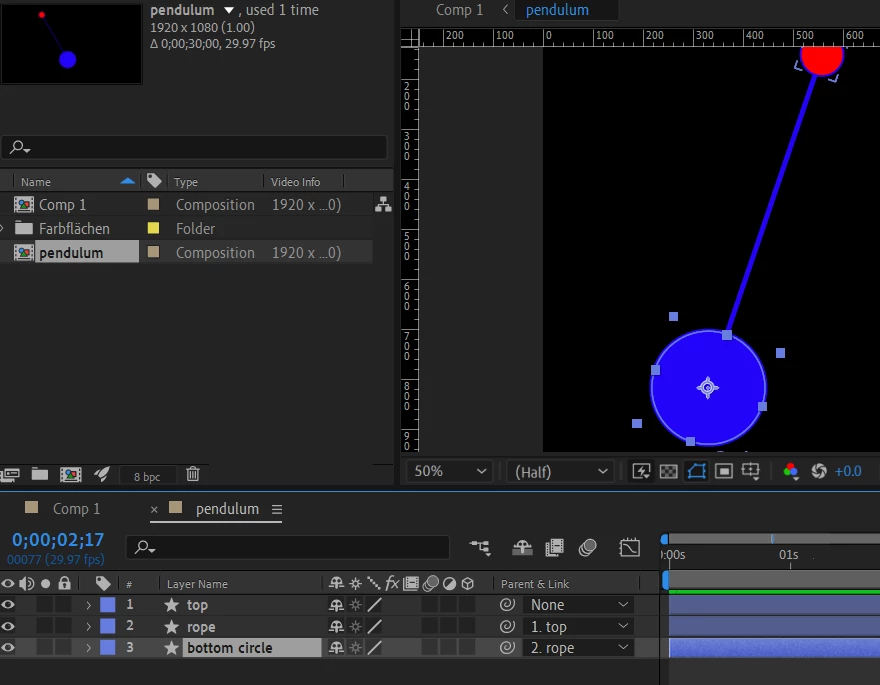
Ppendulum displays and works fine when I click on it to open up its layers
At first I used to be able to preview and see both animations together - which is what I want,

Now when I preview I only see the first one - I cannot make the pendulum precomp appear.

Any ideas what I am doing wrong - guess its a silly

Thanks


This topic has been closed for replies.
Correct answer Mylenium

Since not even the "selected" bounding box is visible in your screenshot, your layer is somewhere far off the actual comp canvas most likely, a.k.a. known as outer space. 😄 Start by revealing the position property and reset its values. Also you may have inadvertently created a mask that clips out your stuff, so check that, too.


Mylenium

1 reply

Mylenium
MyleniumCorrect answer
Legend
July 17, 2021

Since not even the "selected" bounding box is visible in your screenshot, your layer is somewhere far off the actual comp canvas most likely, a.k.a. known as outer space. 😄 Start by revealing the position property and reset its values. Also you may have inadvertently created a mask that clips out your stuff, so check that, too.


Mylenium

maxelcatAuthor
Inspiring
July 17, 2021

thank you very much - it had disappeared off the bottom somehow!