
precomps with black screen AND playback preview issues
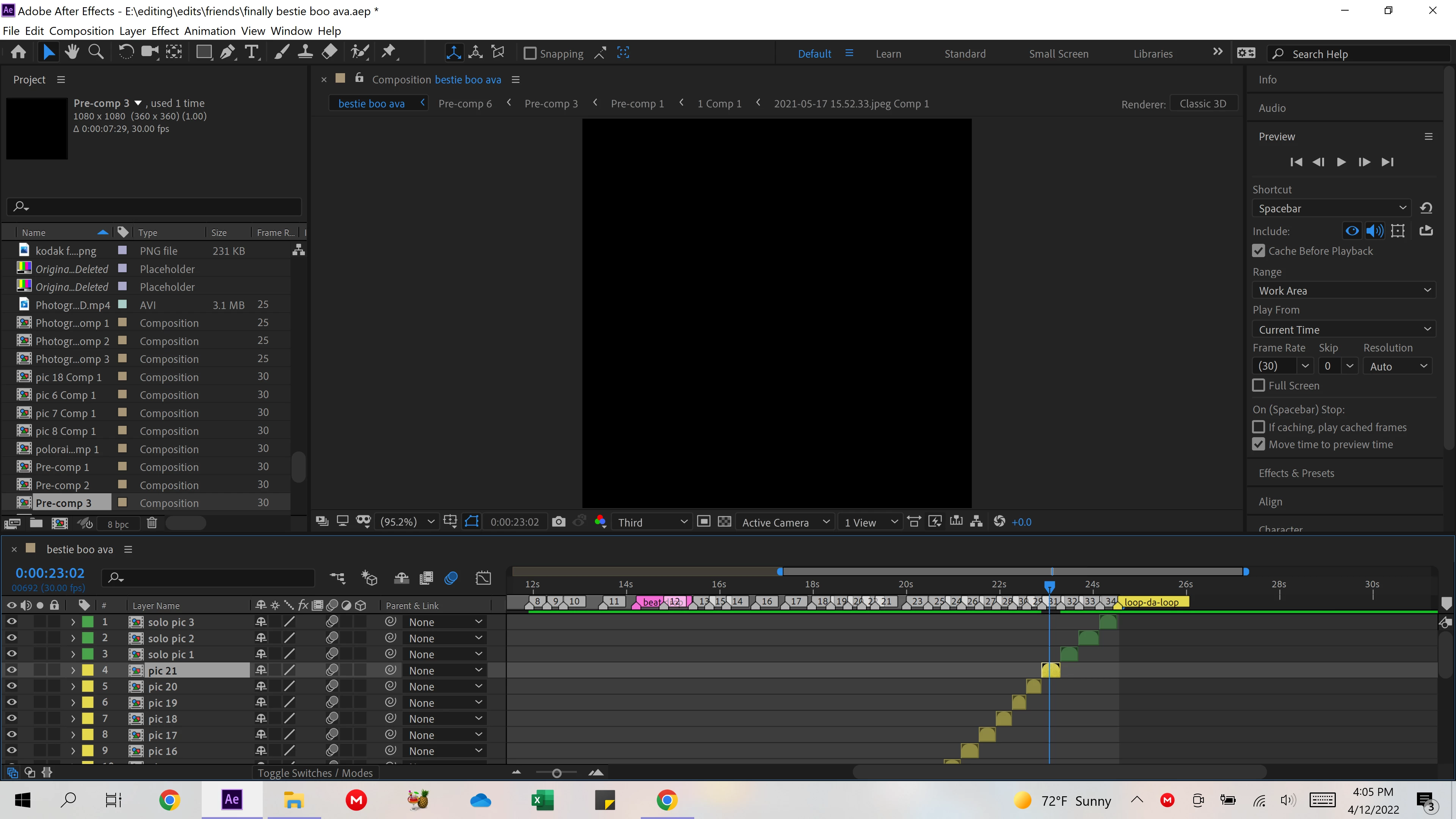
So first off, two of my precomps won't cache or display the content in it, they're just black screens (screenshots attached). As you can see, the rest of my composition has the green bar and has cached.
However, my second issue is that the majority will cache before playback, but will not play. Regardless of whether I use my spacebar, the play button, un/select "cache before playback", and where I am on the timeline when I try to hit play.
I am very familiar with cache resolutions so I have tried what I know and have read about, and nothing has worked. Specifically, purging all memory and disk cache, emptying disk cache, cleaning database & cache, changing the disk and media cache folders, AND adjusting my maximum disk cache size.
I have also tried GPU and CPU under "GPU Information" in the Previews section (I know that solved some issues in the past because I often use my Sapphire plug-in) but neither helped.
I am also aware that this might be a large composition, containing a lot of effects and information within it, but I have been using After Effects for over 4 years and have completed projects larger than this, so it should be fixable.
I have never had this much trouble identifying a solution, and if someone can help with either, at all, that would be incredible. Thank you!!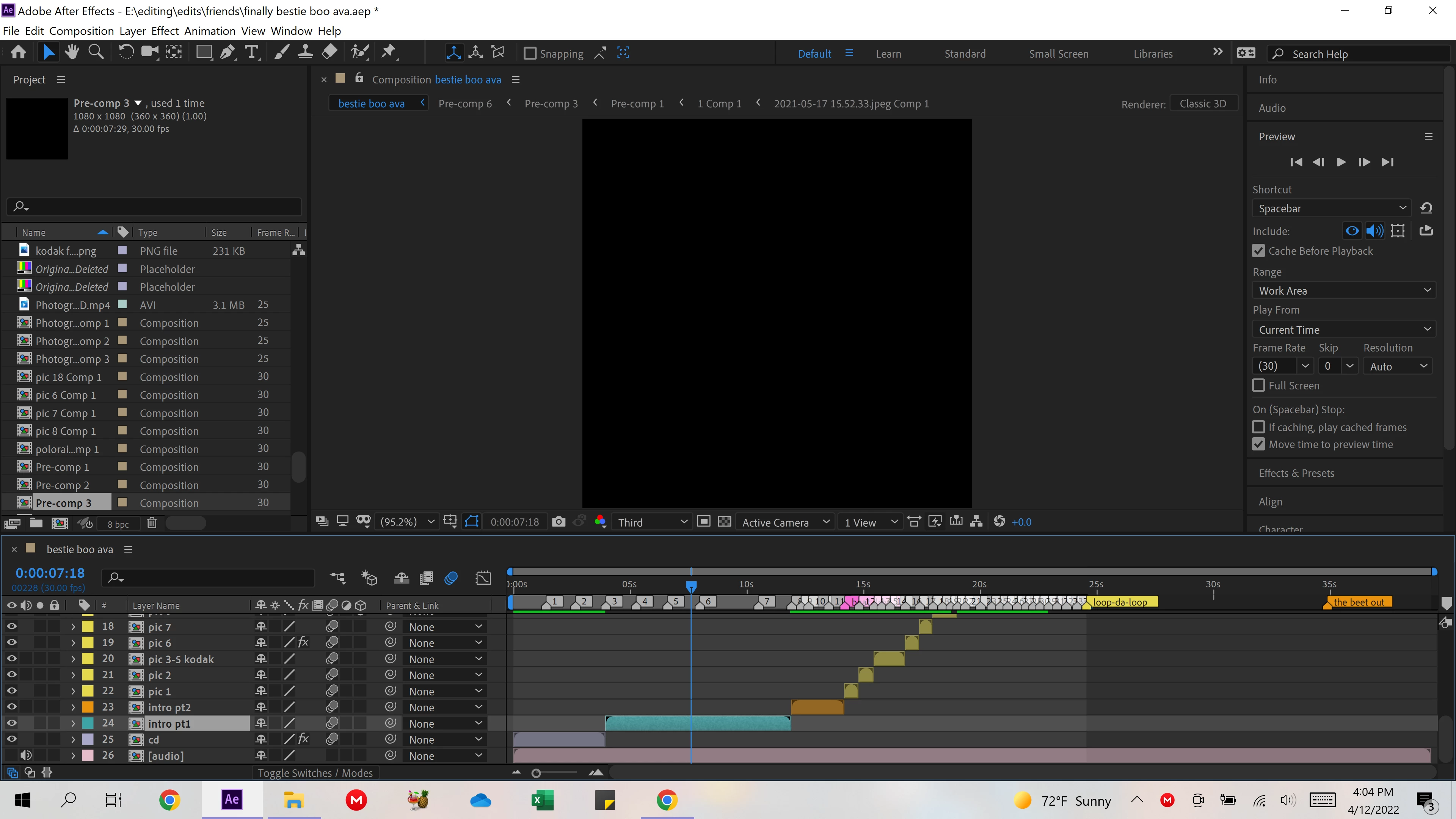
 AdChoices