
Inspiring
December 12, 2017
Answered

Premiere Sequence imported into AE through dynamic link is not moving into composition. Help.

  • December 12, 2017
  • 2 replies
  • 2273 views

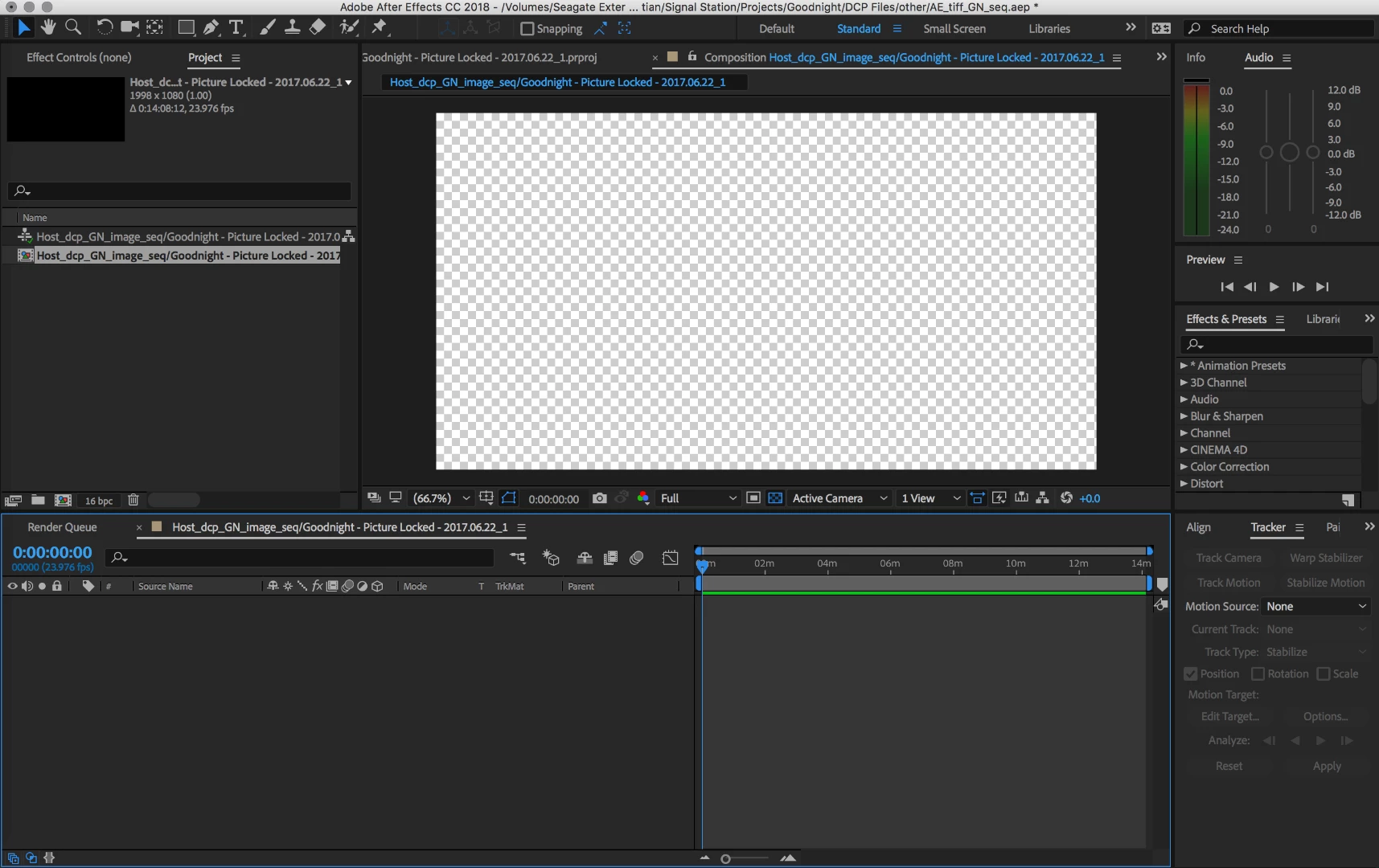
So I have a sequence from Premiere Pro, which I imported into After Effects through the dynamic link. It plays in AE normally as you can see in my first image, but when I bring it into a new comp, it doesn't move it over. Instead what happens is it creates a new composition that is the same length of my sequence, but no more. You can see this in my second image.

I've tried to import the premiere project as a work around, but ironically AE does not recognize my linked AE files which are in the sequence. So, I'm trying to figure out how to do this through dynamic link.

Image 1:
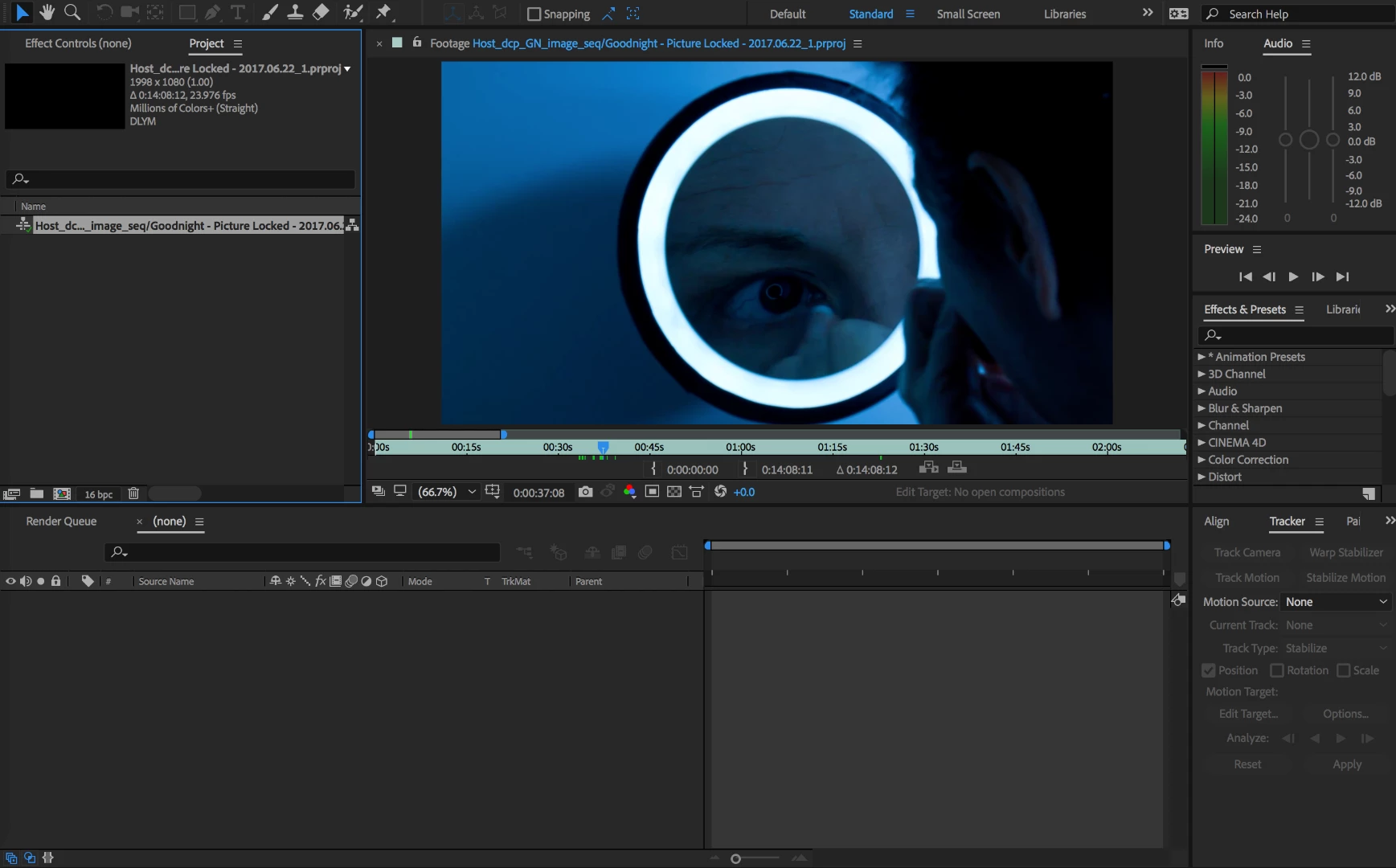
Image 2:
This topic has been closed for replies.
Correct answer Mylenium

I've tried to import the premiere project as a work around, but ironically AE does not recognize my linked AE files which are in the sequence. So, I'm trying to figure out how to do this through dynamic link.

You can't. It's as simple as that. You cannot have cyclic connections with DynamicLink so importing a sequence that already has DL-ed AE comps will never work. It's a fundamental limitation of the whole workflow. You have to strip down your sequence or actually render it and import it as a clip into AE or in reverse render your AE bits and integrate them in a flattened PR sequence. It can only be one way.

Mylenium

2 replies

Dave_LaRonde
Inspiring
December 12, 2017

In the first picture, you're looking at the footage pane.  Lo and behold, there's the footage!

In the second picture, we see a comp with no footage in it.  Just drag the footage in to the comp.

What's your level of familiarity with After Effects?

Creptoo59Author
Inspiring
December 12, 2017

Above average. The footage will not move into the comp. Thats the problem. The first image is to show you that the footage is there, while the second image shows what happens when I try to make a new comp with that footage. It creates a comp that is the length of the footage, but refuses to move it into the comp. Dragging it in will not work.

Dave_LaRonde
Inspiring
December 12, 2017

As Mylenium points out, don't trust Dynamic Link for anything other than a 1-way trip.  Either PP-AE or AE-PP.  Not both.

Mylenium
MyleniumCorrect answer
Legend
December 12, 2017

I've tried to import the premiere project as a work around, but ironically AE does not recognize my linked AE files which are in the sequence. So, I'm trying to figure out how to do this through dynamic link.

You can't. It's as simple as that. You cannot have cyclic connections with DynamicLink so importing a sequence that already has DL-ed AE comps will never work. It's a fundamental limitation of the whole workflow. You have to strip down your sequence or actually render it and import it as a clip into AE or in reverse render your AE bits and integrate them in a flattened PR sequence. It can only be one way.

Mylenium

Creptoo59Author
Inspiring
December 12, 2017

That might be the work around (and I may just have to do that). But, when I go into AE, use dynamic link to connect the premiere sequence to AE, the sequence plays fine in AE. It just wont move the sequence into the comp. Is it because of the few shots that are already AE comps in the sequence, the reason why the entire sequence cannot be moved into a new composition?

Mylenium
Legend
December 12, 2017

Playing the layer as footage is exactly just that - the existing DynamicLink container being treated as a source item. this has nothing at all to do with adding it to the timeline, where such cyclic connections simply don't work. You cannot apply DL on top of an existing DL.

Mylenium