
immortalights
Known Participant
December 20, 2019
Question

Preview Does Not Play in AE 2019

  • December 20, 2019
  • 3 replies
  • 473 views

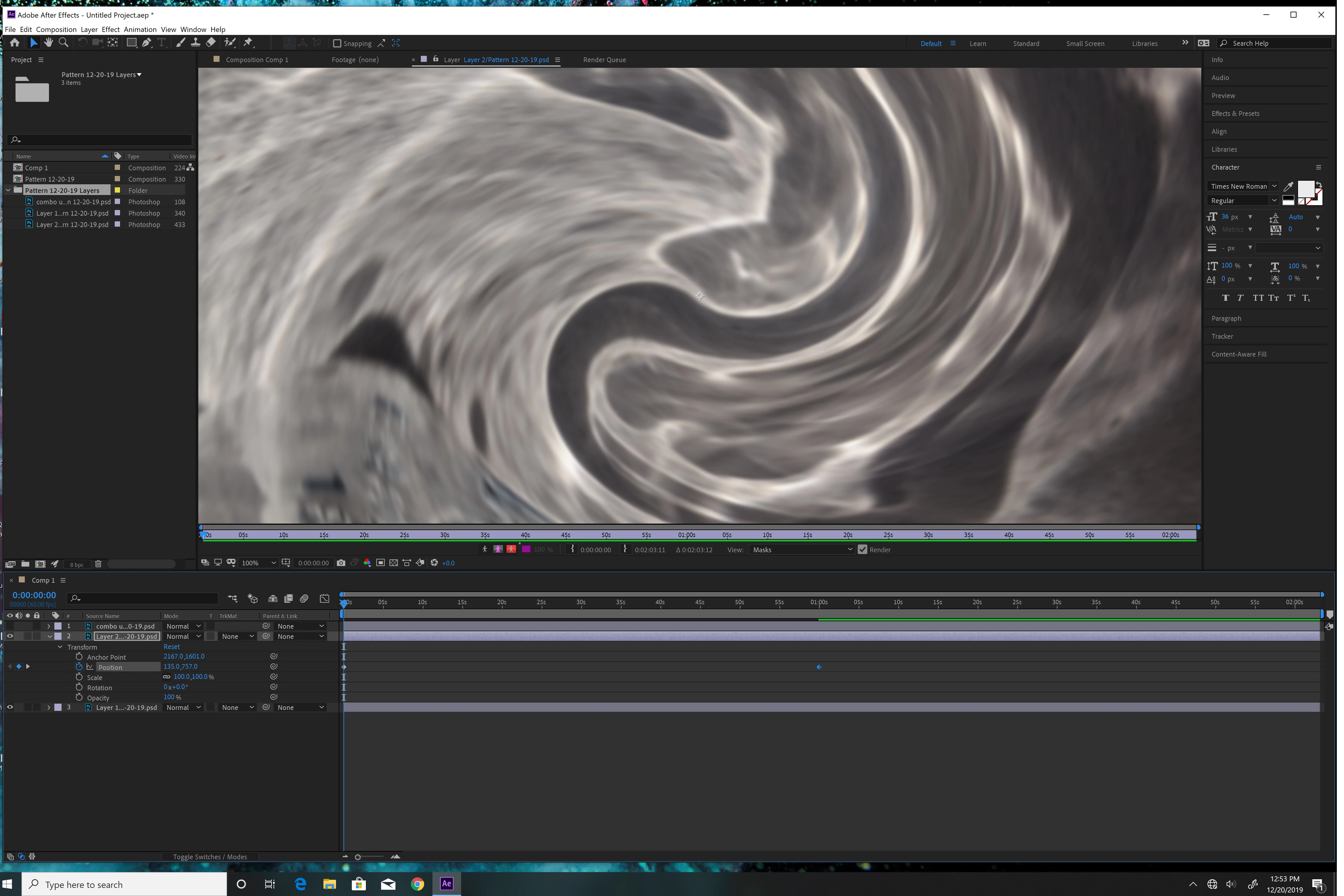
I can see a preview image but it doesn't move or change when I play the preview.

I'm using AE 2019.


What I tried...

1) purging the cache and memory

2) restarting the computer


This topic has been closed for replies.

3 replies

Community Expert
December 21, 2019

You are looking at the Layer panel, not the Comp Panel. There is a very good chance that there is nothing else wrong.

gupta shivangi
Legend
December 21, 2019

Hi there,


Thanks for reaching out. Playback performance is dependent on both system's hardware specifications and project's complexity. I appreciate that you have already tried to fix the issue before contacting us. I agree with @justintaylor here. It would be better if we can take a look at the image of higher resolution.

Could you share your system details(OS version, RAM, GPU, CPU, etc)?


In addition to that, I'd recommend you to reset the preferences which will make the settings default. You may refer to this link: https://helpx.adobe.com/in/after-effects/using/preferences.html#reset_prefs


Let us know if it brings any change.


Thanks,

Shivangi

immortalights
Known Participant
December 20, 2019

Also I can not find the button to change the preview quality.  Thank you.

Justin Taylor-Hyper Brew
Community Expert
Community Expert
December 21, 2019

Can you post a larger resolution screenshot? How is your footage interpretation settings? Is this on all projects or just this one?