

Bradford25267253zx97
Participant
July 15, 2022
Question

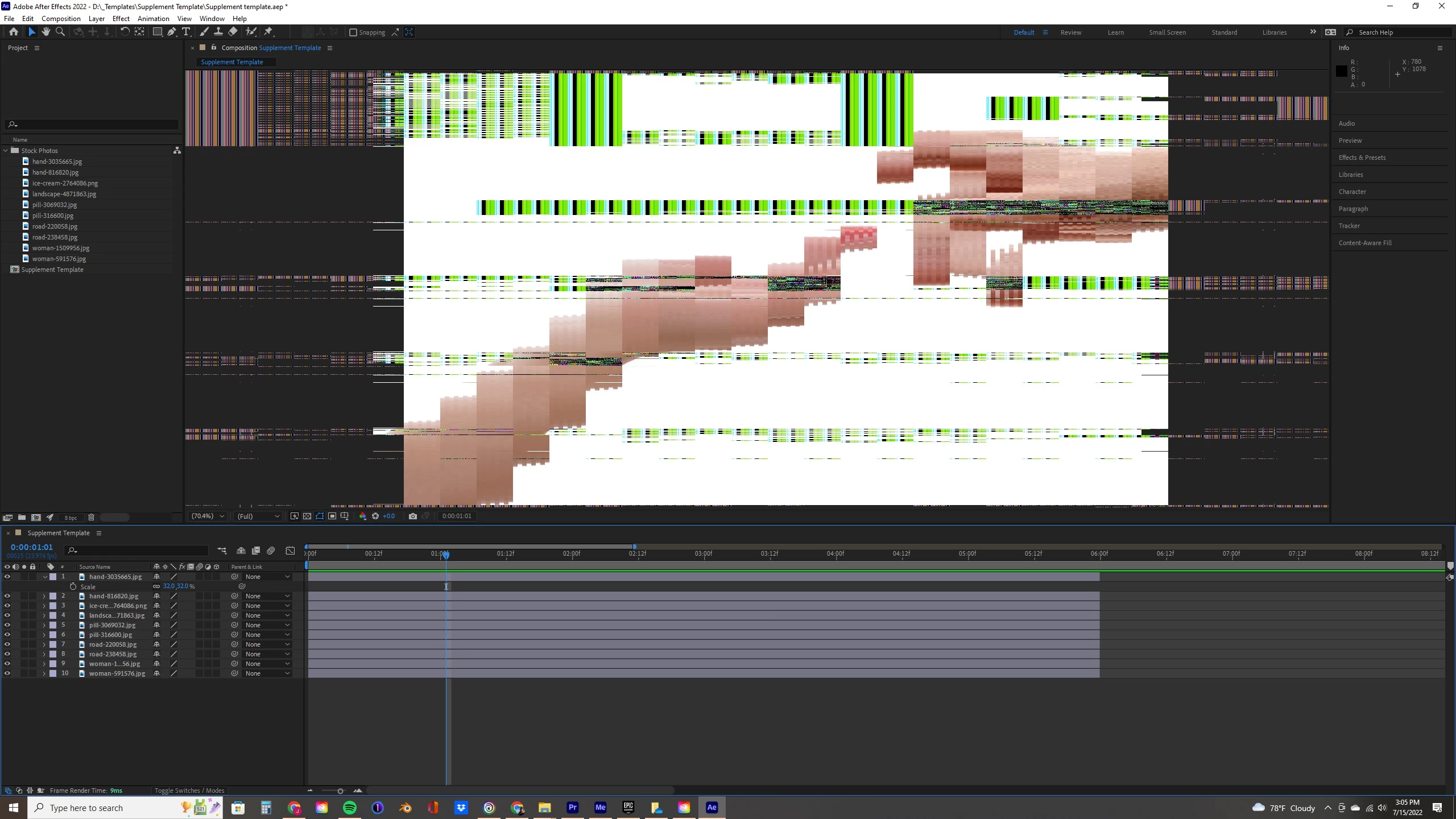
Preview glitched and pixelated

  • July 15, 2022
  • 1 reply
  • 259 views

I've had this issue for a while, my preview goes from normal to this for seemingly no reason.  To be clear, it doesn't always look like this, but anytime I try to interact with the window, i.e. drawing masks it looks like this.  I have cleaned my cache, and just updated my graphics drivers.
This topic has been closed for replies.

1 reply

nishu_kush
Legend
July 15, 2022

Hi Bradford25267253zx97,


Sorry for your issue.

Looks like it's related to the GPU. What are your system specifications (CPU, GPU, RAM, OS version)? If you're using an Intel CPU, chances are it has a GPU inbuilt. So, you need to update the Intel GPU driver as well. Here's how you can check the version of the GPU driver that's installed: https://support.viewsonic.com/en/support/solutions/articles/33000221571-how-to-check-graphics-card-drivers-in-windows-

Hope it helps.


Thanks,

Nishu

Bradford25267253zx97
Participant
July 19, 2022

This is my graphics card, I recently updated the drivers.  I have tried restarting the computer but it's still an issue.
Draft 3D: Available
Texture Memory: 3204.00 MB
Graphics Card
Vendor: NVIDIA
Device: NVIDIA GeForce RTX 2070 SUPER
Version: 11.700000
Total Memory: 8.00 GB


Jose Panadero
Community Expert
Community Expert
July 19, 2022

Try this:


- Go back to a previous version of the graphics card's driver

- Go to File > Project Settings and under the Video Rendering and Effects tab select Mercur Software Only.

- Go to After Effects Preferences > Import. Deactivate Hardware decoding acceleration.


Also, be sure to purge all the disk cache (Edit > Purge > All Memory and Disk Cache) and restart After Effects.