
Participant
February 7, 2025
Question

Preview goes black when playback is paused.

  • February 7, 2025
  • 1 reply
  • 589 views

When paused and not playing back, the entire preview window goes black. I can see my composition play back normally when playing, but it goes black when I pause. This issue happens with every project I make.


I've tried:

-Driver updates and everything GPU related
-Making sure fast previews and wireframe are off

-Starting in safe mode with 3rd party plugins disabled

-Reinstalling After Effects and resetting preferences

-Checking preview settings and making sure everything is visible
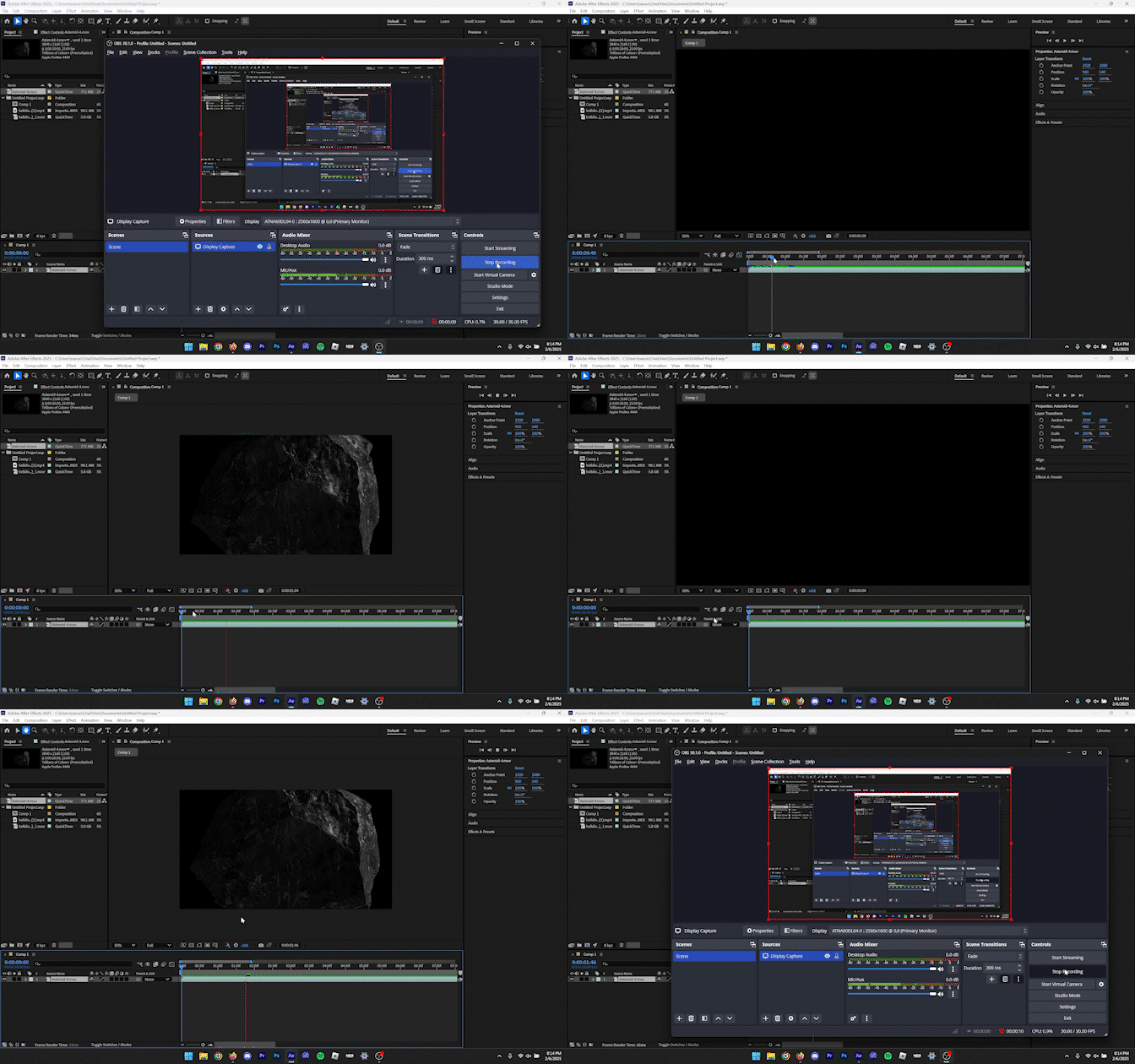


Details:

After Effects 25.1

Windows 11 Pro 24H2

AMD Ryzen AI 9 HX 370 & RTX 4060 (Laptop) w/ 32GB RAM


Thanks to anybody who can help!


1 reply

nishu_kush
Community Manager
Community Manager
February 7, 2025

Sorry to hear about the issue. Can you try the following:

1. Go to After Effects Preferences > Display > disable Hardware Accelerated Composition, Layer, and Footage Panels.

2. Go to File > Project Settings > change the renderer to Software Only.

Let us know how it goes.


Thanks,
Nishu

Participant
February 8, 2025

Hey Nishu!

Thanks for the reply! I followed your advice and ended up actually disabling my integrated graphics card. I'm now on integrated graphics with hardware acceleration completely off. The preview now flashes on and off when paused instead of remaining fully black. I've attached a video to visualize what I mean.


Maybe this is a hardware issue? Either way, the situation is still not ideal.


Thank you

Participant
February 8, 2025

*Correction, I meant to say I disabled my dedicated graphics card, meaning the GPU is not active at all and I'm running on integrated graphics. Sorry about that!