Inspiring
February 22, 2022
Answered

Preview Is Gray/Not Playing

  • February 22, 2022
  • 1 reply
  • 6544 views

I was editing a video, and the composition it was at was 60fps, preview 60fps, I used the shy tool to hide some layers, but I have toggled the eye on all of the layers, so I should be able to see all of them. I saved the aep file, and then when I opened it again ae crashed, and this showed up. Confused, I put all of the files in my trash back into my applications, but it didn't work at all and the following showed up in the screen below. Just a grey screen, and I shyed some layers, but the eye is still toggled on for them so I should be able to see them and there is one file that says placeholder and it says original deleted, I don't know if thats the issue, but its very frustrating and everytime I try to play it crashes and freezes. I've never had this issue before.
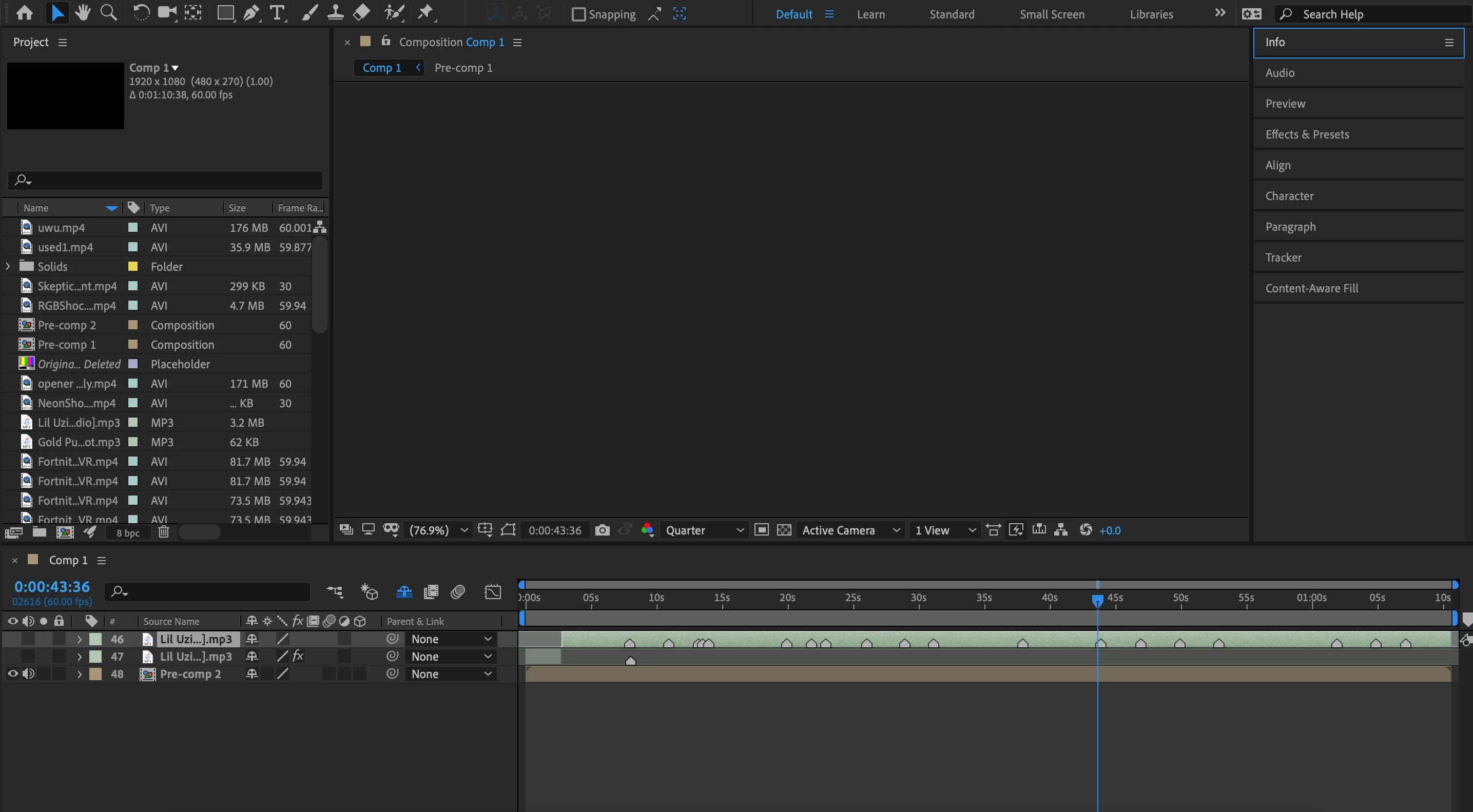
This topic has been closed for replies.
Correct answer Jose Panadero

Try to turn off GPU Acceleration under File > Project Settings > Video Rendering and effects. Select Mercury Software Only.


Also, go to After EFfects Preferences > Display. Turn off Hardware Accelerate COmposition, Layer, and Footage panels.


Restart After Effects and try again.

1 reply

Jose Panadero
Community Expert
Jose PanaderoCommunity ExpertCorrect answer
Community Expert
February 22, 2022

Try to turn off GPU Acceleration under File > Project Settings > Video Rendering and effects. Select Mercury Software Only.


Also, go to After EFfects Preferences > Display. Turn off Hardware Accelerate COmposition, Layer, and Footage panels.


Restart After Effects and try again.

Inspiring
February 22, 2022

Thanks, my video is now playing but the issue is, that I can't playback my video anymore. I'm on a macbook pro and here are my specs. (They aren't very good)


Processor - 1.4 GHz Quad-Core Intel Core i5

Memory - 8 GB 2133 MHz LPDDR3

Graphics - Intel Iris Plus Graphics 645 1536 MB