Participating Frequently
August 16, 2022
Question

Preview Not Playing Even wHen Rendered

  • August 16, 2022
  • 2 replies
  • 4260 views

Good Morning All,


I'm having an issue with my Adobe After Effects. I noticed this begin on an old project I was working on so I started a new one just to see if it was a common trend. 


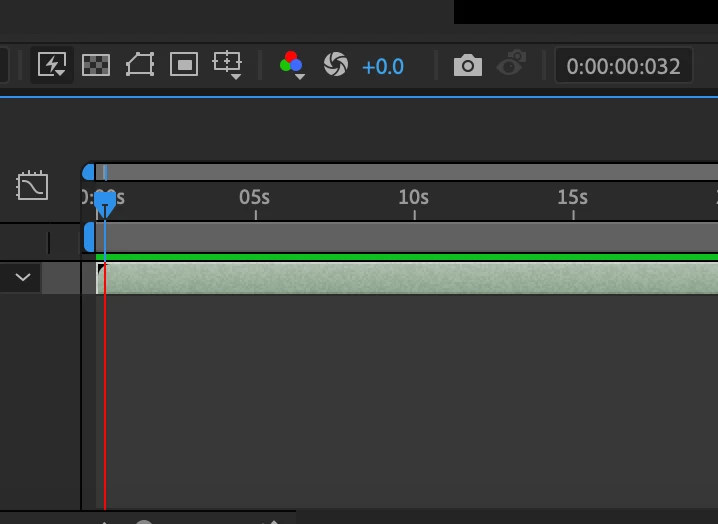
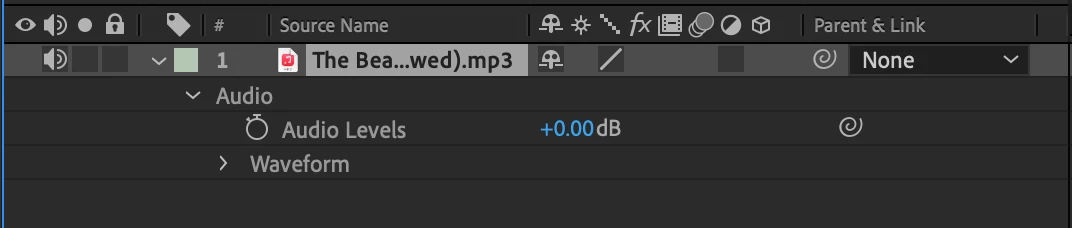
In this new project it's only an audio file, as seen below it's fully rendered and G2G for playback all the way to 10 seconds. Howevere, when I hit play, it plays a few miliseconds and then kicks me back to where the playback began. The timestamp moves from 0:00:00:030 to 0:00:00:035 then as I said, kicks me back to the beginning of the playback. 


There's no effects, nor any alterations to the audio. It's the raw audio file alone. Now all of my in progress projects act like this. Screen recording attached

below. 

Does anyone know how to fix this? Should I uninstall AE and reinstall? 


Thanks in advance. 
 

This topic has been closed for replies.

2 replies

Community Manager
August 17, 2022

Hi @Erica25572365rk2l,


How much RAM is available to After Effects in Preferences > Memory & Performance? I ask as I'm wondering if AE thinks it doesn't have enough memory to preview for some reason.


Thanks,

Jason

Kyle Hamrick
Community Expert
Community Expert
August 17, 2022

Good thought!

Kyle Hamrick
Community Expert
Community Expert
August 16, 2022

Have you tried a different audio file? A different format? I'm not sure if this is still true, but in ye olden days, mp3 files were known to cause issues. It's worth seeing if reencoding this as a wav, aiff, etc. will eliminate the issue. 

If this has no effect, my next step would be clearing your preferences.
Click the After Effects icon to begin opening the app, then hold Ctrl+Alt+Shift on Windows or Command+Option+Shift on Mac. You'll get a little pop-up to confirm you want to clear the preferences. 

Let us know if neither of these helps! 

Participating Frequently
August 16, 2022

Hi there! Thank you for the suggestions. I've tried an .MP4 as well as a WAV and still the same issue. I also tried putting in one of my clips w/ audio (.mov) and same thing. 


I also tried to clear the preferenes, with no luck. 

Kyle Hamrick
Community Expert
Community Expert
August 16, 2022

Any chance you're using a bluetooth audio device, like headphones? If so, try taking that out of the equation.