IJBusiness
Participant
January 16, 2022
Question

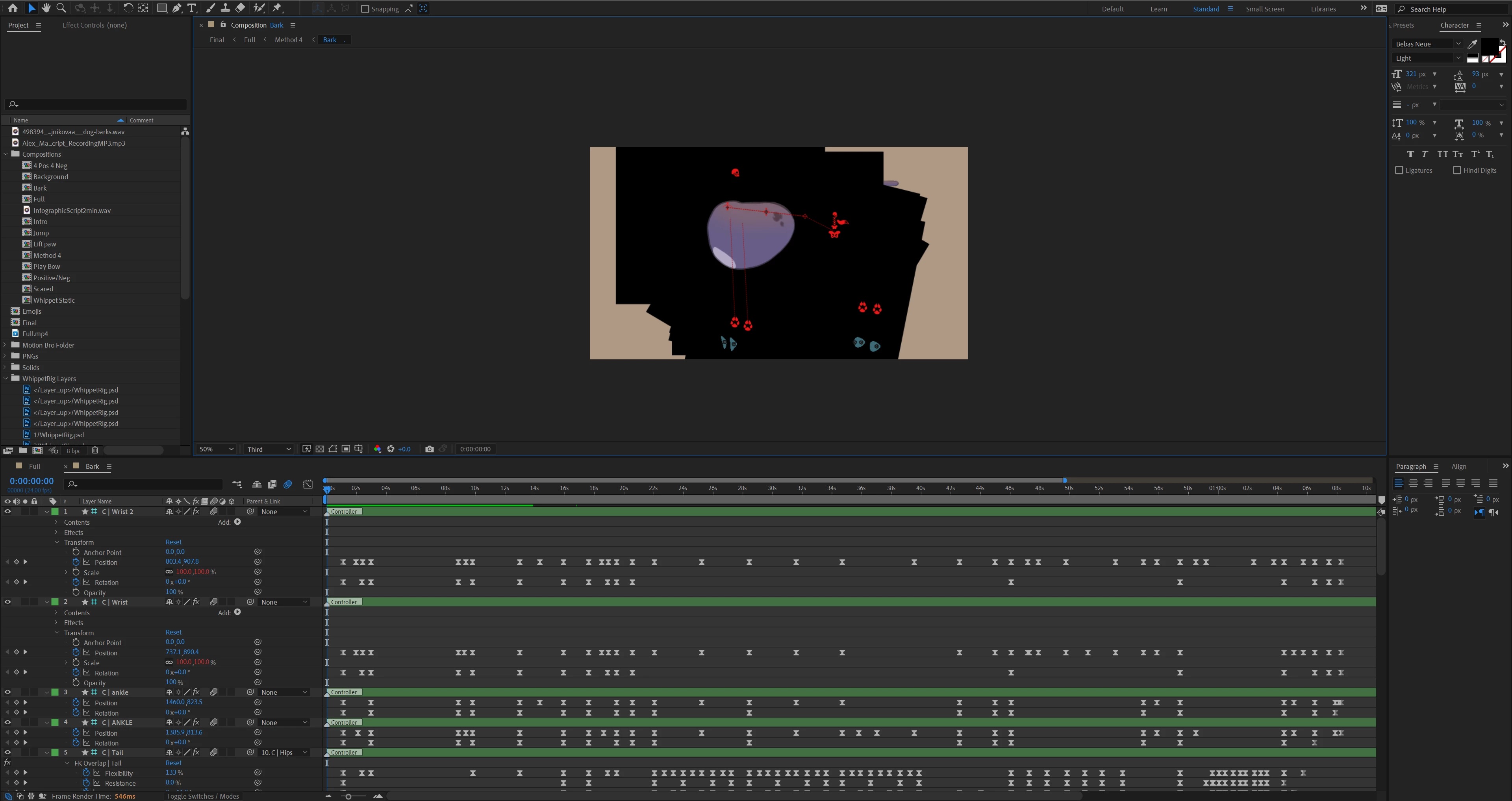
Previously transparent image has black background after opening the file again after several months

  • January 16, 2022
  • 2 replies
  • 266 views

Any idea what might have caused this? 
This topic has been closed for replies.

2 replies

Andrew Yoole
Inspiring
January 16, 2022

Your screengrab only shows shape layers in the timeline, and all of those are guide layers.  


Please show a screengrab where the problem (non transparent) layers are visible, with all keyframes revealed.   Also, find one of those layers in the project panel and select it so we can see the file info of that source file too.

IJBusiness
Participant
January 17, 2022

Yes. So the transparent images are part of a Duik rig, which are parented to the controllers, which have the keyframes on them. The images have no keyframes.

Mrtn Ritter
Participating Frequently
January 16, 2022

Purge preview cache in the first step - this looks pretty buggy.

Check, if GPU drivers are up to date and the Adobe recommended one's.

Also check, if there isn't just a "background" layer in the precomps you might just have forgotten about during the last months.


For further help, can you show us one of the layers with black background in the comp view with all keyrames and altered properites visible?


*Martin

IJBusiness
Participant
January 17, 2022

Yes. So the transparent images are part of a Duik rig, which are parented to the controllers, which have the keyframes on them. The images have no keyframes.
