
Participant
October 22, 2018
Question

Problem Adobe Media Encoder CC 2019

  • October 22, 2018
  • 20 replies
  • 15280 views

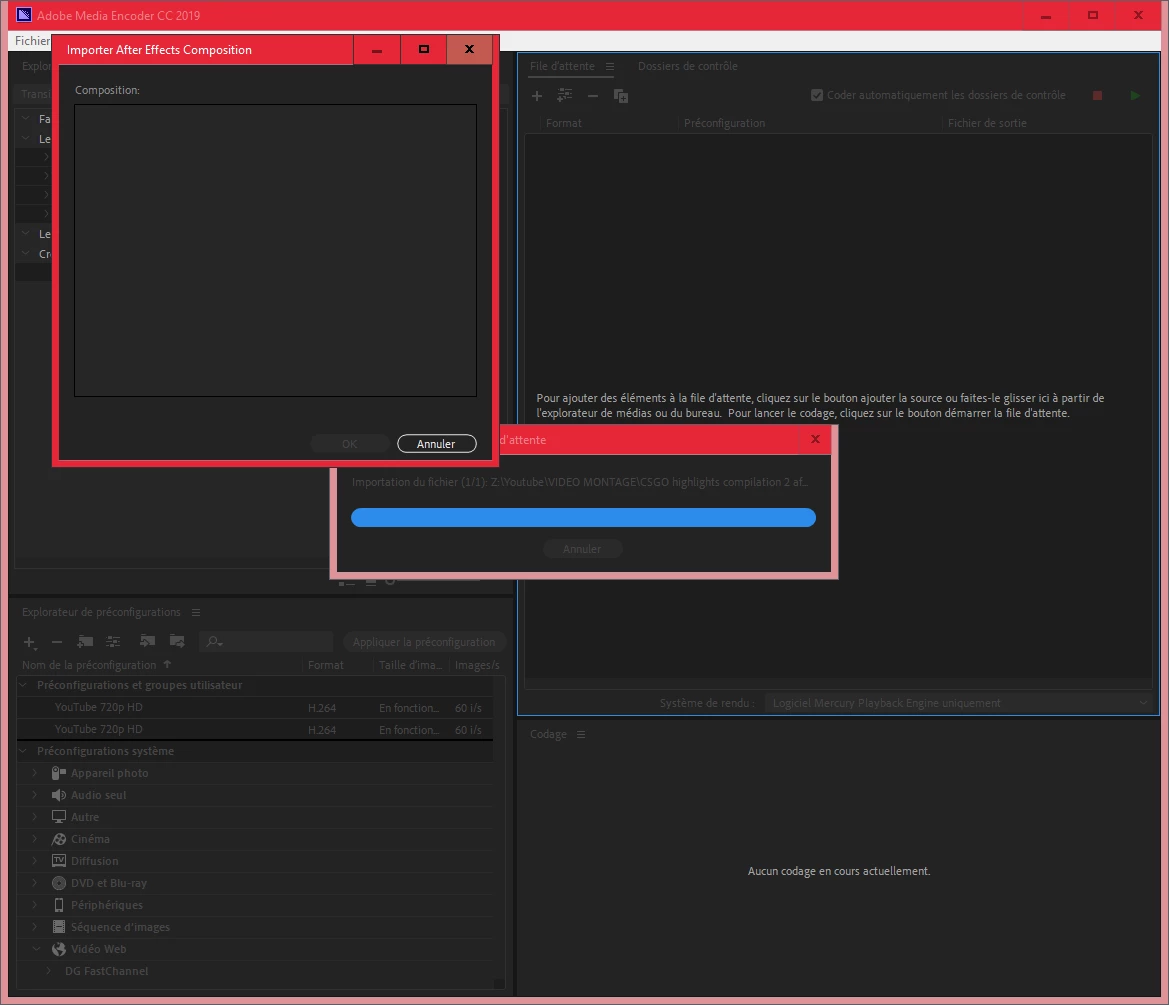
Hello, I have a small problem with After effects CC 2019 and Adobe Media Encoder CC 2019.

in after effects: "Composition --> Add to Adobe Media Encoder Queue", my project is not in the queue.

When I drag my.aep file (after effects) into Media Encoder there is nothing in "Composition"

I want to put my file in H.264.

Sorry, I speak French.

Please help me.
This topic has been closed for replies.

20 replies

Participating Frequently
November 9, 2018

My horrible workaround:

1. Export by the AE Render

2. Drag the .mov (that is always enormously in filesize) in to the AME and render it again within a few seconds to .mp4

Since I also miss the mp4 export option in AE. Even all my codecs are lost..

Participating Frequently
November 9, 2018

Same problem here. Nothing showing up in my Queue. Adding the tmp AME comp manually will open a Dynamic Link dialog box and the endless waiting can begin. Nothing happens after all.

What a mess.

Participating Frequently
November 8, 2018

My new workflow is to render as a .mov within AE (for some reason that's the only format available) Then open the .mov file in Premier Pro and render as .mp4. I even tried to uninstall AE 2019 and run the 2018 version again but not even that fixed it! Could it be something to do with the Mojave update?

Inspiring
November 8, 2018

My workaround ended up beeing to downgrade. The entire CC2019 is total and utterly s**t. I`ve used Adobe since 1998, I have never experienced a more buggy update. Crucial tools in my workflow is not working in cc 2019. In PS working with artboards is totally pointless, even rulers dont work when in crop mode. In Illustrator Toolmenu is a mess and Indesign is the most messy upgrade ever and After Effects the Media Encoder. Seems to me Adobe shit on their pro customers in favour of getting something out in a hurry.

Participant
November 8, 2018

I have the same problem.

In my case I was able to export composition to AME by clickin Queue in AME button but the Media Encoder wont start the process. No dynamic link connection also. What is happening!!!!???? When it will be fixed????? Am I to render everything twice????? This is a joke.

Gameboy_DK
Participant
November 8, 2018

I have the same problem. Adobe, please fix this soon! Or at least make it possible to continue working in after effects while rendering. Time is money, and sitting around waiting for a render to complete before being able to work on a different project is expensive.

Participating Frequently
November 1, 2018

Same problem here...

Participating Frequently
November 1, 2018

Just discovered if you add comp to the render queue and then from the render queue panel you can select 'queue in AME' - this seems to work.

Participating Frequently
November 1, 2018

Correction - The above loads the source into AME but it still won't render. It just says 'Connecting to Dynamic Link Server...' but get's no further.

KheeChun
Participant
November 1, 2018

I was facing a similar problem earlier, although AE-->AME 2019 used to work for the past few days until 2 hours ago, and I was struggling to find a solution for the past few hours.

Anyway, my workaround was to go to File --> Export --> Add to Render Queue

In the render panel at the bottom (by default), click on the Queue in AME button. My composition was then successfully queued.

Please try and let me know the outcome, I'm still looking for the source of the problem. Thanks.

Participant
October 26, 2018

I have the same problem and contacted adobe and they said that this is a bug in Dynamic Link in the cc2019 version, and they are fixing the problem as soon as possible.

ASchrauwen
Participant
October 27, 2018

Same problem here, is it solved yet?

OussK
Community Expert
Community Expert
October 28, 2018

No, you need to wait the next release from adobe, witch i think it will coming soon

Szalam
Community Expert
Community Expert
October 25, 2018

Try rebooting your computer, wait for everything to load, DON'T DO ANYTHING ELSE, launch AME, and try to bring your AE comp in.

If that still doesn't work, let us know. If it does work, please let us know too!

If it doesn't work and you need to get some work out quickly, simply export an intermediate file out of AE's render queue (use a codec like Cineform or DNxHD) and then you can bring that intermediate file into AME to get your MP4.

kenny27293
Known Participant
October 24, 2018

same problem here!