
gabrielu87232755
Participant
January 20, 2021
Question

Problem regarding rectangle shape

  • January 20, 2021
  • 4 replies
  • 1249 views

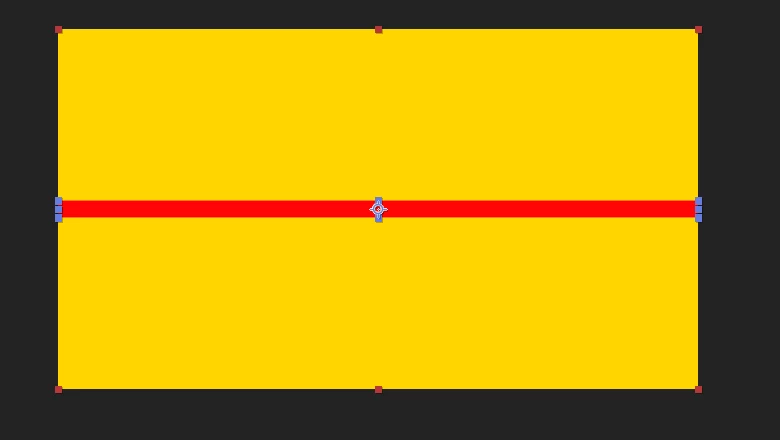
Just a newbie question regarding shapes. I am trying to move a shape using Selection. Is there a way to turn off the proportional scaling in AE? I've tried a few ways but I can't do it. Please any help would be appreciated. I want to move only the right point of the shape to the middle, but I can't, because it reshapes it and moves it on both sides. Is there a button or an option to deactivate it so I am able to move just one part of the rectangle? Thanks in advance.
This topic has been closed for replies.

4 replies

gabrielu87232755
Participant
January 21, 2021

I have tried both methods suggested by Byron and Towerguy. I'm still unable to get done what I want to do. I don't know if I'm not following your instructions right guys, or if I'm just dumb. 

I have already clicked (turned off) both the Transform: Rectangle 1 and Transform- chain icon scale settings but still I get no result.

Neither the anchor point or the Bezier Path did anything either. I guess I'm not explaining myself right.

I just want to move it as if it was in Illustrator: you click on the right-middle point, you drag it to the center and then you can get half a rectangle.

I guess is sort of wanting the three points -on one side- to move simultaneaously somehow, not the whole rectangle or a specific point. Do I have to select the three points, or is it the way I have set up the project?

Community Expert
January 21, 2021

The procedure that I left you above allows you to do what you say, follow the steps meticulously.

Byron.
Participating Frequently
January 20, 2021

Hi. Move your anchor point to the left edge of your shape (it's the cross hair shape in the centre). There is a tool at the top called the Pan Behind Tool which does it (shortcut Y). Put the cursor over the anchor point, left click and drag to the left edge. Look up tutorials on changing the anchor point as it is a very useful (and basic) thing to know and understand.

Proportional scaling is accessed in the layers dropdown Scale setting - click on the little chain icon to turn it on or off.

Community Expert
January 20, 2021

If you already have the shape created, right click on the content of the Shape Layer / Convert To Bezier Path, then select the Convert Vertex Tool and you know the rest.

Byron.
Community Expert
January 20, 2021

Try this:


Create the shape while holding down the Alt key.

Then choose the Convert Vertex Tool.

Now move the point you need by holding down the Cmd key on Mac or Ctrl on Windows.


Byron.