Participant
January 19, 2022
Answered

Problem transferring a shape from illustrator to after effects

  • January 19, 2022
  • 3 replies
  • 313 views

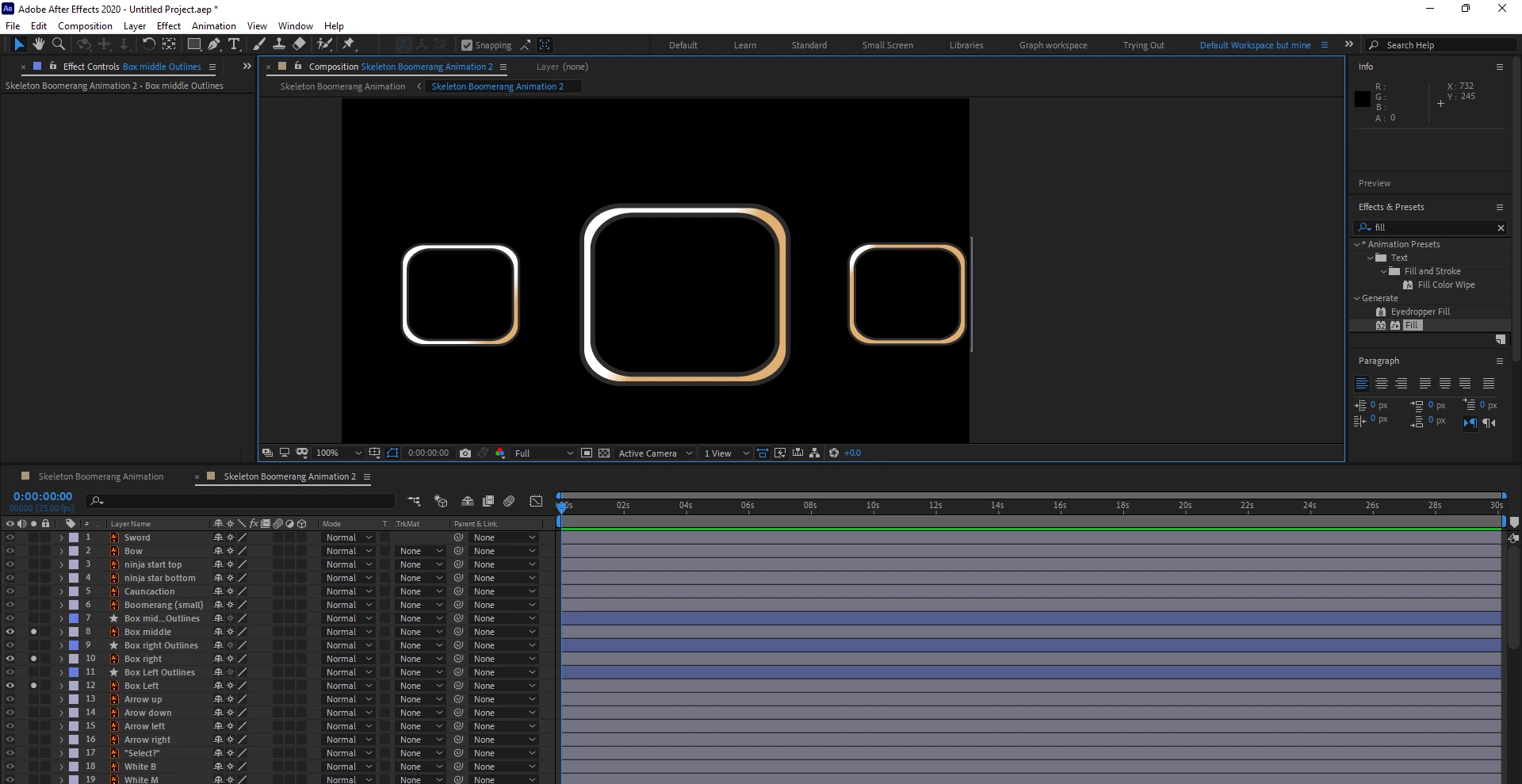
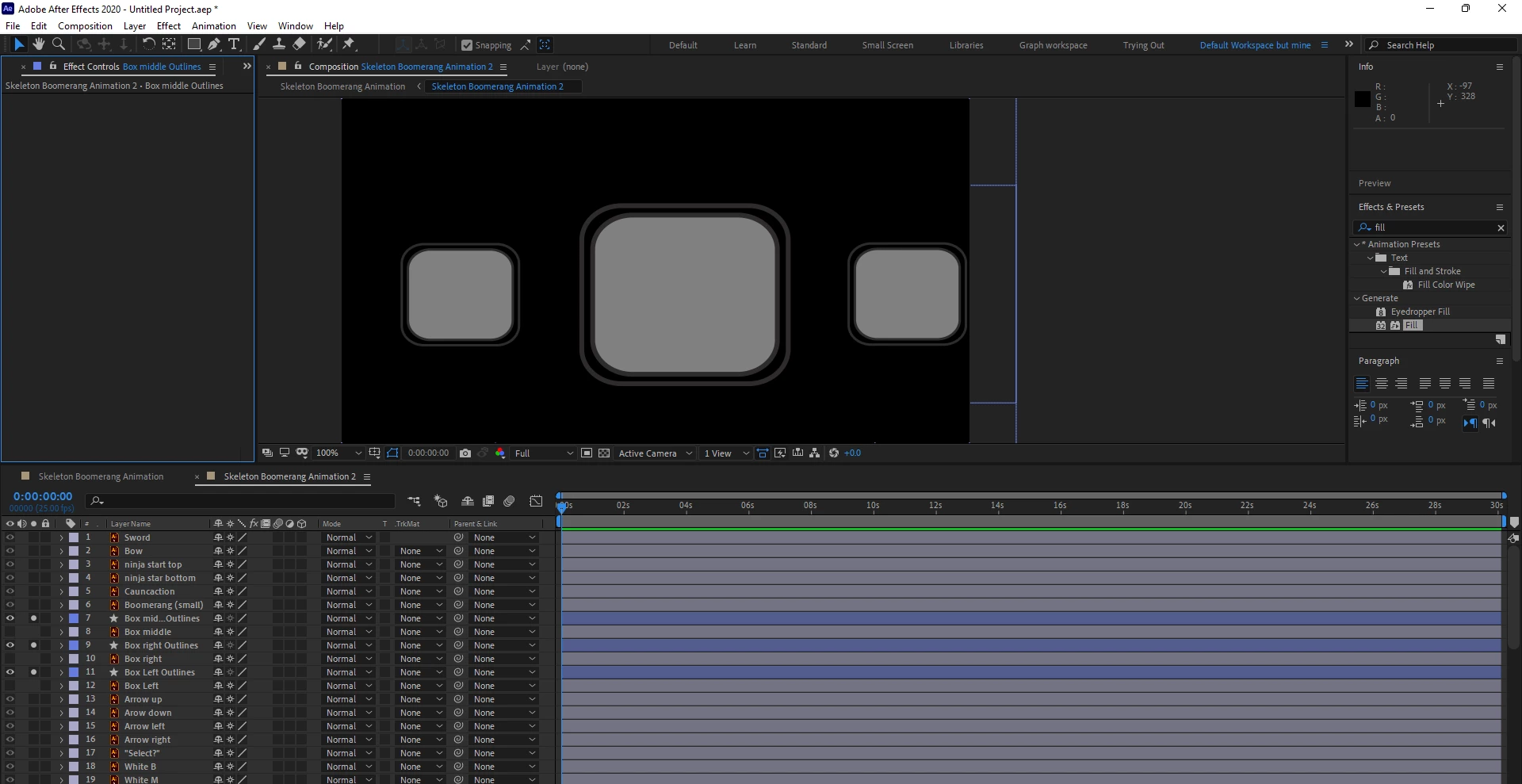
These squares in particular which i used the shape builder tool to create in illustrator are messing up when i convert them to shapes in after effects simply by the fact that AE decides to change the location of the fill. The removing of the gradient i expected but i don't know how to make AE re-fill in the sides of the square.


This topic has been closed for replies.
Correct answer Rick Gerard

Unless you plan to use shape layer animators, animate the vector path, or use the C4D rendering engine to extrude a shape layer, there is absolutely no advantage to be gained by converting any vector layer to a shape layer. Vector layers will retain all charistics of the original artwork and can be continuously rasterized unless you have added a raster effect to the layer in Illustrator. 


If you must convert the Vector Layers to Shape layers, you have to spin down all of the fill and stroke options (press "uu") and then start deleting things, adding gradients, adding strokes, and probably even merging paths. 


You have not given any design goals for your project or told us what you are trying to do with these layers, but I suspect converting vector layers to shape layers is unnecessary. Vector layers (Illustrator) render faster than complex shape layers, and they are not as limited in the number of paths before problems arise.
3 replies

Rick GerardCommunity ExpertCorrect answer
Community Expert
January 20, 2022

Unless you plan to use shape layer animators, animate the vector path, or use the C4D rendering engine to extrude a shape layer, there is absolutely no advantage to be gained by converting any vector layer to a shape layer. Vector layers will retain all charistics of the original artwork and can be continuously rasterized unless you have added a raster effect to the layer in Illustrator. 


If you must convert the Vector Layers to Shape layers, you have to spin down all of the fill and stroke options (press "uu") and then start deleting things, adding gradients, adding strokes, and probably even merging paths. 


You have not given any design goals for your project or told us what you are trying to do with these layers, but I suspect converting vector layers to shape layers is unnecessary. Vector layers (Illustrator) render faster than complex shape layers, and they are not as limited in the number of paths before problems arise.

Mylenium
Legend
January 20, 2022

I suggest you actually read the online help on which features are supported in shape layers. That and of course you need to consider whether converting the AI artwork is actually necessary. Either way, the answer to re-creating your compound paths would be to apply a Merge Paths modifier in the shape layer. Gradients can be re-created using the respective layer style or with effects like Ramp. Anyway, I think you have some reading to do, both for AI and AE to avoid such workflow hiccups.


Mylenium

Jose Panadero
Community Expert
Community Expert
January 20, 2022

After Effects will not respect the gradients created in illustrator. You must recreate inside AE using the native gradiente fills and strokes. For this kind of job Overlord by BattleAxe is a must.


https://www.battleaxe.co/overlord