gabrielu87232755
Participant
December 12, 2020
Answered

Problem trying to add color correction only to map vector

  • December 12, 2020
  • 1 reply
  • 231 views

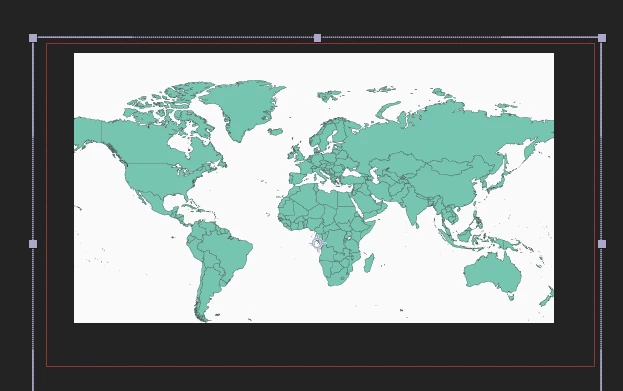
I had a common .ai file for world maps.

I dragged it to AE following a tutorial, now I need to add some color correction only to the maps, not the background.

Can I do it using Hue/Saturation effect or is there another (simpler) way?

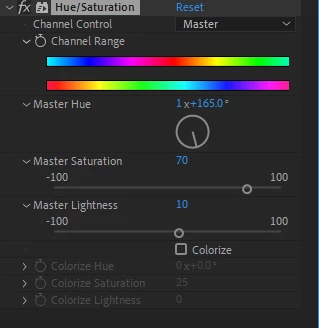
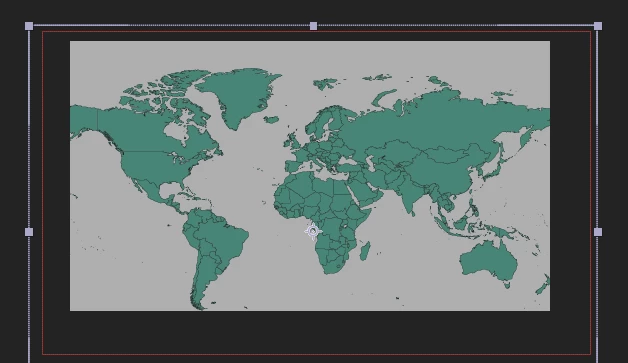
What I did was just to add the effect to the ai layer and move master hue, master saturation and master lightness. I thought that moving the master lightness would only make my maps dark blue, but instead it changed the whole compositions.

Am I doing something wrong?
Any help would be appreciated.


This topic has been closed for replies.
Correct answer Mylenium

Impossible to know without understanding the nature of your map, but I would guess that it contains an actual background object and isn't transparent outside the land masses. Then of course a global correction will affect anything. The quick solution would be to select a color range in the Hue/ Sat effect liek Cyan or Green and correct based on that or you go back to AI and restructure your file so you can work better with it in AE.


Mylenium

1 reply

Mylenium
MyleniumCorrect answer
Legend
December 13, 2020

Impossible to know without understanding the nature of your map, but I would guess that it contains an actual background object and isn't transparent outside the land masses. Then of course a global correction will affect anything. The quick solution would be to select a color range in the Hue/ Sat effect liek Cyan or Green and correct based on that or you go back to AI and restructure your file so you can work better with it in AE.


Mylenium