

cyBartek
Inspiring
November 10, 2025
Answered

Problem with CC Particle World producer shifting position in 3D enironment.

  • November 10, 2025
  • 1 reply
  • 81 views

Hi, I'm having a problem with CC Particle World that I'm unsure how to solve. 
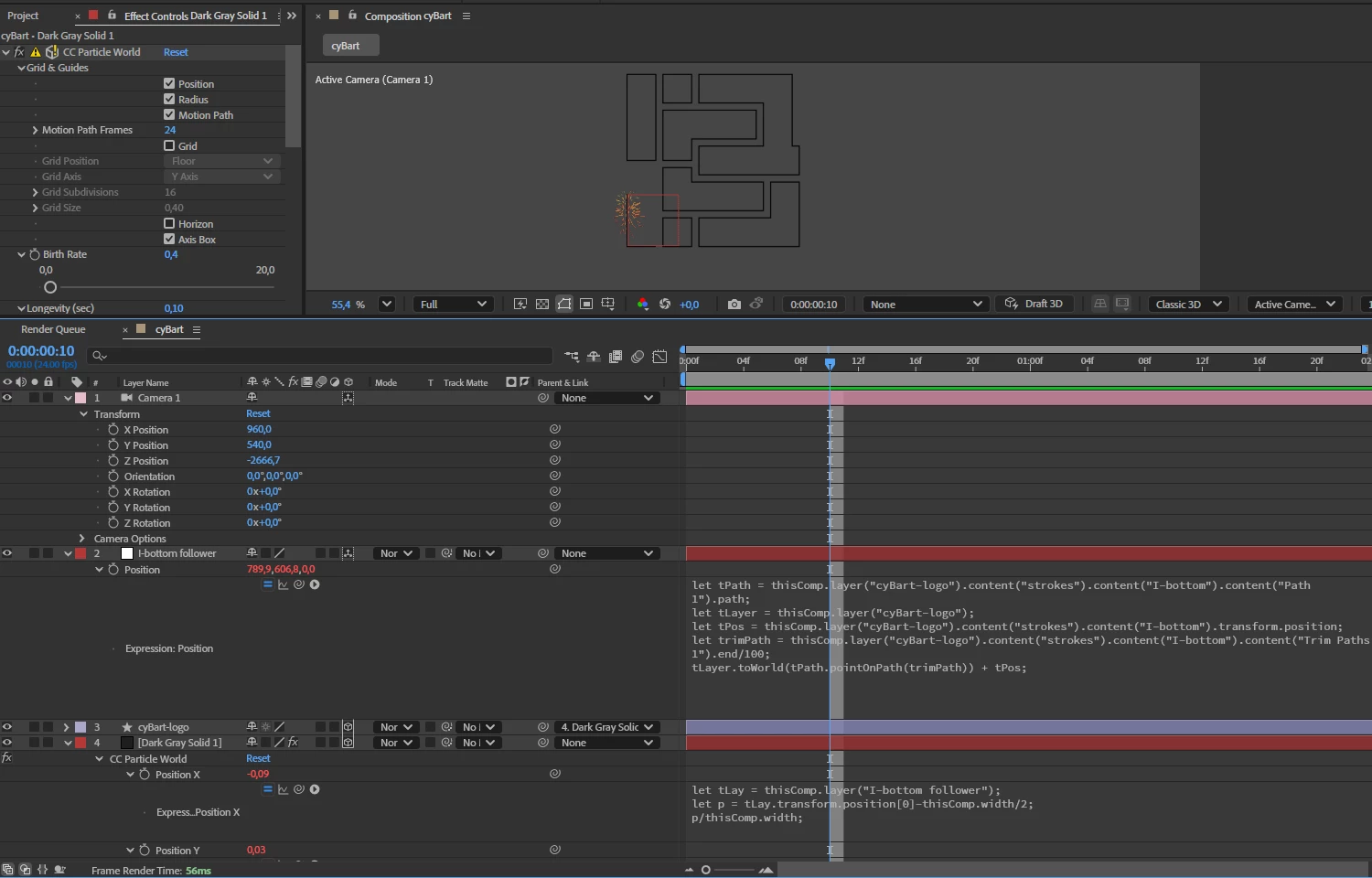
I am trying to do a "laser printing effects". I have a shape layer with a path. I attached the null object to this path to follow the trim path end. Then I attach CC Particle World producer positions to follow the null. 
It looks fine, but when I add the camera and start rotating the producer position is off. 

Is it possible to ensure that the producer is always positioned on the surface of the shape layer, regardless of the camera's position and rotation?


I would appreciate help with that. I attached the project file. 


Correct answer Rick Gerard

Your CC Particle World layer (Dark Grey Solid 1) needs to be a 2D layer. That is what is throwing off the camera view.

1 reply

Rick GerardCommunity ExpertCorrect answer
Community Expert
November 11, 2025

Your CC Particle World layer (Dark Grey Solid 1) needs to be a 2D layer. That is what is throwing off the camera view.

cyBartek
cyBartekAuthor
Inspiring
November 11, 2025

Thanks a lot! I did not suppose it would be so easy. 
And do you know why that is actually happening? Does switching to a 3D layer change the coordinates from Comp to World? Or there is some other magic behind it? 🙂

Community Expert
November 12, 2025

Most plugins that use a comp camera are designed for use on 2D layers. If you turn off 3D and turn it back on on your Particle Playground layer, you should see a warning about the 2D layer. The 3D interaction is calculated inside the 2D layer so making the layer 3D fouls up the math. It's that simple.