
Cameraman84
Known Participant
November 30, 2021
Question

Problem with CSV file in After Effects

  • November 30, 2021
  • 1 reply
  • 950 views

Good morning to everyone!


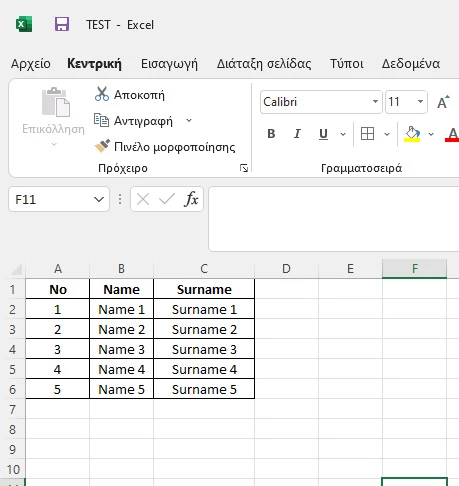
I have the following problem ... I have this simple CSV file.


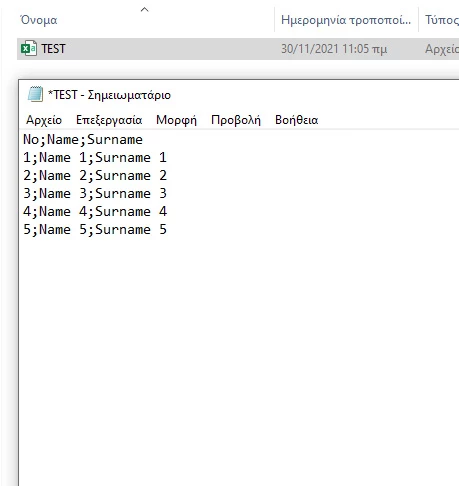
I open it and with a notebook so you can see the data it has.


I enter the CSV file in After Effects and connect a text to get the data from the CSV file. Inserts all the data from the row, without space, and displays the symbol ; 
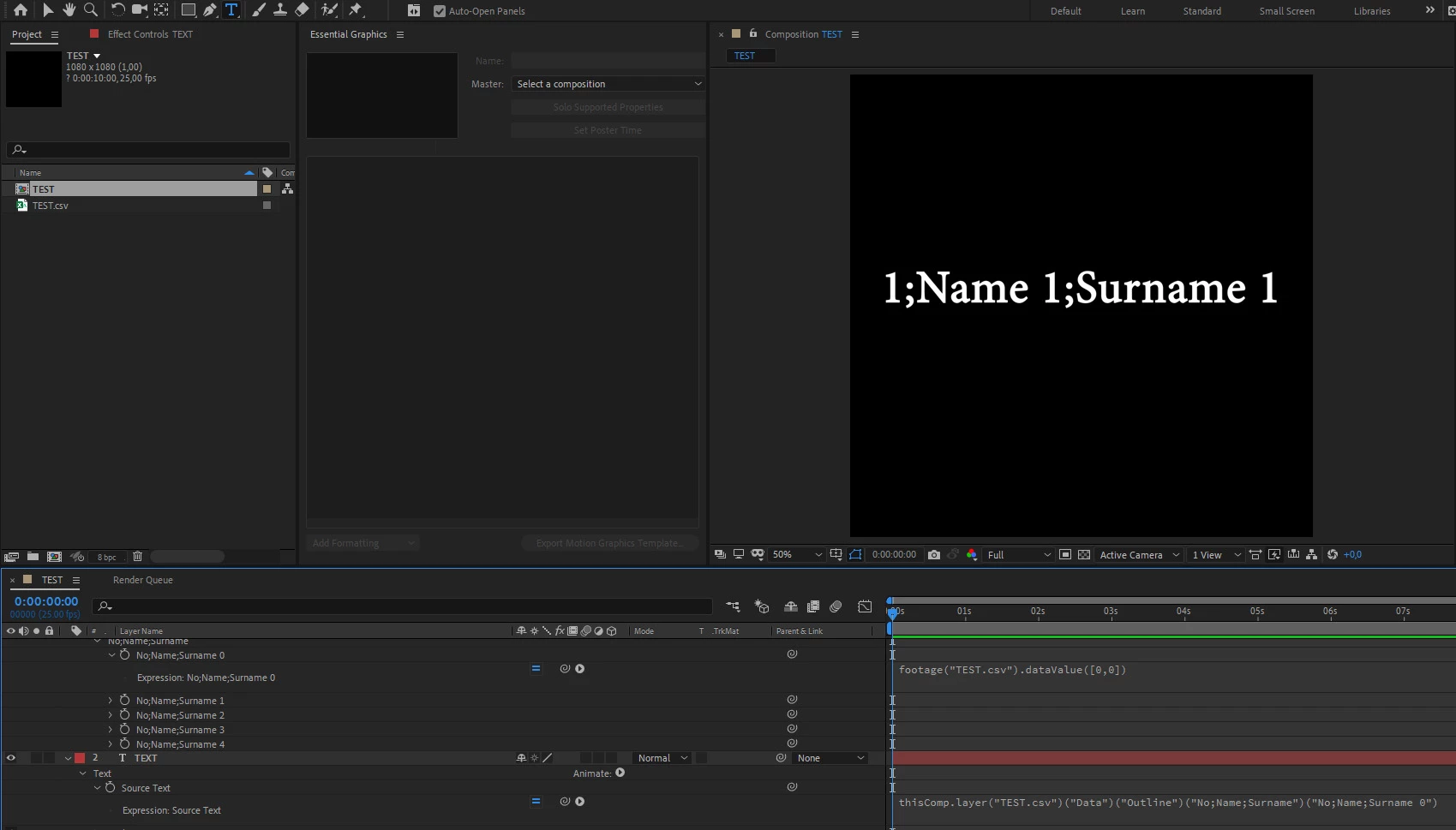


How can I choose to display only one item (eg name)  from the row and don't see the symbol ; 

I try to change the expression but... 😞


I attach the demo CSV file and the expression


thisComp.layer("TEST.csv")("Data")("Outline")("No;Name;Surname")("No;Name;Surname 0")


Thank you in advance

best wishes

John K.

This topic has been closed for replies.

1 reply

Mylenium
Legend
November 30, 2021

Well, a semikolon is not a comma as required in a "Comma Separated Values File" (CSV). And the real truth here is that it has nothing to do with AE. This is one of those unique quirks in Excel which will use the system default delimiter internally or on export. You can change that in Excels settings itself (disable the "Use system settings" option and define your own delimiter) or on the system level in your language and region settings. Of course there would be ways to filter out the characters after the fact as well, but technically this doesn't help you with your current conundrum.


Mylenium