
Known Participant
May 10, 2024
Question

Problems creating shapes from vector layer

  • May 10, 2024
  • 3 replies
  • 261 views

I have a logo in Illustrator I'm trying to import into After Effects. This logo constitutes 3 shapes: 2 squares 1 circle. If you look at the top right, the layers are three in numbers representing the shape layers.
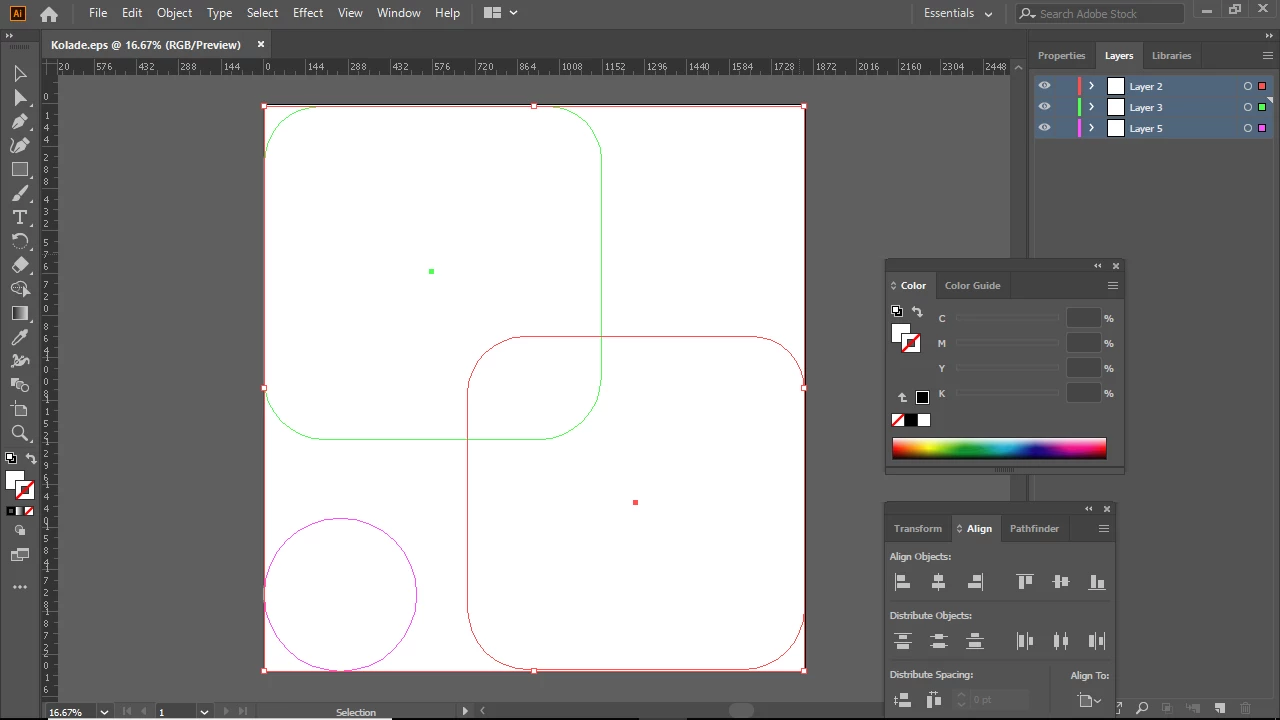
 While I import it into After Effects as Footage so I can create shapes from vector, it does something interestingly opposite after the conversion. 
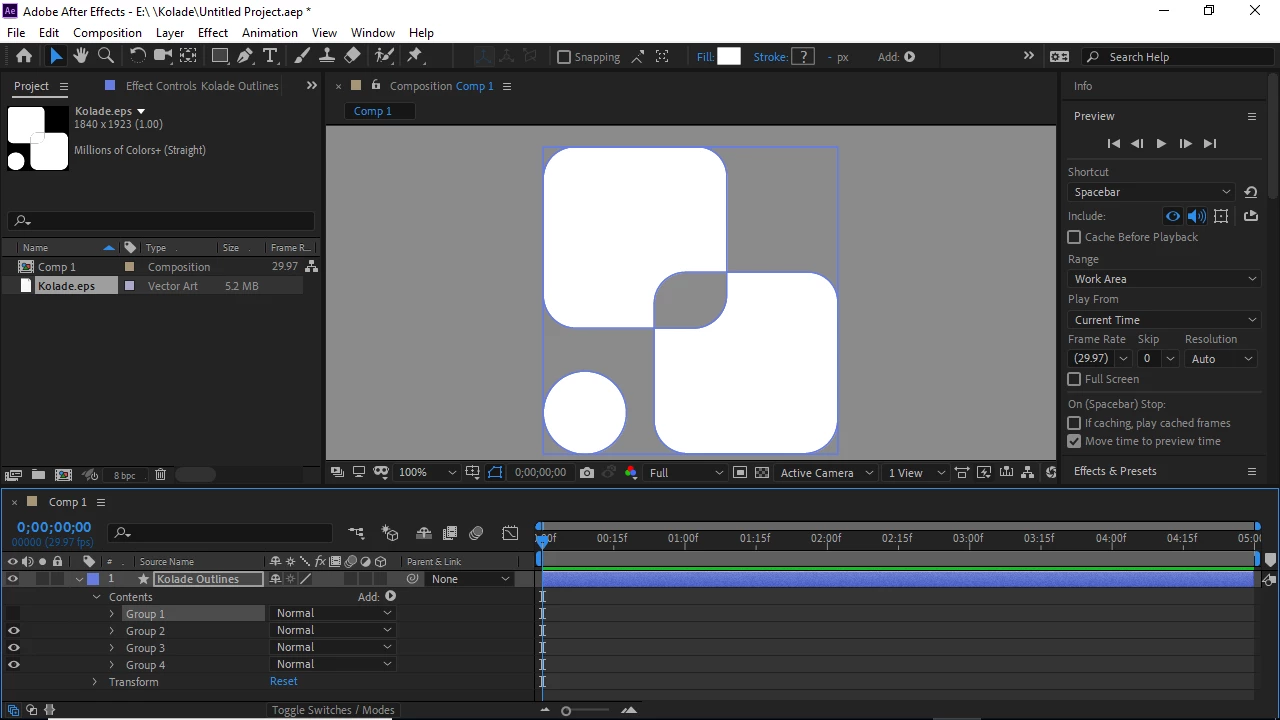
 It creates the Pathfinder effect(Divide) or Boolean effect such that where the shapes overlap or come in contact, it creates an extra layer. If you look at the bottom left to count the groups, they are now 4 in numbers.


This hasn't happened before. I don't know why it's happening now. How can I fix this?

This topic has been closed for replies.

3 replies

Todd_Morgan
Legend
May 10, 2024

And per Mylenium... save it as AI format before bringing into AE.

Todd_Morgan
Legend
May 10, 2024

Why not just create these as native shapes in AE?

Mylenium
Legend
May 10, 2024

You saved an EPS. This may create extra paths on the AI side of things to provide compatibility with this legacy format's quirks and shortcomings depending on what settings you use. Considering that AE will just as happily use a native AI file, I'm not clear why you even use this workflow. Anyway, it might help to toggle full view in AI to see the actual fills of the whole thing and also check the apearance palette. Perhaps you have applied some stuff or changed the fill rule and AI is just trying to accommodate this.


Mylenium