

Problems with Clone Stamp effect on video footage (CC 2017)
Hello.
I have a footage of an owl sitting on a tree branch and turning its head. I rotoscoped the head and looped it, so it looks like the owl is continuously rotating its head 360 degrees around its neck.
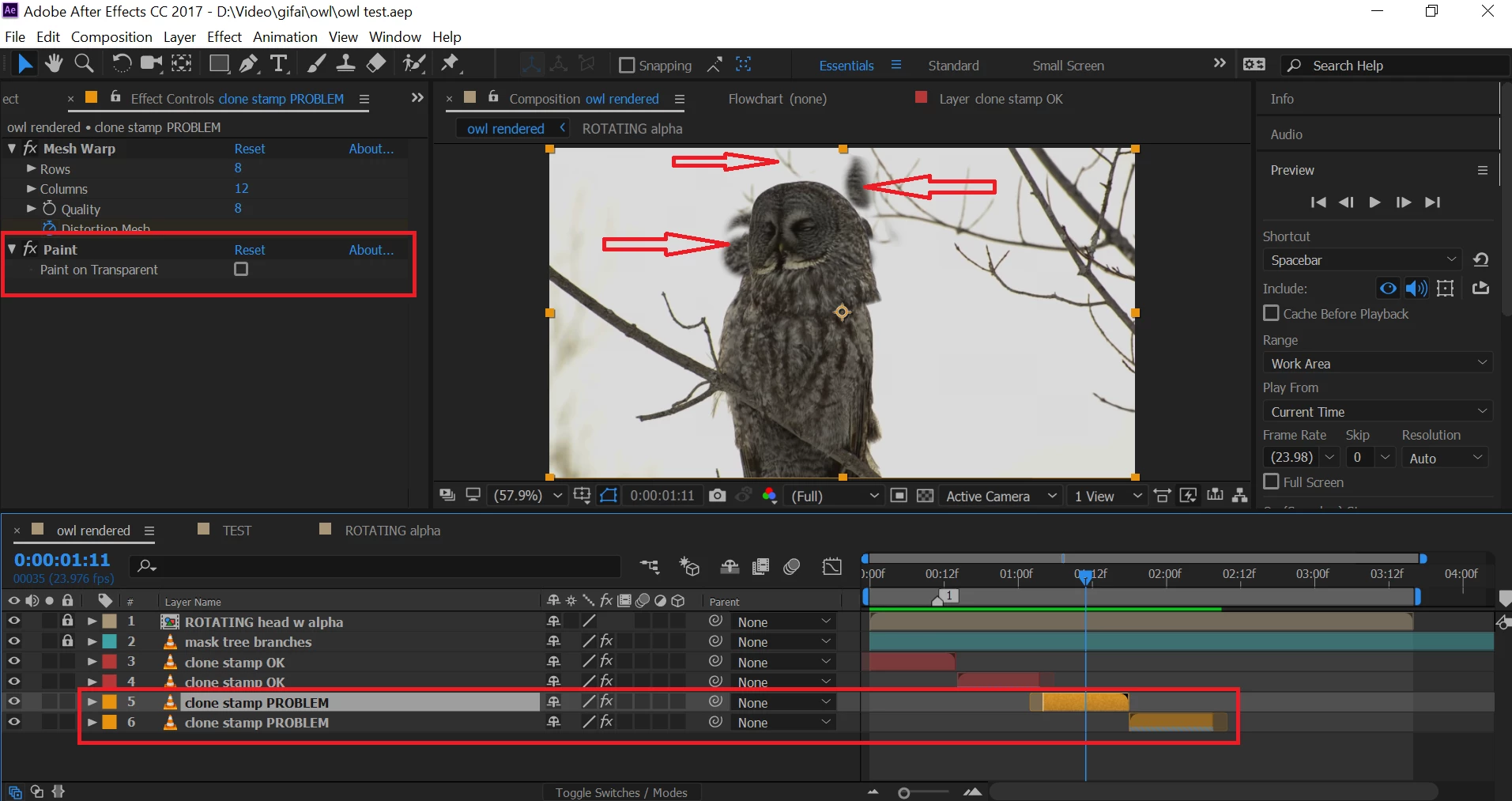
The second part of the project is to loop the background as well (because I rotoscoped only the head). So I took the original footage (16 frames long) with the owl and using the Clone Stamp Tool "erased" owl's head and some tree branches, so that the area around the head became white (see printscreen below). When I used the Clone Stamp Tool I made sure that CTI was at 00:00:00 and I used it at only this point. Then I duplicated the Clone Stamped footage, Time-reversed it, and when I was previewing the time reversed footage, some owl's body parts appeared on the area which was supposed to be white (Clone stamped).
After some head-scratching and various pre-composing attempts I was forced to Clone stamp the time-reversed footage separately. So, with 1 normal and 1 time-reversed footage (with clone stamp applied separately), I got 1 clean instance of rotating owl's head. But I want to loop it like 5 or 10 times. To do this, I duplicated the normal and time-reversed layers and then offset them in the timeline.
However, when the CTI entered the duplicated layers' area, again some owl's body parts and tree branches appeared on the area where it was supposed to be just white. Why this happens and how to avoid it?
 AdChoices