
Participating Frequently
November 2, 2018
Question

Progress bar with constant stroke width

  • November 2, 2018
  • 1 reply
  • 1413 views

Hi,

I am running Adobe After Effects CC 2019 on a Windows machine.

I'm trying to make a progress bar with a pointer showing the current value as the progress bar scales up. Importantly, I am trying to keep a constant stroke width on the progress bar. To avoid the stroke width scaling, I am resizing the bar instead of scaling it. The pointer is linked to a null object which is tracking the progress bar.

Here is the start keyframe:
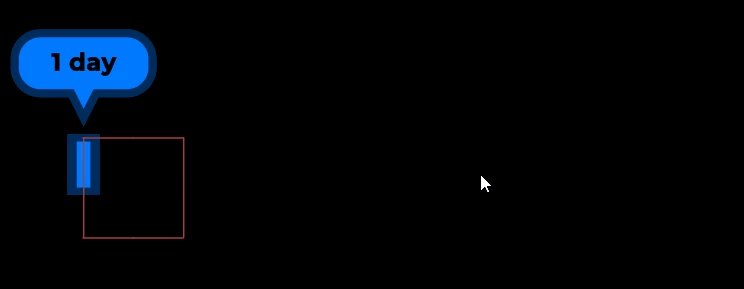
Here is the end keyframe:
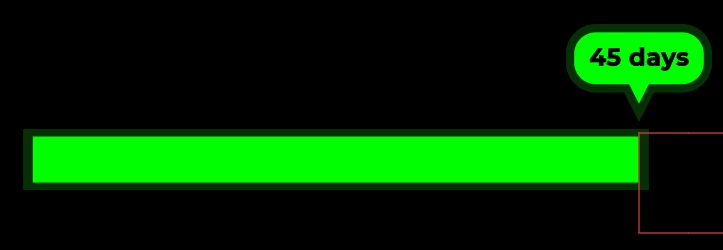
It works okay, but if you look closely, you'll see that the null object is moving slightly faster than the progress bar resizing. You can see the left side of the null object is further away from the stroke in the first image compared to the second image.

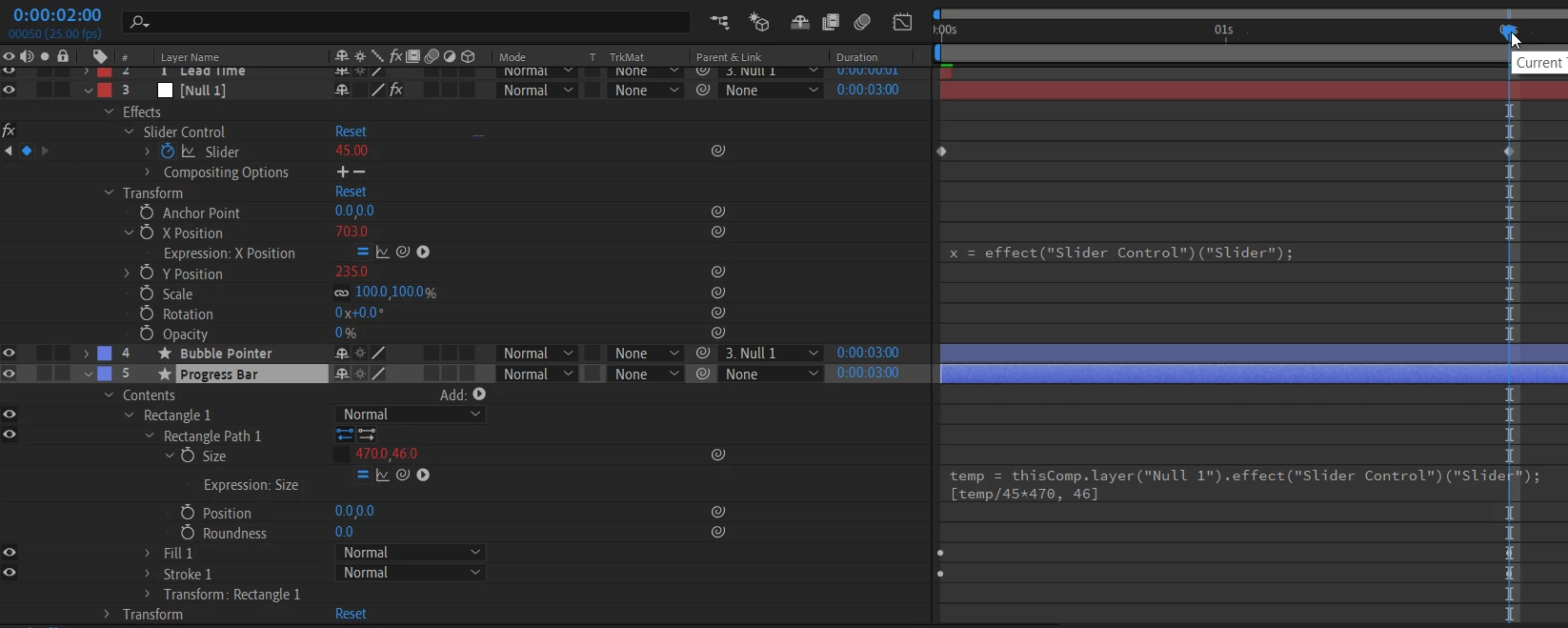
Below is a screenshot of the expressions. I am using the slider control from the null object to create a proportional resizing of the progress bar. In my mind, this should ensure that both move at the same pace, but they do not.

Could anyone help explain why this is happening?

Any further information needed, please let me know.
This topic has been closed for replies.

1 reply

ScooterD76
Legend
November 2, 2018

Would this be easier with trace path as in this video?

How To Create Animated Arrows In After Effects - YouTube

Or even simpler with an animated solid as a mask?

Participating Frequently
November 2, 2018

I watched the video and tried to replicate with a rectangle. You can't trace the path, unless the rectangle is a bezier shape. If it's a bezier shape, you can't resize it, you can only scale it. That would mean the stroke width would no longer be constant.

I am not sure what you mean by using an animated solid as a mask. Perhaps you could elaborate?

P.M.B
Legend
November 3, 2018

Use a layer style stroke instead of the shape's stroke.  That will solve the variable width problem.

I can't tell you why the null is off slightly.  I would guess it's somehow related to the math in your expression.

If I were you I would simply create a two point shape using the pen tool with a stroke.  That will be your bar.

Then apply a Layer Style stroke to the  Shape stroke.  That Layer Style's stroke width will remain constant.

Then animate shape's stroke using a trim paths operator.

Copy the shapes path information to the position attribute of your pointer and...there you go.

~Gutterfish