


Participant
September 16, 2022
Question

Project shows up as a black screen

  • September 16, 2022
  • 2 replies
  • 174 views

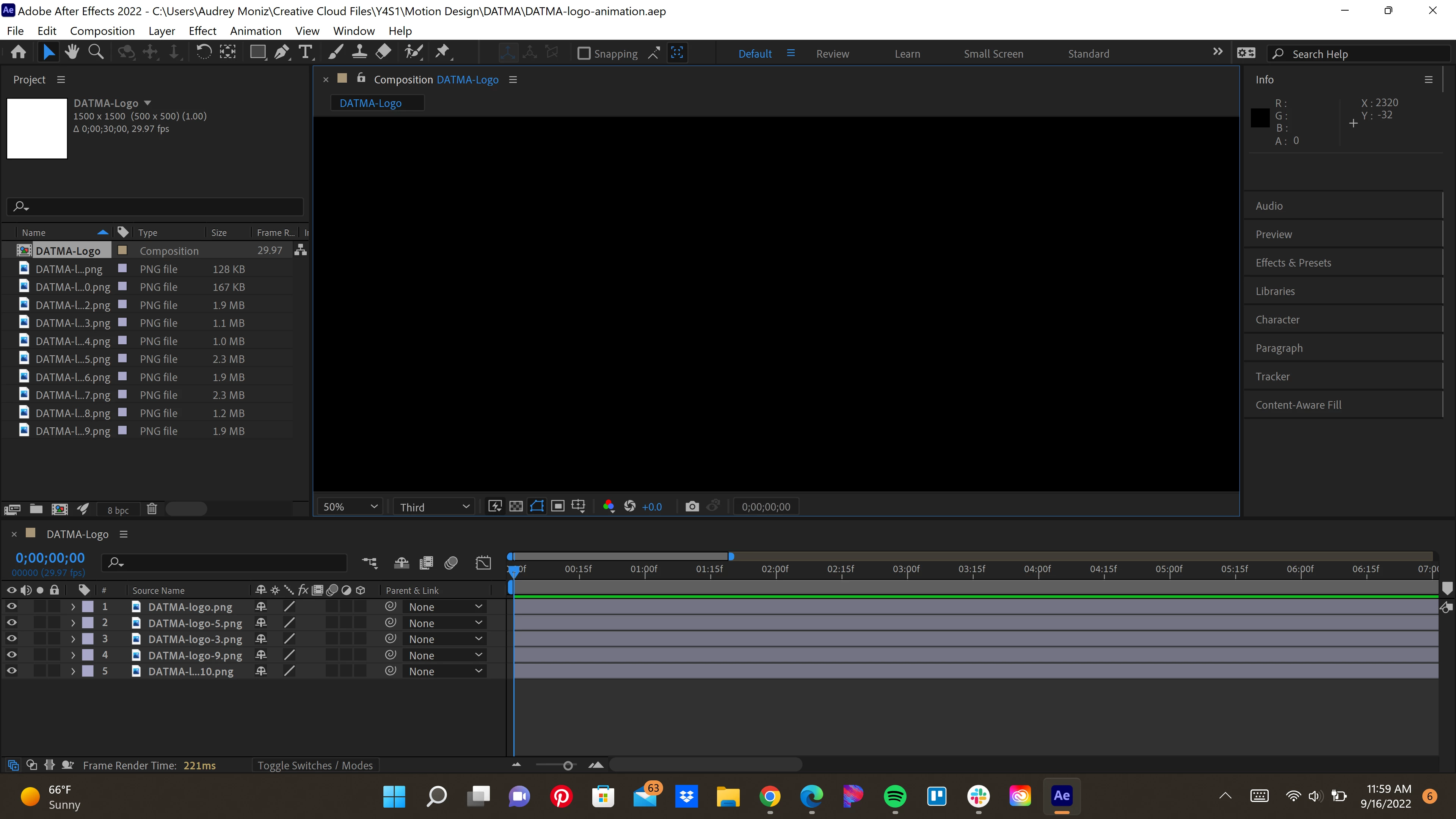
Everytime I open Ae whether its a project I want to edit or creating a new composition, nothing shows up, just a black screen. You can see all the keyframes and all my assets and a small preview of the compositionin in the Project Panel but it's not showing up in the actual Composition Panel. Pls send help!! I have purged All Memory and Disk Cache which worked and brought my composition back, but then once I closed Ae and opened the file again it was back to a black screen.
This topic has been closed for replies.

2 replies

nishu_kush
Community Manager
Community Manager
September 16, 2022

Hi Audrey26139769ntnx,


Sorry for your issue.

Could you share your system specifications (CPU, GPU, RAM)? As suggested by Mylenium, try updating your GPU driver. If that doesn't work see what happens if you switch to Mercury Software Only under the Video Rendering and Effects tab in File > Project Settings.

Note: Do not rely on Windows to update the GPU driver. I'd suggest doing it manually.

Let us know.


Thanks,

Nishu

Mylenium
Legend
September 16, 2022

Your screenshot does not display the fast draft buttons et al which simply means your hardware acceleration is not working correctly. Update your system's graphics driver and check the relevant preference settings.


Mylenium