
Known Participant
July 22, 2022
Question

Projects Won't Open, Shows Memory Error When I Try To Import It Into A New Composition

  • July 22, 2022
  • 2 replies
  • 148 views

I don't know what happened. My After Effects CC 2019 was working perfectly till today. I went to open a project from 16 days ago and it wouldn't open. It just loaded a little and then nothing happens. I tried opening the autosave files, still nothing happens. When I tried to import it into a new composition, I got this error:
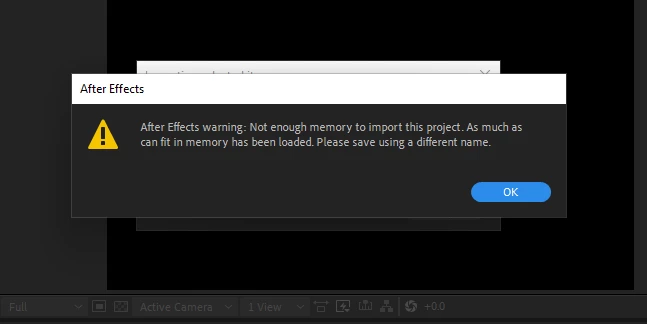
None of my other projects open either, except the one that has barely any effects.

I already cleared all media and disk cache. I'm on Windows. Any help would be appreciated, thanks.

This topic has been closed for replies.

2 replies

Mylenium
Legend
July 22, 2022

Clean out the disc caches, check your system's storage, verify the relevant preferences in AE, check hardware acceleration and your graphics driver. Also consider simply deleting the AE preference file so it's rebuilt with new defaults. also open the project with capslock enabled to suppress evaluation/ rendering. Maybe you simply have tainted data soemwhere e.g. from Rotobrush or the Warp Stabilizer.


Mylenium

Community Expert
July 22, 2022

How much space do you have in your computer? Maybe it's full