


Participant
February 22, 2024
Question

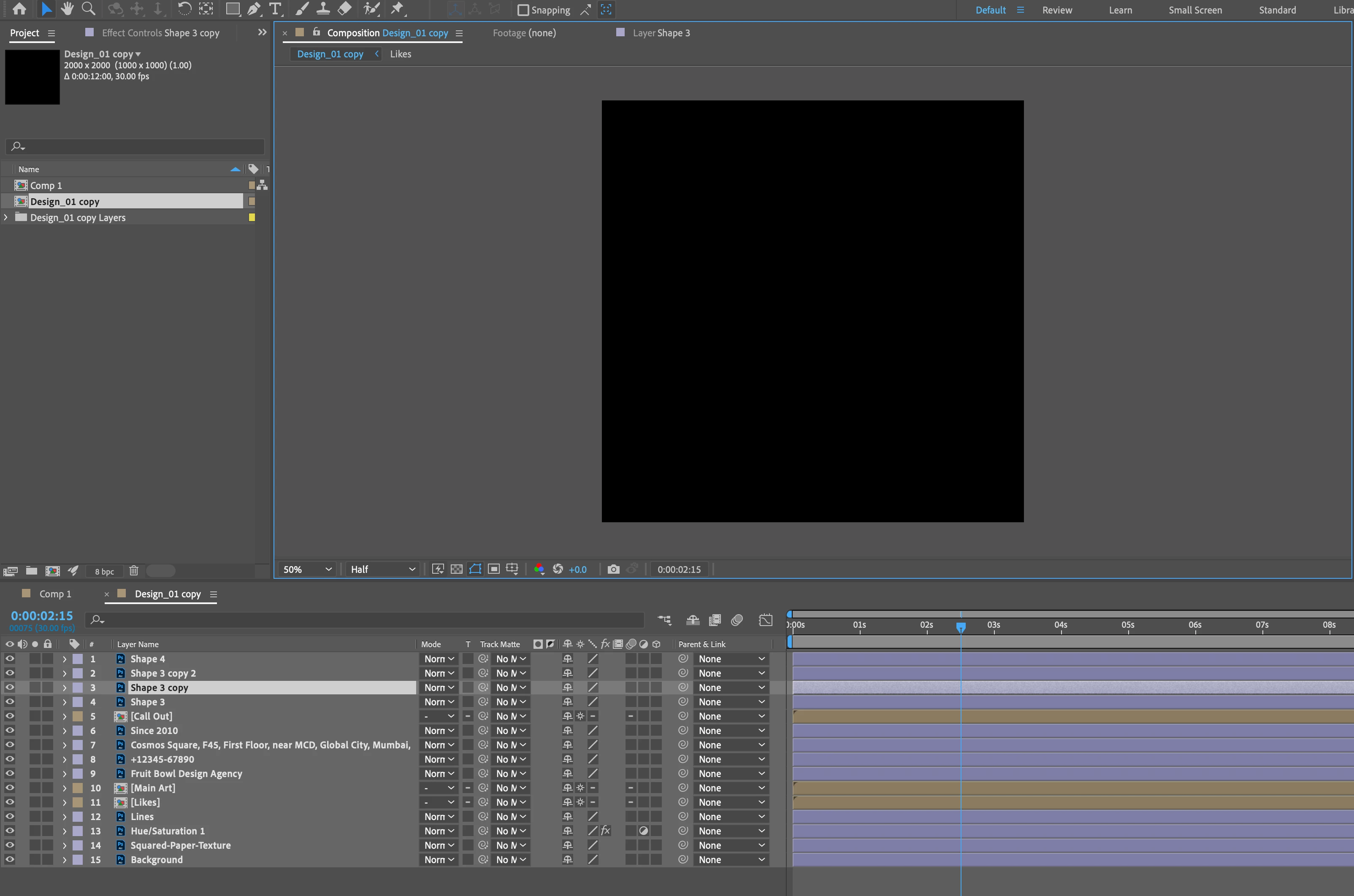
PS files appearing black in AE comp

  • February 22, 2024
  • 1 reply
  • 164 views

I am importing a PS file into AE but the images don't appear and are black. The PS file is RGB and I can see the files as PS files in AE but thet still won't appear and are black.


t is a layered file that I want to animate but can't do anything as I cannot see the images.
This topic has been closed for replies.

1 reply

nishu_kush
Legend
February 22, 2024

That's not ideal.

Does it happen with all the PSD files? Can you create a new PSD file (make sure it's an RGB document) and import it? What's the version of After Effects and the OS you're working with? Also, what are your system specifications (CPU, GPU, RAM)?

Let us know, we're here to help.


Thanks,

Nishu

Participant
February 26, 2024

AE: 24.1.0 (Build 78)

OS: Sonoma V. 14.2.1

Apple M1 Max - 32gb


Other photoshop file worked and all were in RGB.


Thanks


John

nishu_kush
Legend
February 26, 2024

Thanks for the details, John.

Can you share the file with me to test? I'd love to take a look. Feel free to DM me.


Best,

Nishu