
Answered
Puppet pins and their paths becoming invisible?
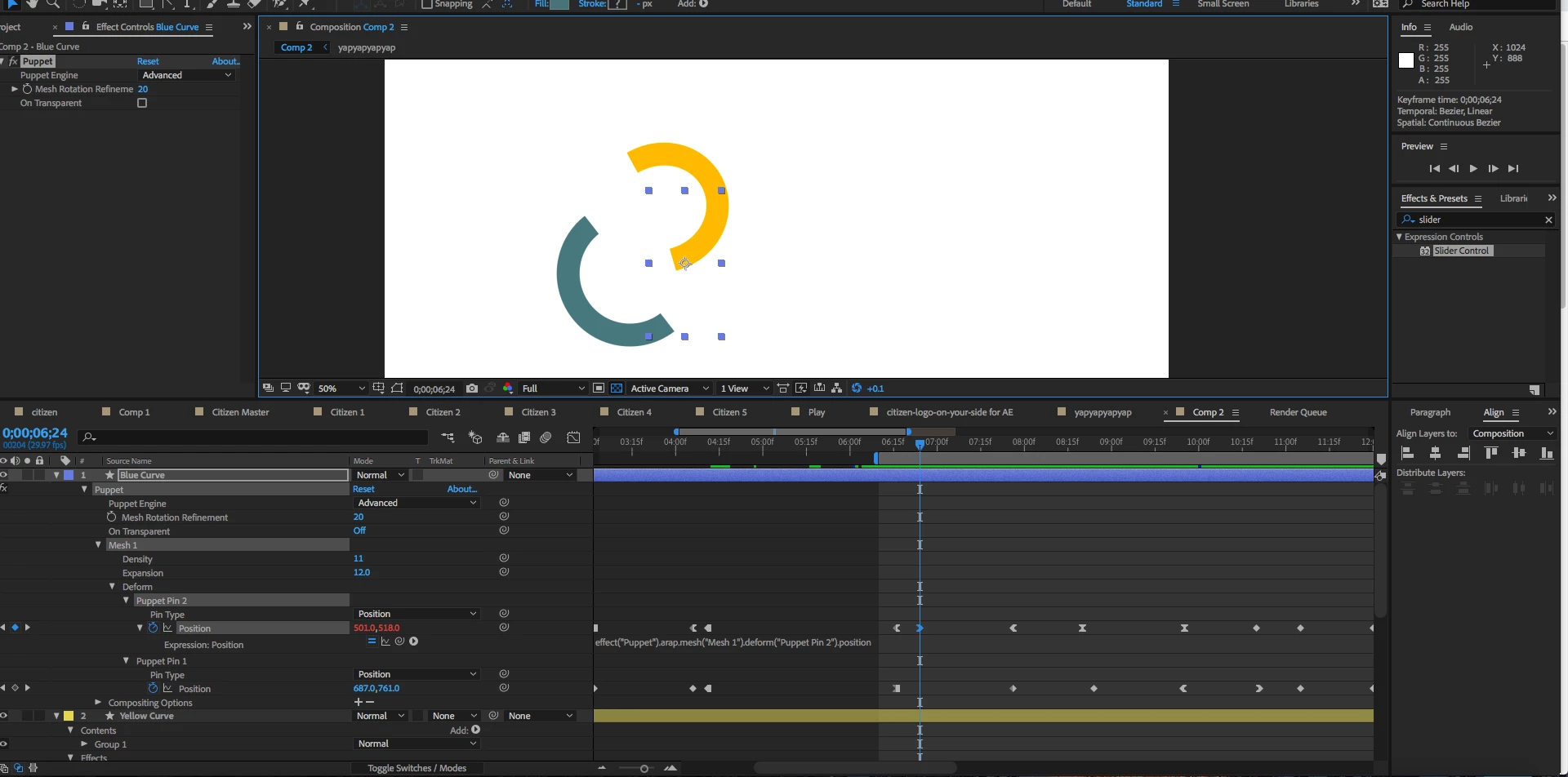
I have puppet pins on the top part and bottom part of this Blue C shape. They have become invisible along with the path of their movement but the animation and keyframes are still there. The puppet pins for the yellow curve are still visible when i select the yellow layer though, and I haven't changed my frame rate. I've searched online but I haven't really found anyone with the same problem. The only thing I've noticed that looks abnormal is the position properties for Puppet Pin 2 are red, even though I haven't manually put in any expressions.
Let me know if you need more information but here's a screenshot I should hope would provide you with enough information about what's going on here.
Thank you
Edit: Im using CC 2018 on a Mac.
 AdChoices