
Known Participant
February 22, 2023
Question

Puppet Tool Problem with Illustrated PSD Image with Effects

  • February 22, 2023
  • 1 reply
  • 389 views

Hi,

I want my whale drawing (below) to animate so I thought I would use puppet tool.
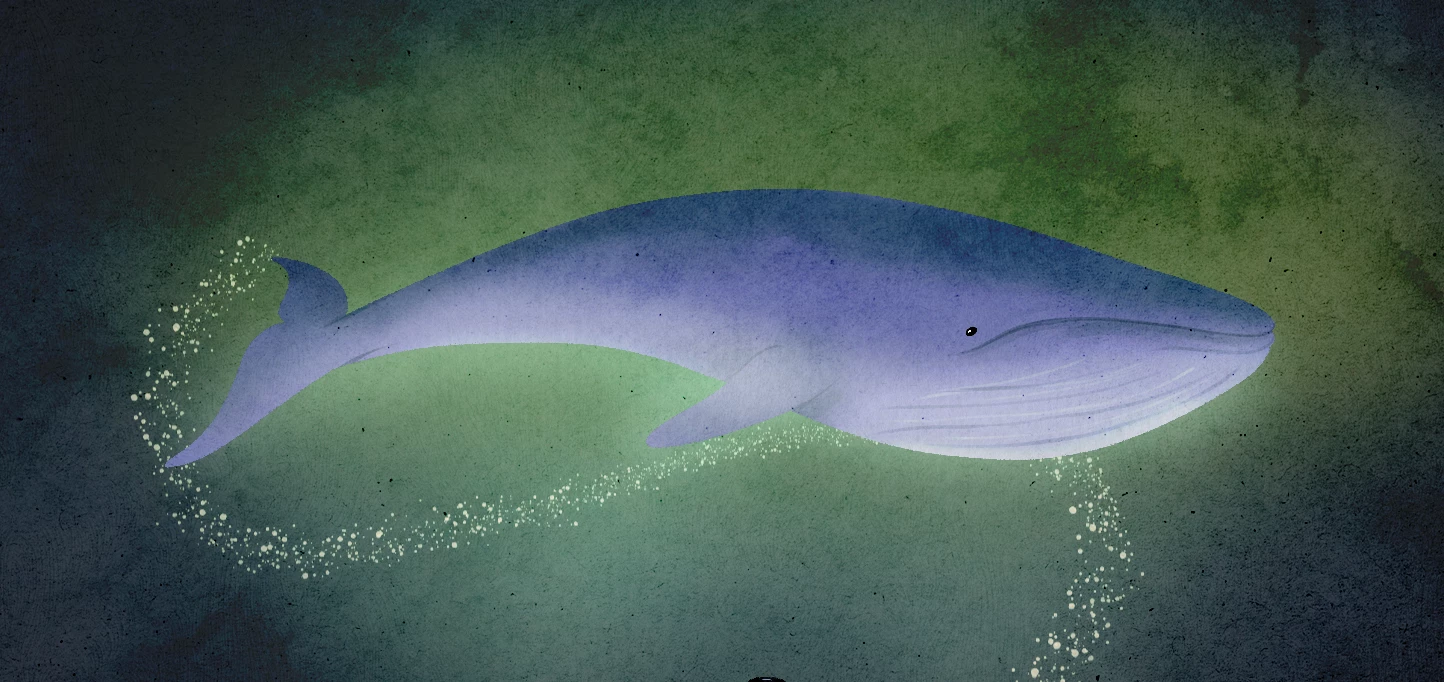
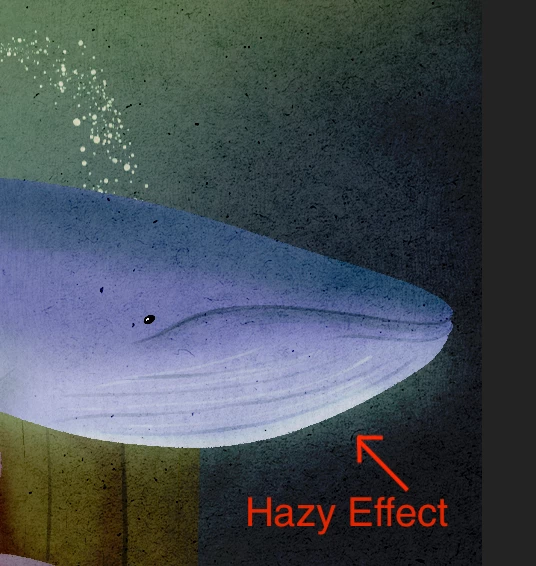
All the layers are separated. The whale drawing is rasterized (although the same problem when the image is a smart object). As you can see below, it has a nice hazy effect around the whale.
When I add the Puppet Position Pin then Advanced Puppet Pin Tool to let it move, suddenly the hazy edges become sharp and it looks very strange (below).
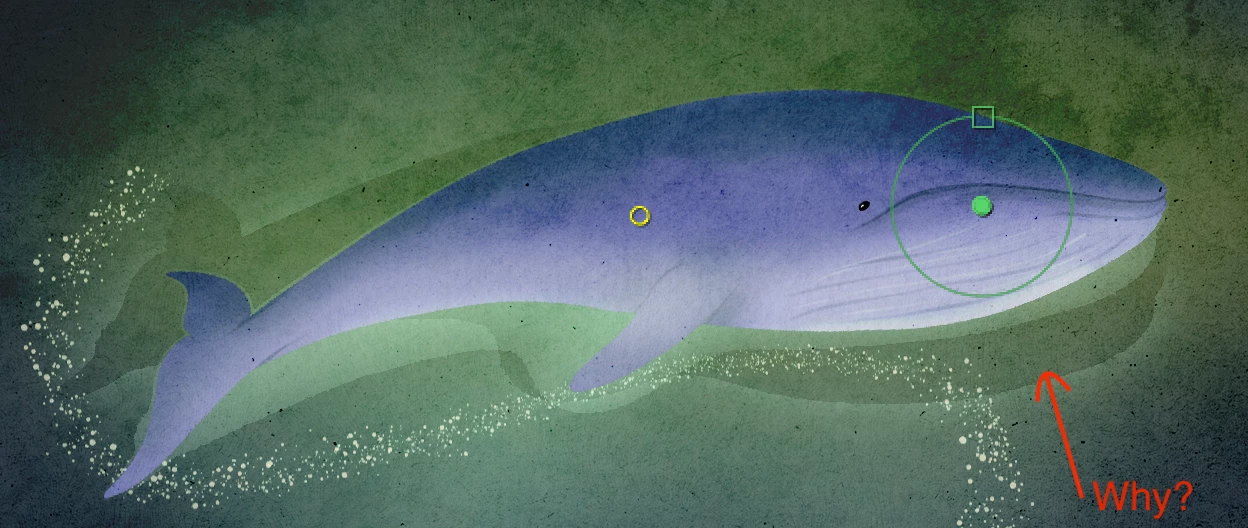
I just can't figure it out. When puppet tool is not active, this does not happen.

I want to animate the whale to swim. Please help.


Thank you so much in advance 😄

This topic has been closed for replies.

1 reply

Mylenium
Legend
February 22, 2023

The puppet tool generates its mesh based on an Alpha threshold and you need to account for that. If you want to encompass the entire glow (though that doesn't even make exactly sense), create an auxilairy layer with harsh edges and full opacity matching the extent of the glow together with your whale in a pre-comp. then crteate the mesh in the parent comp and after that's done turn off the helper layer in the pre-comp.


Mylenium

Kyoko5CD0Author
Known Participant
February 22, 2023

Thank you Mylenium,

You are probably a real expert! On the contrary, I am a beginner to After Effect. If you could explain it in a very basic instruction, that would be helpful. I am willing to learn! Apologies for the inconvenience...