Participant
February 4, 2021
Answered

Puppet Tool Vanished *spooky*

  • February 4, 2021
  • 2 replies
  • 422 views

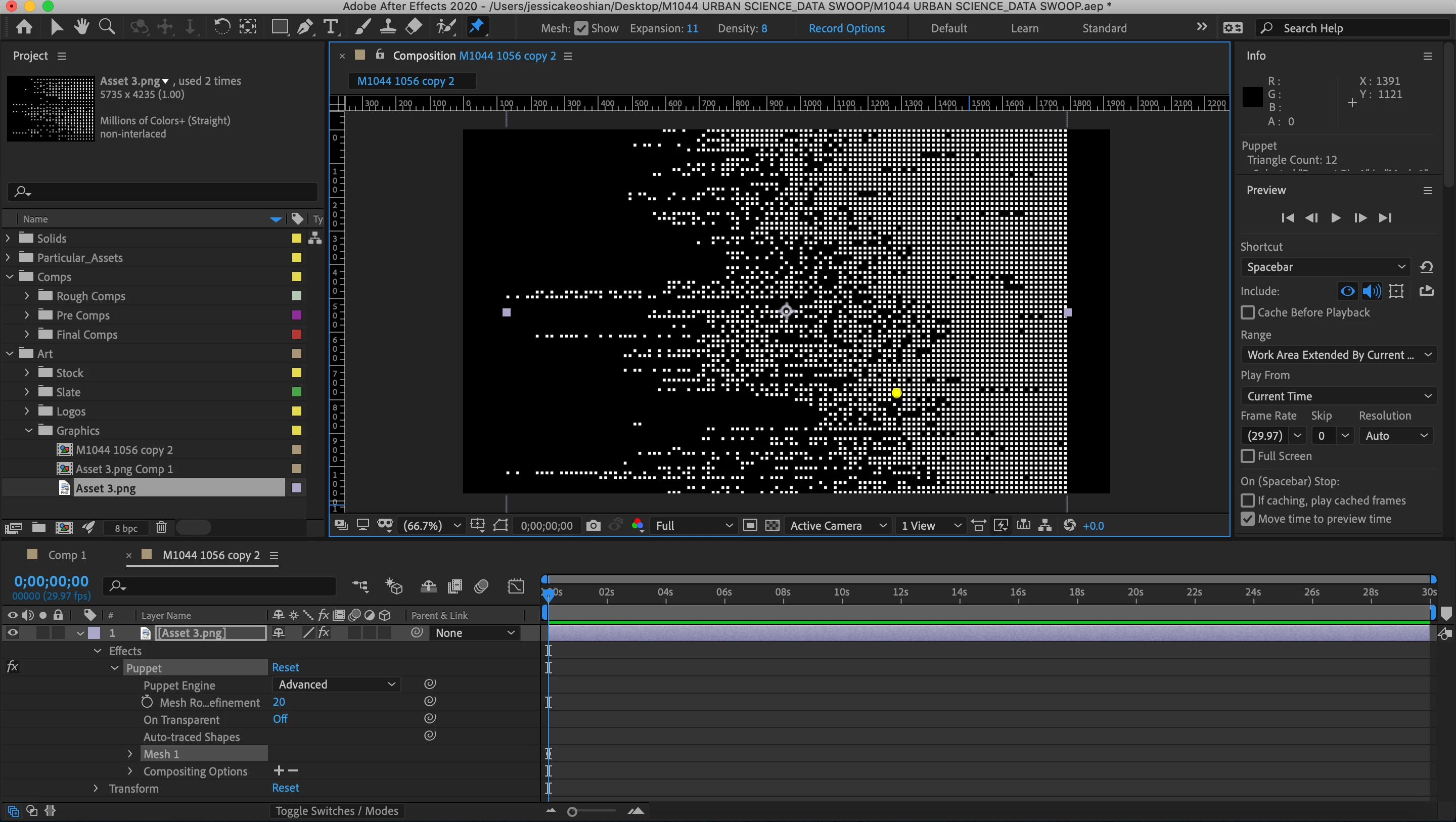
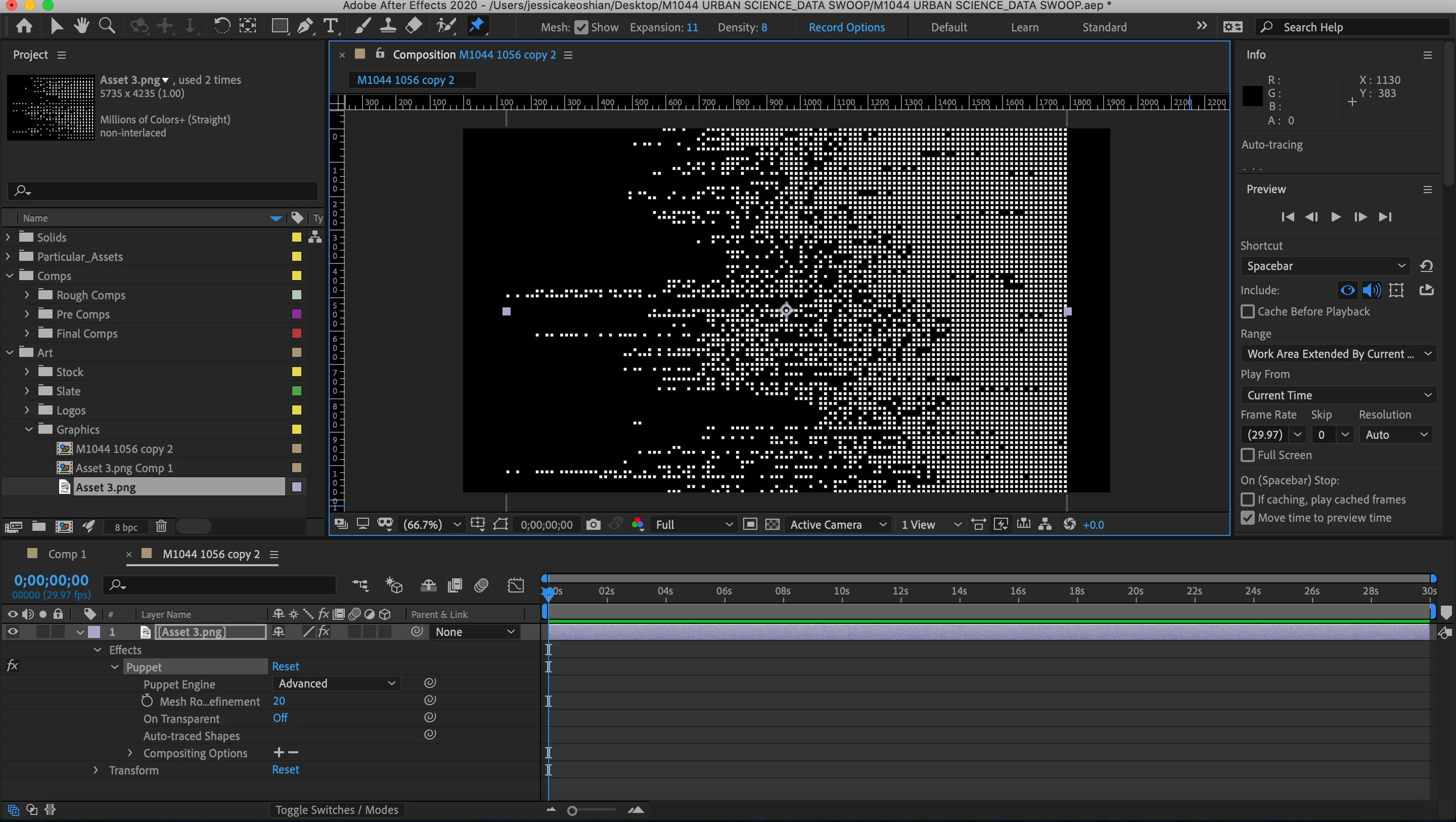
I have been working in a project where I am trying to use the puppet tool to warp a png image. I have the file in multiple formats, and I have started multiple different projects and comps to see what the issue is. On this particular image I can't seem to get it to trigger any type of mesh. Nothing is hidden, I have expanded the mesh and tried to see it I could view it, and nothing. Pins don't trigger either, they give me these strange moveable circles, nothing that will stick. I have also imported this as an AI file, thinking that would help, same issue. I tried to create a shape from this in After Effects as well to see if it would trigger as a shape, and this doesn't work either. The puppet tool works on other images and items in this same project– what am I missing?? 


Thanks! (Photos attached)
This topic has been closed for replies.
Correct answer Rick Gerard

Does the Asset 3.png file have transparency? If so all of those little empty spaces could easily completely foul up the mesh. 


After adding a pin did you press the U key twice to see if there were any pins added to the timeline? Did you try turning on View Mesh? Did you try adjusting the mesh settings? 


I'm not sure what you are trying to do to that image but it is not an image I would ever think of using Puppet Pin to distort. There are lots of other ways to distort a patterned image like you are showing. I'm almost certain that transparency issues are causing your puppet pin problems. If I add Ball action to a layer and put some spacing between the dots Puppet Pin can't figure out how to generate the mesh no matter what I set the mesh density or expansion to. If there is transparency that kind of image is not suited at all to puppet pin. 

2 replies

Community Expert
February 4, 2021

Mesh Warp

CC Bender

CC Flow Motion

Or the incredibly funky and fun when you animate the mask paths Reshape

Or you could add a black solid below your image, pre-compose, then apply Puppet Pin and Extract to the pre-comp.

Participant
February 4, 2021

These are all super helpful! I can't thank you enough. I'm going to try these and see what feels best! 

Rick GerardCommunity ExpertCorrect answer
Community Expert
February 4, 2021

Does the Asset 3.png file have transparency? If so all of those little empty spaces could easily completely foul up the mesh. 


After adding a pin did you press the U key twice to see if there were any pins added to the timeline? Did you try turning on View Mesh? Did you try adjusting the mesh settings? 


I'm not sure what you are trying to do to that image but it is not an image I would ever think of using Puppet Pin to distort. There are lots of other ways to distort a patterned image like you are showing. I'm almost certain that transparency issues are causing your puppet pin problems. If I add Ball action to a layer and put some spacing between the dots Puppet Pin can't figure out how to generate the mesh no matter what I set the mesh density or expansion to. If there is transparency that kind of image is not suited at all to puppet pin. 

Participant
February 4, 2021

I feel so silly, it is all transparent. That makes a ton of sense, thank you!


What my boss is trying to have me accomplish is something between a particle system and a photo reveal from squares, but they want this unusual wave motion to follow a template that they have given me. Any suggestions on how ot do that? I have redgiant but I don't think that it's necessary to achieve what they're looking for from a particle system. 


Thanks!