
Participant
February 28, 2021
Answered

put png in speech bubble

  • February 28, 2021
  • 2 replies
  • 522 views

Hi guys, I have a speech bubble in wich I want a png (of a grandmother) to apperar.
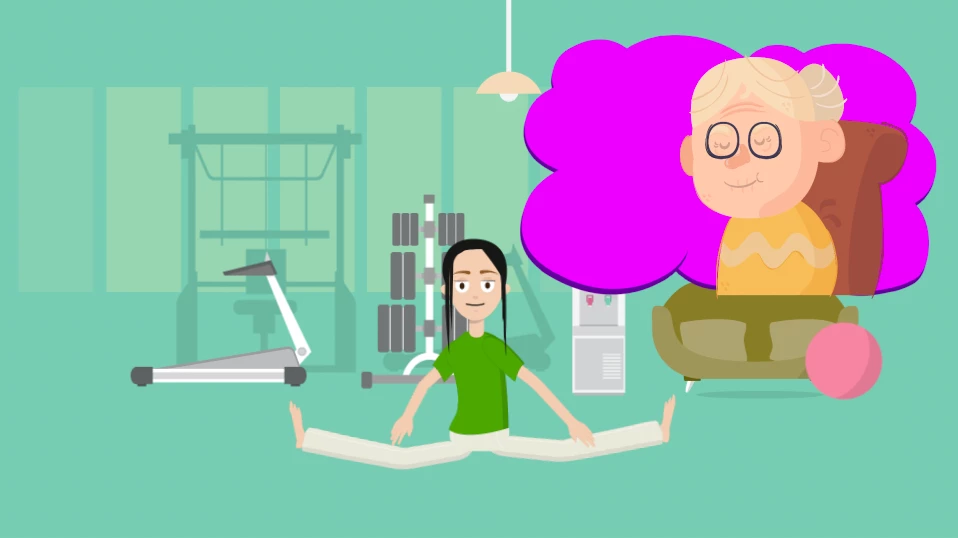
 

I want the grandmother INSIDE the speech bubble. So I need her to stop where the bubble stops.

Is that possible? 

 

If I choose ,,alpha mask´´ on the speech bubble layer, the grandma takes on the shape of the bubble, witch is what I want. 

However, she also looses her colours and takes on the speech bubble colours.


Is it possible to let her take the shape of the bubble but keep her original colours?


Or is there any other way of getting her inside the bubble? 


I would be incedibly thankful if you could help me 🙂


Lena
This topic has been closed for replies.
Correct answer Jose Panadero

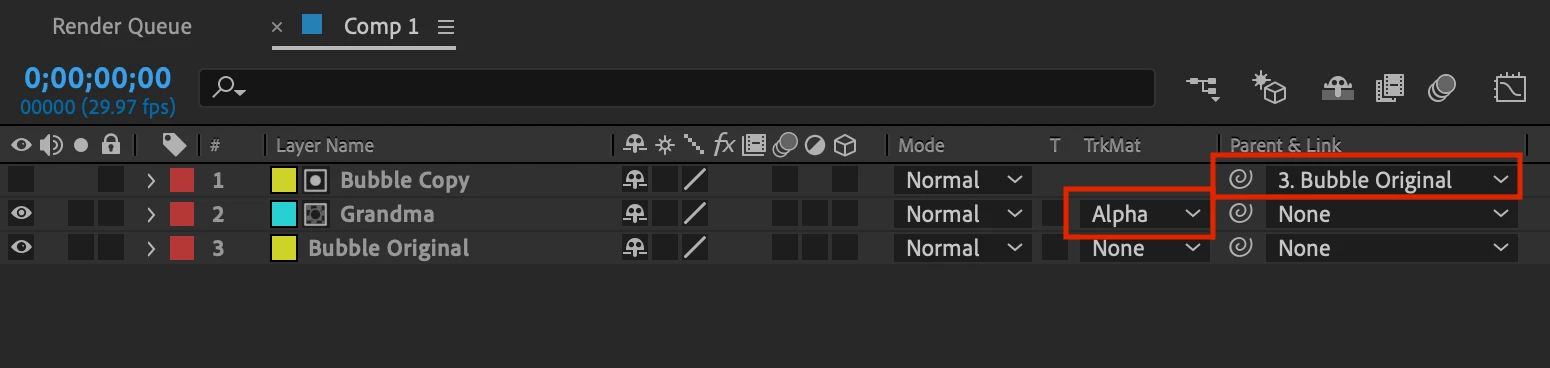
This is not exacly the corret approach. You need the grandma layer to use the Alpha Matte option with a copy of your bubble in top of this layer and a copy of the same bubble below the grandma layer. (Check Attached image)


Another option is to use the Effect > Channel > Set Matter on the grandma layer. This way, you can select inside the effect what other layer in your composition is masking your layer.

2 replies

LauDareSky
Known Participant
November 18, 2021

Hello, thanks this was just what I needed to creat and effect I needed to do.

Jose Panadero
Community Expert
Jose PanaderoCommunity ExpertCorrect answer
Community Expert
February 28, 2021

This is not exacly the corret approach. You need the grandma layer to use the Alpha Matte option with a copy of your bubble in top of this layer and a copy of the same bubble below the grandma layer. (Check Attached image)


Another option is to use the Effect > Channel > Set Matter on the grandma layer. This way, you can select inside the effect what other layer in your composition is masking your layer.

de0101Author
Participant
February 28, 2021

Thanks a lot for your quick response!

I used the first approch and it worked 🙂

Thank you!!

Lena