


Participant
April 15, 2020
Question

Random beginning key frame expression to final position

  • April 15, 2020
  • 3 replies
  • 1483 views

Hi all, 
I am new to writing expressions, I only know the basic ones.

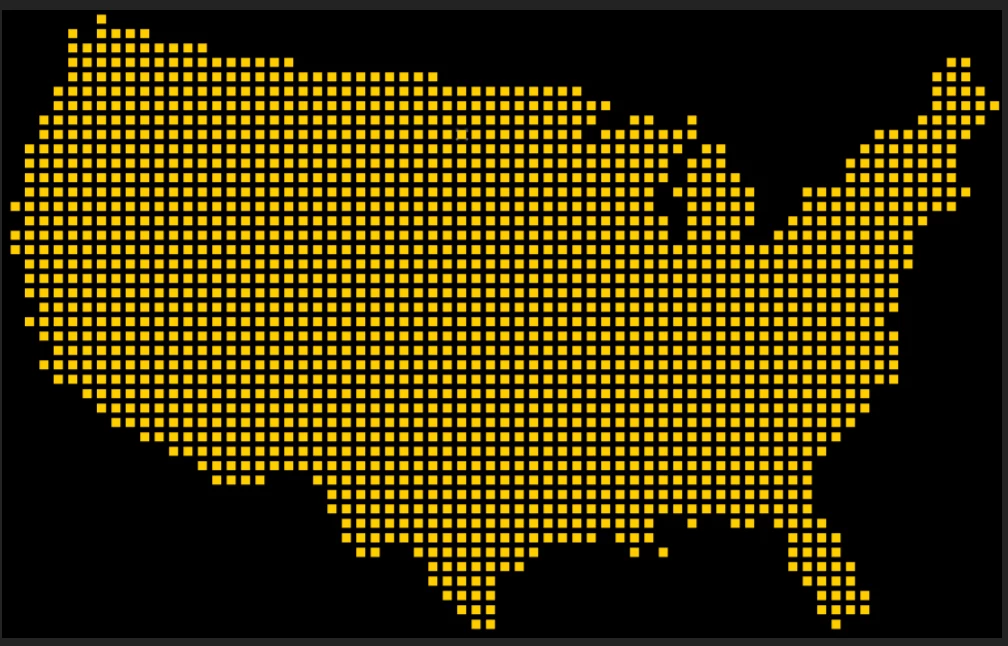
I have been trying to figure out a simple way to create a loading map animation. I have this map created out of a bunch of different squares (about 1700 layers) and I want them to start at random positions and then come together to create the final image. I could do this by manually setting random initial keyframes but with 1700 layers, it is very tedious. Anyone know a way I can do this with an expression and could explain the expression to me so I can learn how to do it next time? Thanks!
This topic has been closed for replies.

3 replies

Roland Kahlenberg
Legend
April 16, 2020

A Particle system would do this in a fraction of the time. Google "Particle Playground" to do this without 3rd party plugins and Particular/Form/Stardust for 3rd party solutions.

Very Advanced After Effects Training | Adaptive & Responsive Toolkits | Intelligent Design Assets (IDAs) | MoGraph Design System DEV
Community Expert
April 15, 2020

With 1700 layers you are going to run out of the ability to see all of them in the timeline. If you want to stick to the idea that all dots are on a separate layer you will have to pre-compose. 

I would use a dozen or so shape layers with Mylenium's expression on each dot's transform property. This would be really easy to do if you created the original art in illustrator on ten or twelve layers and then converted the layers to shapes in AE.


Even easier: Apply Card Dance to the image above and line up the grid with the little squares. That would take about five minutes to set up and only require two layers, a gradient, and the image.


Here's your image, a pre-composed Fractal Noise layer as a gradient, and Card Dance with Z position controlled by a multiplier and offset. Two layers, one of them a pre-comp with Fractal Noise and Levels applied, 2 keyframes set on Z position multiplier  and about  5 minutes work and you get this:

A couple more keyframes on a couple of other properties and maybe some animation on the fractal noise layer and you could have particles flying into position from all over the place. The hardest part of the project was finding the right number of rows and columns for Card Dance.

Mylenium
Legend
April 15, 2020

Something like that perhaps:


mOutside=250; //padding outside comp view

seedRandom(index,true);
mRand=random(-mOutside*0.5;mOutside*0.5);

mHalfX=Math.round(thisComp.width%position[0]);
mHalfY=Math.round(thisComp.height%position[1]);

if(mHalfX != 0)
{startX=thisComp.width+mRand}
else
{startX=-mRand);

if(mHalfY != 0)
{startY=thisComp.height+mRand}
else
{startY=-mRand);

timeStart=0;
timeEnd=0.5;

X=linear(time,timeStart,timeEnd,startX, position[0]);
Y=linear(time,timeStart,timeEnd,startY, position[1]);

[X,Y]


This is cobbled together on the fly and untested, so errors may occur.


Mylenium