
Inspiring
February 12, 2019
Question

Random blue dot has appeared on work

  • February 12, 2019
  • 3 replies
  • 747 views

Hi all,

Got a bit of a strange problem, a random blue circle has appeared on my work and i have no idea why it's there, when i go into the precomp and watch the clip there it disappears which is strange. please see image below
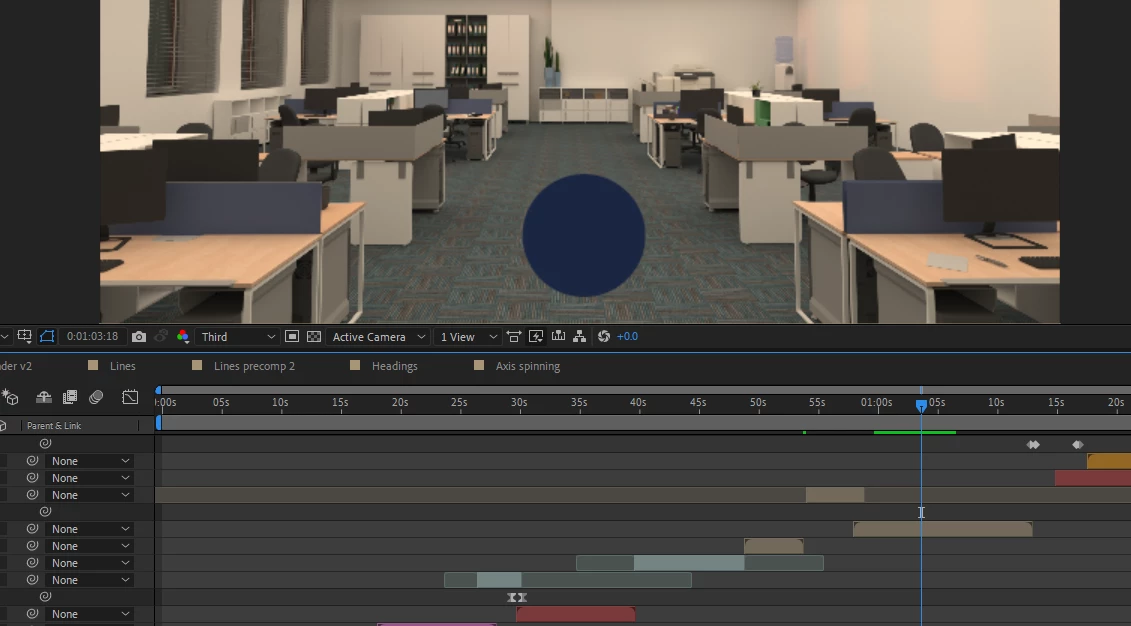
My system is as follows

xeon E3-1240 V5

Qaudro P2000

32GB DDR4 RAM

I have tried clearing the memory and resetting preference and changing turning off cuda acceleration to no avail

Thank you for any help

    This topic has been closed for replies.

    3 replies

    Community Expert
    February 13, 2019

    Start on the top layer and solo layers one at a time until the blue dot appears. When you see it make sure that layer is identified and selected and then press uu to reveal all modified properties. Start resetting the most suspicious properties first until the dot goes away, then let us know what you find. If this is not a cache problem then it's a problem with a layer somewhere.

    Dave_LaRonde
    Inspiring
    February 12, 2019

    I'll bet you used a blue dot in a recent project.

    Here's what you do: go Edit>Purge>All Memory & Disk Cache.

    The dot should disappear.

    Martin_Ritter
    Legend
    February 12, 2019

    Switch off and on every layer and see, if the dot disappears. It has to be somewhere...

    Inspiring
    February 12, 2019

    Ok so very weirdly enough anything below half resolution has the dot there so I haven't got the foggiest as to what is going on.

    Martin_Ritter
    Legend
    February 12, 2019

    Maybe it's an indicator from some effect to show you, that you are below full resolution?