Answered
Rasterize Option not working
Hello, I have a problem with Rasterize option in After Effect. Even after turning it on, my composition is still showing pixelated with scale of all layers 100% and composition magnification also 100%.
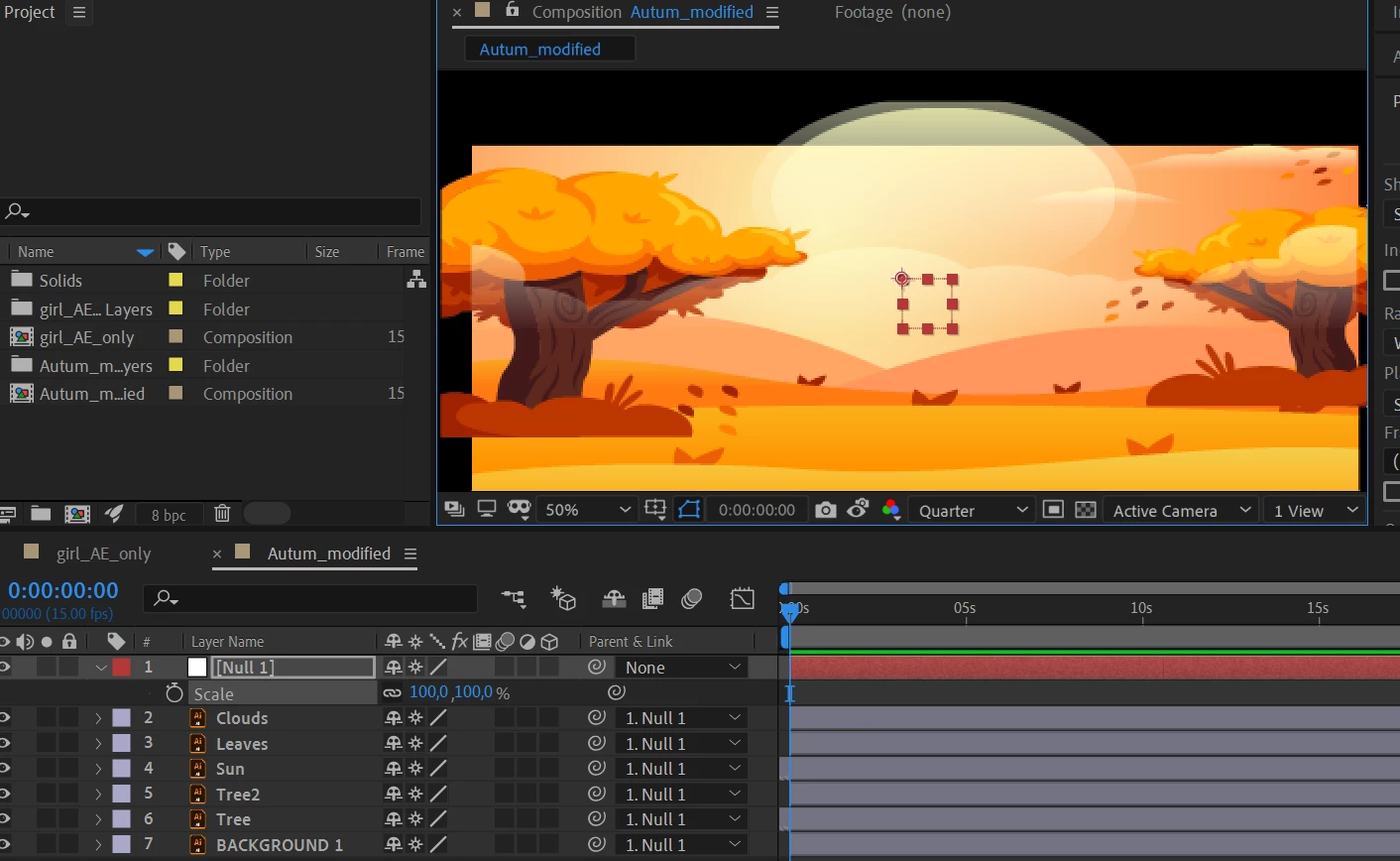

Hello, I have a problem with Rasterize option in After Effect. Even after turning it on, my composition is still showing pixelated with scale of all layers 100% and composition magnification also 100%.
You have set "Quarter" in composition resolution. If you have at 50% of view size (Magnification ratio pupop) you have to set at "Half" in composition resolution. Or if you have set in 100% view size you have to set in "Full" in composition resolution. Or simply let After Effects make that works for you setting in "Fit" and "Auto" respectively. Perhaps you are using some tools like Puppet Tool, this usually it's the cause that the Continuously Rasterization does not works, in that case, try making huge the vector graphic from Illustrator.
Already have an account? Login
Enter your E-mail address. We'll send you an e-mail with instructions to reset your password.
 AdChoices