Participating Frequently
December 13, 2022
Question

RBG + Alpha Clip less transparant in premiere than in After Effects

  • December 13, 2022
  • 4 replies
  • 333 views

Hi everyone, 


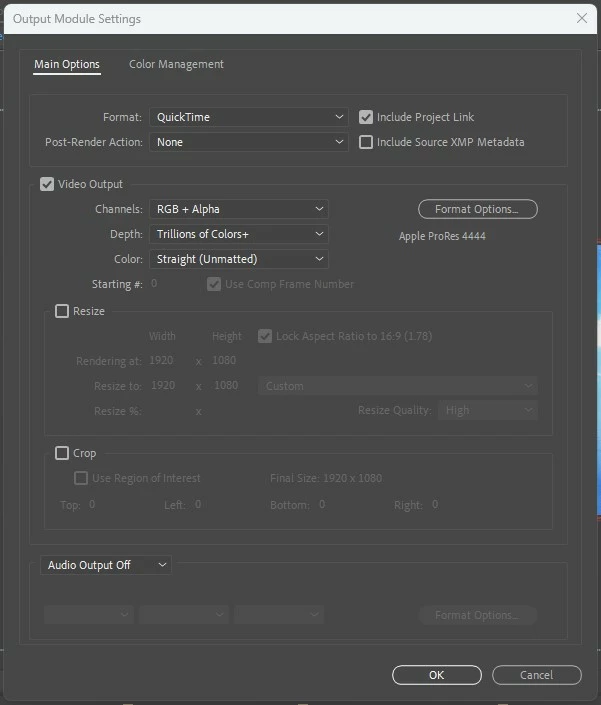
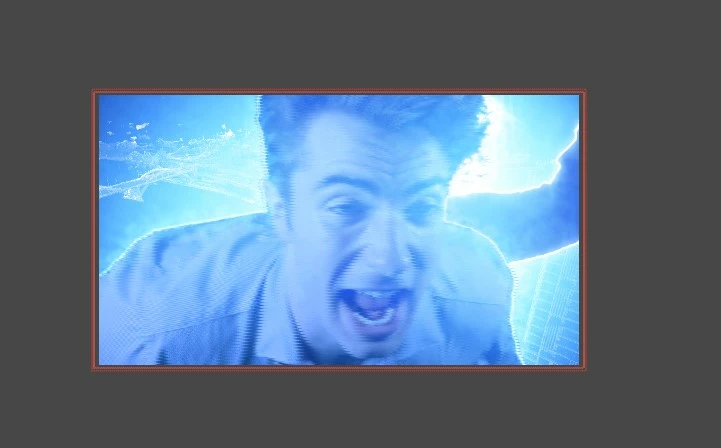
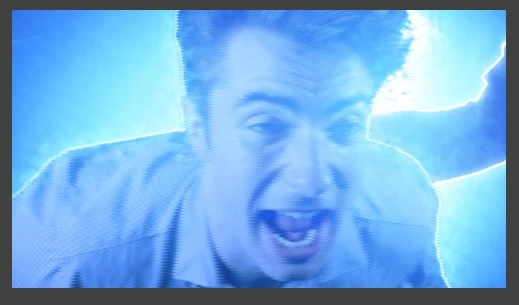
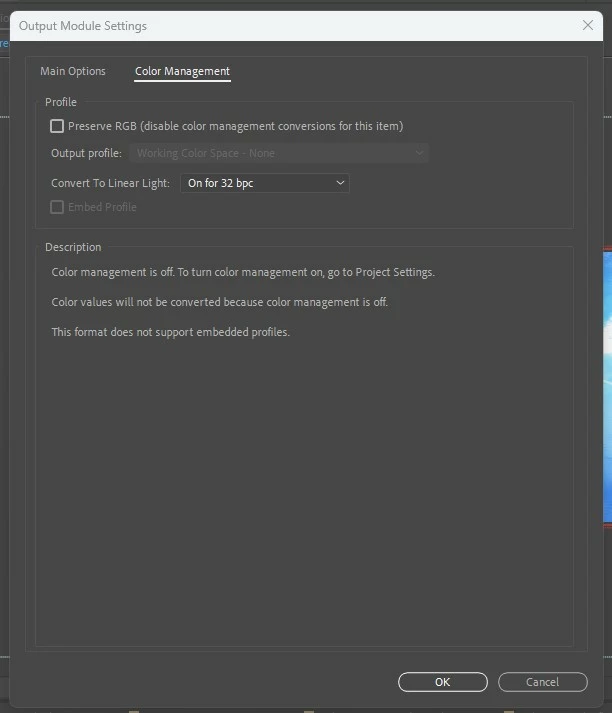
I'm trying to export a clip from After Effects in QuickTime format with a transparent background to put over the top of a background clip in premiere. The issue is, the background of the exported After Effects clip is less transparent in premiere than  the After Effects composition. I'm using the saber effect in this clip so I've changed the render settings from black to transparent. I've attached my export settings and some reference images. The clip in premiere looks like it isn't transparent at all but it is, it's just very faint and noticeably not as transparent as the AE composition. 


Any help would be appreciated. 


Thanks!


This topic has been closed for replies.

4 replies

Mylenium
Legend
December 14, 2022

I think you are misunderstanding the workflow. You cannot rely on blending modes in Premiere and the behavior for the Glow in AE is different when blended against your mostly black graphic vs. when turning the graphic off because the brightness of each pixel is different. Therefore your workflow doesn't really make sense.  If you want to control transparency this way, you need to add a black solid underneath the glow, then pre-compose everything and then use Channel Combiner/ Shift Channels or whatever to generate transparency from the luminance, a.k.a. unmultiuply the result as it's commonly doen for lens flares and other lighting effects. Otherwise simply "bake in" your background if you already are in AE. You're making this a bit too complicated, it seems, TBH.


Mylenium

Community Expert
December 14, 2022

Try turning off 'composite in linear colour' in the the sequence settings in Premiere.

Mylenium
Legend
December 14, 2022

I would try to delete the 35 BG.mov in Premiere. This could be an issue with cyclic/ concurrent usage and file access.


Mylenium 

Participating Frequently
December 14, 2022

I need that clip in the timeline. That is the background playing behind the After Effects clip. 


Mylenium
Legend
December 13, 2022

Without seeing your timeline we can't tell you much. You made your screenshots useless by cropping them. You also have not provided any info about your system, whether your hardware acceleration is set up correctly and so on. Anyway, based on what I see my guess would be that you are working in 32bpc in AE without regard for how things might look converted to another bit depth. Chances are your values are either overcranked and blow out or are too subtle to show up when quantized to 16bpc. That and of course it's in no way clear whether your transparency is working correctly in the first place. In any case, you need to provide better info. That aside the first thing to try would also to be to render an image sequence to check if this is not just some error with ProRes.


Mylenium

Participating Frequently
December 14, 2022

I tried exporting a PNG sequence and I'm having the same issue. I changed my depth from 32bpc to 16 in AE and no luck with that export either. You can see in the images below the actors have been keyed out and even when the glow is applied, the background clip shows up clearly in AE. I'm using Open CL as my renderer in Premiere and CUDA for AE. I also had color management turned off so I've set my working space to Adobe RGB. 


Digicults Media
Participant
December 14, 2022

Hello Connor Price 

I think its because of some color space issue - Adobe RGB - 1998

Please make sure your color space is the same in both applications.

Participating Frequently
December 13, 2022

Edit: I've tried exporting the clip as pre-multiplied (matted) and there's no difference.