
Participant
May 27, 2025
Answered

Recreate Brush Effect/Transition

  • May 27, 2025
  • 1 reply
  • 467 views

Hey,

Does anyone know how to recreate this effect/Transition ?

(I linked the Video)

Thanks in Advance

Correct answer Rick Gerard

The easiest thing to do would be to create a brush texture in Photoshop that is a single spot, import the PSD to After Effects as footage, animate the path of the brush, Pre-compose, moving all attributes, then use the animated brush in the Main comp as a track matte for the layer below. Add Echo with these simple expressions to the brush pre-comp to create a drawn-on line:

// Echo Time:
-thisComp.frameDuration;

// Number of Echos;
timeToFrames();

The expressions add one echo for every frame behind the moving layer. Motion blur helps, and you may want to adjust the Composition Settings/Advanced/Shutter angle to get the blur you like.


Then, experiment with some copies of the brush layer that are parented to the animated layer in the pre-comp. Use the brush pre-comp as a track matte for another footage layer (I'm. just using a solid), and  you get something that looks like this:
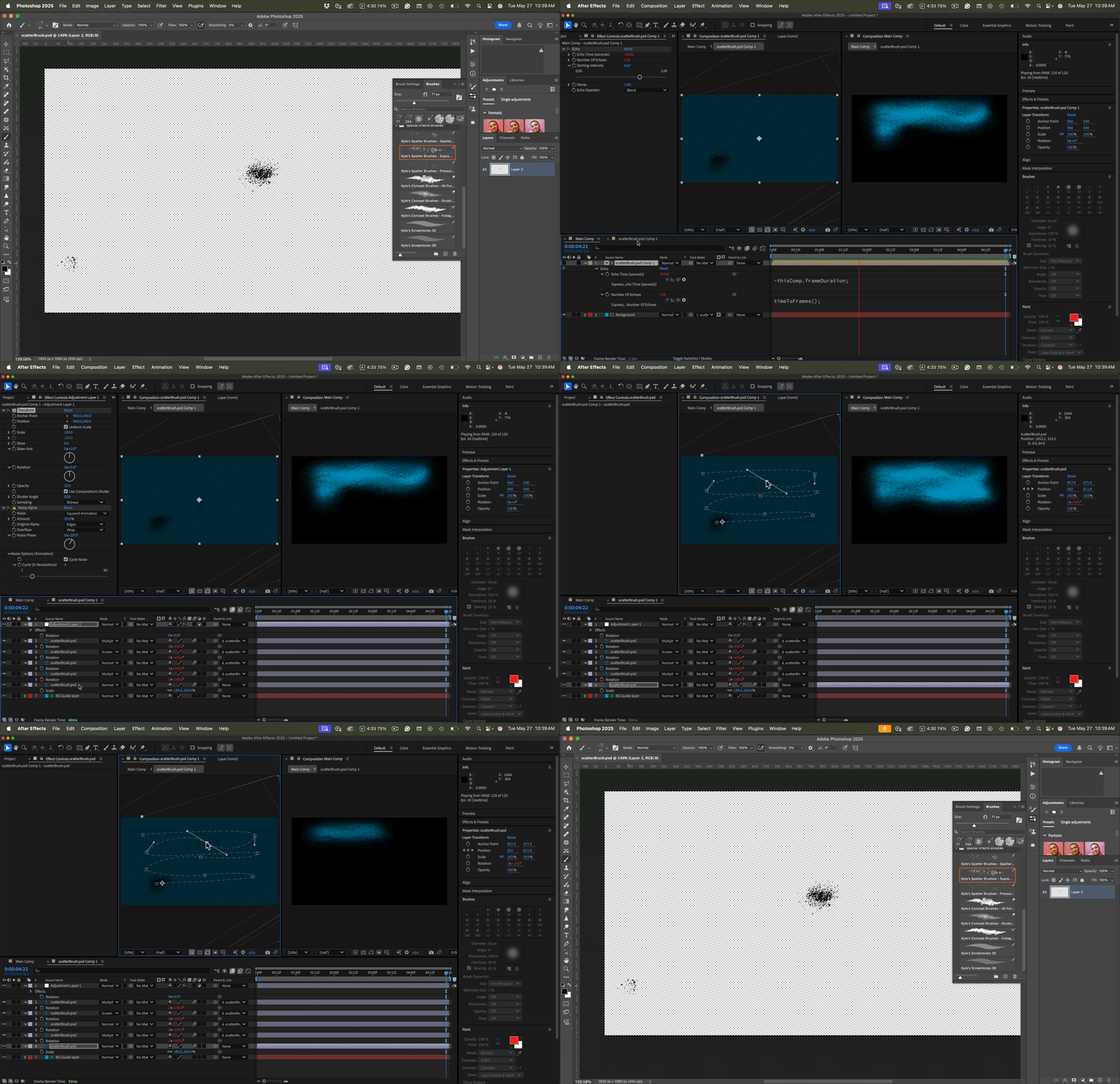
I've uploaded an AE v24 project file and a PSD for you to play with, just in case you are not on the latest version.

1 reply

Rick GerardCommunity ExpertCorrect answer
Community Expert
May 27, 2025

The easiest thing to do would be to create a brush texture in Photoshop that is a single spot, import the PSD to After Effects as footage, animate the path of the brush, Pre-compose, moving all attributes, then use the animated brush in the Main comp as a track matte for the layer below. Add Echo with these simple expressions to the brush pre-comp to create a drawn-on line:

// Echo Time:
-thisComp.frameDuration;

// Number of Echos;
timeToFrames();

The expressions add one echo for every frame behind the moving layer. Motion blur helps, and you may want to adjust the Composition Settings/Advanced/Shutter angle to get the blur you like.


Then, experiment with some copies of the brush layer that are parented to the animated layer in the pre-comp. Use the brush pre-comp as a track matte for another footage layer (I'm. just using a solid), and  you get something that looks like this:

I've uploaded an AE v24 project file and a PSD for you to play with, just in case you are not on the latest version.

rp_7856Author
Participant
May 27, 2025

Hello,

first of all Thanks for the Answer,

i actually already managed to recreate the Transition in After Effects,

the only thing missing, and what i cant really manage to solve (im a complete beginner) is the Noise  Distortion  and Details on the Outlines of the Original Video ,i uploaded the Project File incase you find time for it.