
February 24, 2021
Answered

Reducing motion blur

  • February 24, 2021
  • 2 replies
  • 3180 views

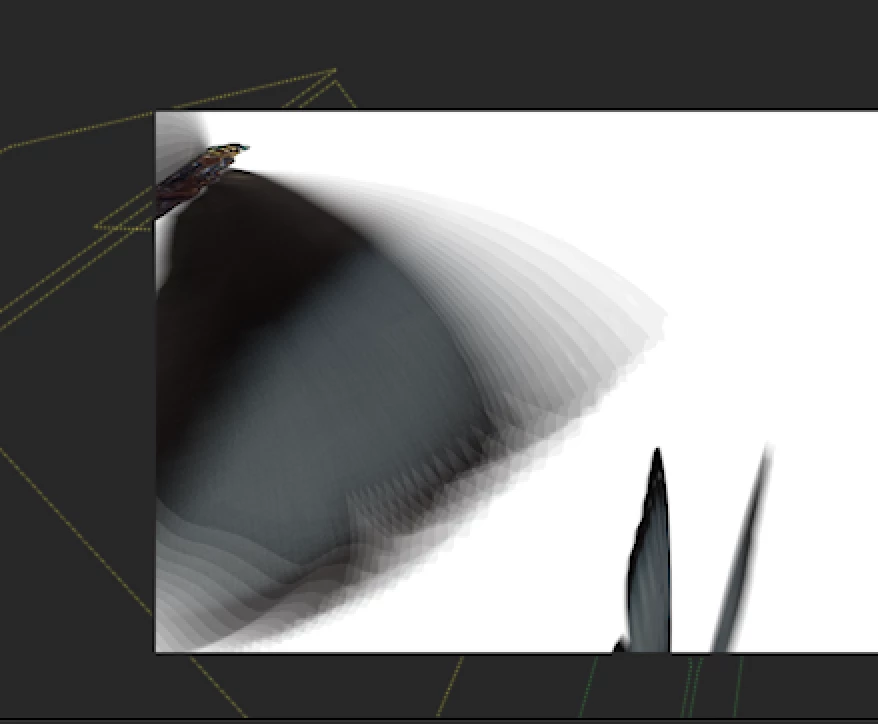
I'm currently animating a butterfly and am adding motion blur to it. It works but is slightly more than I wanted. I would just like the wings to have less blurred frames as it currently has around 10+ on this particular frame. Is there any way anyone knows of, of reducing this blur? 


This topic has been closed for replies.
Correct answer angie_taylor

Go to Composition > Composition Settings . Click the Advanced tab.

Adjust the Shutter Angle to increase or decrease the blur

2 replies

Participating Frequently
February 24, 2021

Change the "shutter angle" in the advaced tab of comp settings. High is longer motion trail, lower is shorter. This is like having a longer shutter time of a camera so the moving subject is burning its image onto more areas of the frame, versus a high shutter speed which is like a sports action shot that is sharp and frozen in time without any motion blur. Then also change the "samples per frame" to control the resolution of that motion blur, lower numbers will make it more pixelated.

angie_taylor
Legend
February 24, 2021

Ii doesn't affect the resolution and it won't make it pixellated. The way it works is by compositing samples of the existing frame and offsetting it at an angle. Using fewer samples per frame results in less of a smooth, continous blur, there will be more space between each of the samples (or images)

Participating Frequently
February 24, 2021

Yeah I meant more dense samples up against eachother will make it appear to be higher resolution, while lower samples will have more space inbetween so appear pixelated because you are seeing the spacing more clearly.

angie_taylor
angie_taylorCorrect answer
Legend
February 24, 2021

Go to Composition > Composition Settings . Click the Advanced tab.

Adjust the Shutter Angle to increase or decrease the blur

February 26, 2021

Thank you, that's great 🙂