


Participating Frequently
September 18, 2023
Answered

Reference Frame and Generate Fill Layer Not Working As Expected

  • September 18, 2023
  • 1 reply
  • 909 views

Hi guys,


I'm trying to create a disintegration effect in a short scene of my upcoming music video. Since i didn't have this idea when we were shooting the video, now there's no other way to do it other than masking myself and also use the content aware fill option to recreate the missing part of the background. Here's where the problems comes in - I guess I would have to use a reference frame made in Photoshop for the job, so I used the clone stamp tool and healing tools and went back to AE. At the spot where the frame is created I can see it:
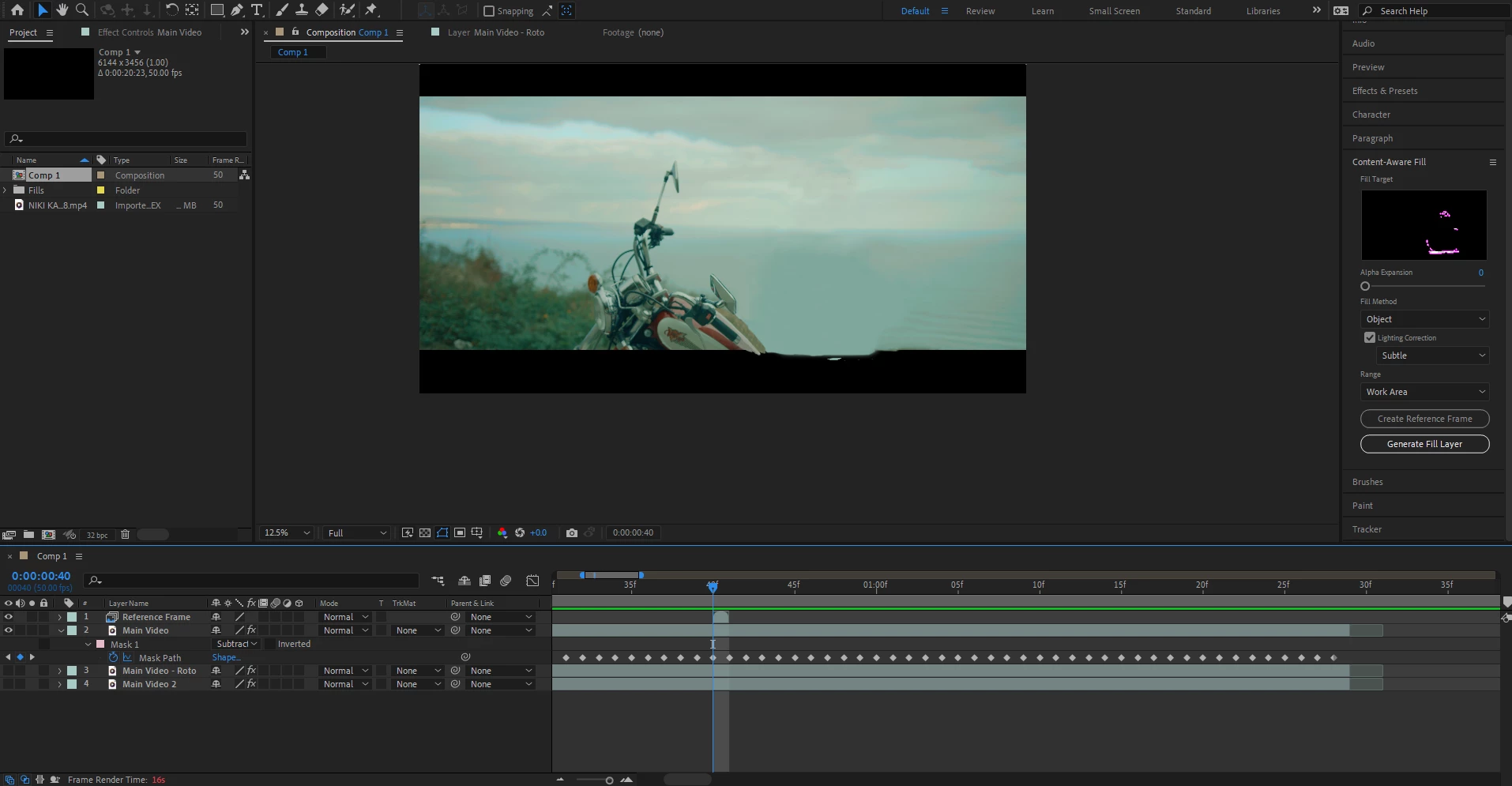
but then when I create a generated fill layer, it doesn't do anything and I still have a hole from the subtracted mask (other than the place where I have the reference frame):
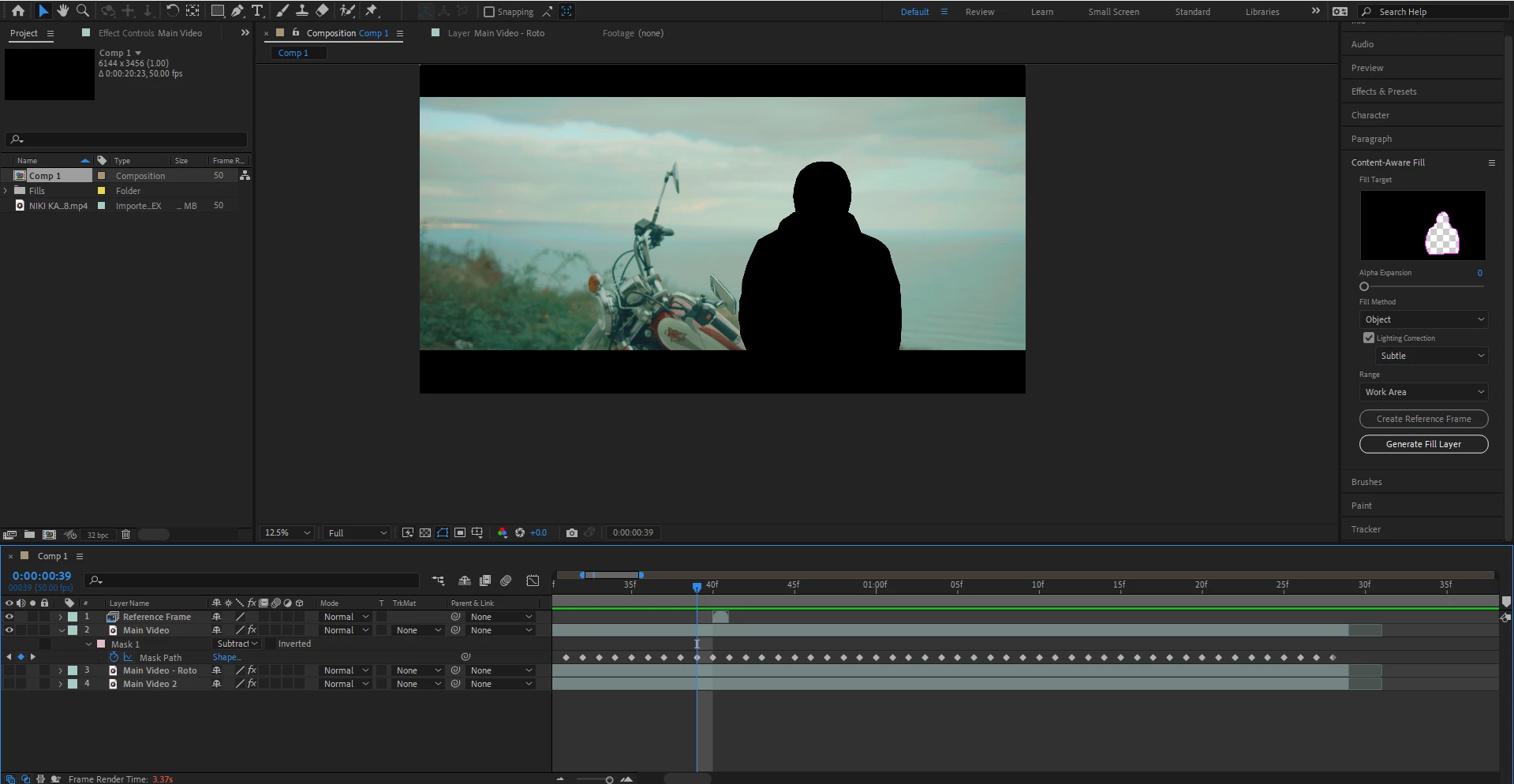
From what I've seen in tutorials, this is how the others did this, but it seems I'm maybe missing something out. Does anyone have an idea what might be causing the problem?

This topic has been closed for replies.
Correct answer Mylenium

Your pattern is too flat and thus creates ambiguous fill patterns. A better way to solve this would be to just create a full clean plate e.g. with Photoshop's sky replacement and use that.


Mylenium

1 reply

Mylenium
MyleniumCorrect answer
Legend
September 18, 2023

Your pattern is too flat and thus creates ambiguous fill patterns. A better way to solve this would be to just create a full clean plate e.g. with Photoshop's sky replacement and use that.


Mylenium

Nick90_Author
Participating Frequently
September 18, 2023

Hi Mylenium,


Thanks for your reply. I'll have to think about this seriously, because I have already done some edits on the sky and have created thunder lightning effects here and there to match it, plus I also have numerous cuts from this location in the video, so that would open a lot of work. Still, if the footage is not adequate enough for content aware fill to do its job the way it is and this would be the only way, I'll strongly consider going for it. Now when I think about it, I could try to freeze a frame from the footage and loopout the reference frame so it can be extended in the timeline, but it will have to be tested. Anyway, thank you once again for the clever input, it would surely also give me an idea how to solve such cases in advance in future projects!