


Removing annoying fly from shot...
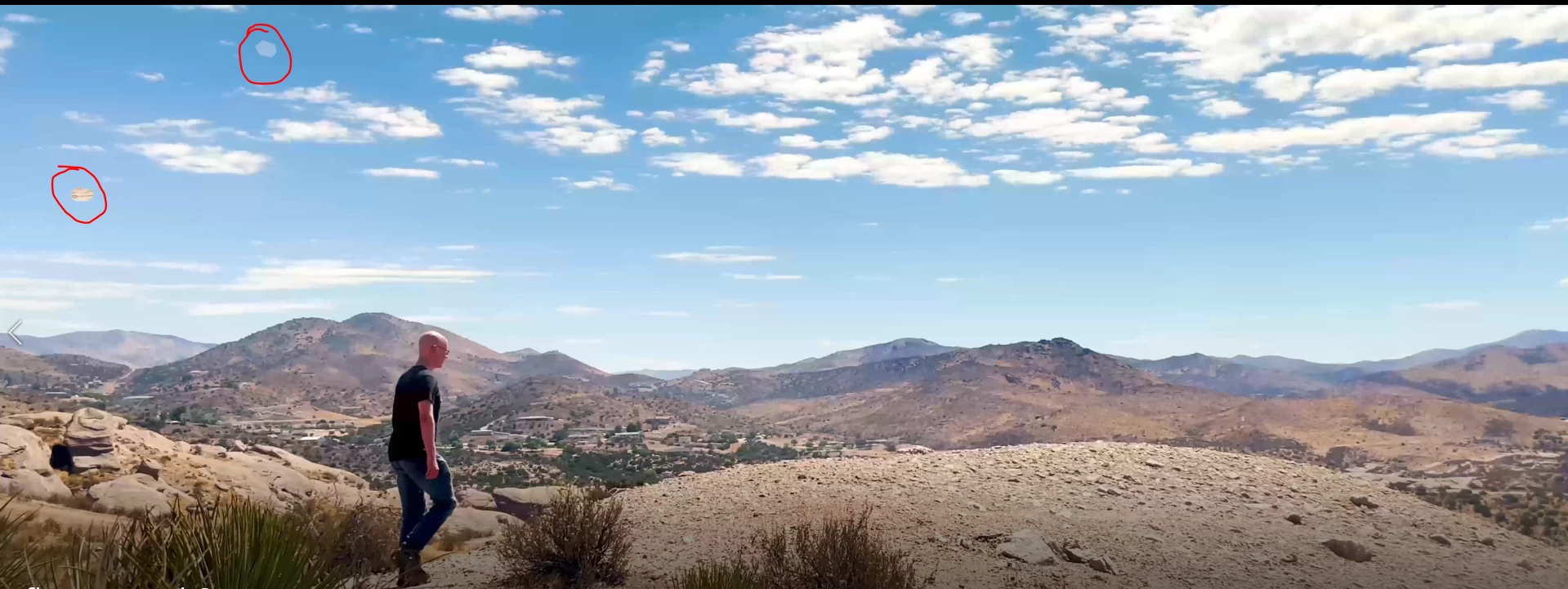
I filmed this nice shot that I really like except for a couple bugs that fly through it.
The camera doesn't move, so I created a mask the first frame where the bug appears, set it to "subtract", then advanced the keyframe, moved the mask, and repeated until each frame with the bug in it.
When I click create fill layer under Content Aware Fill it appears to do a good job of removing the bug, but I get those mask dots circled in red above. Those dots appear immediately in the shot then disappear as they hide the bug, then reappear at the end after the bug has gone.
I guess the issue is I have the mask in the entire shot even before the bug arrives and after it leaves? Should I be editing a smaller clip of this shot or is there some other trick to clean this up?
 AdChoices