
Known Participant
May 2, 2024
Answered

Removing Seam from Polar Coordinates

  • May 2, 2024
  • 1 reply
  • 775 views

Hi Everybody,


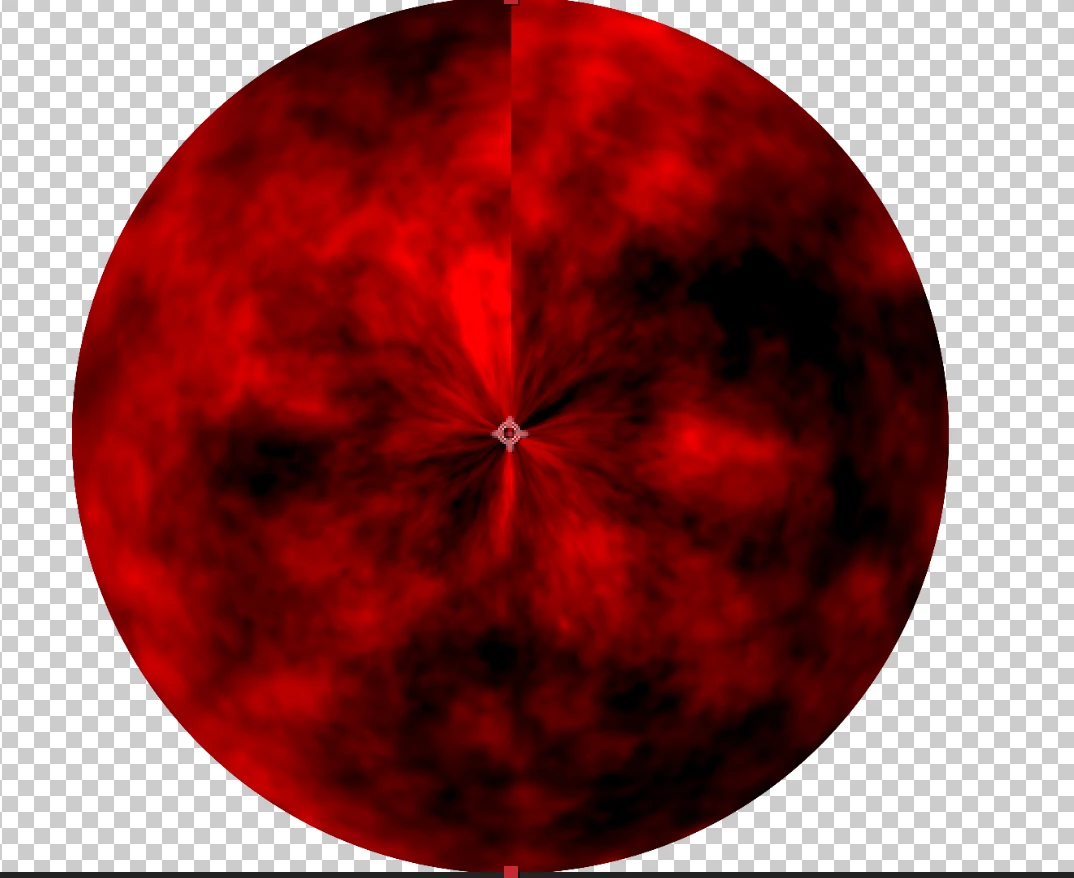
I'm using fractal noise and polar coordinates to try and get a tempest cloud-like look. I'm having some success, but...in using polar coordinates I have this seam repeat at the 0/top part. I imagine this is a known thing, but I can't seem to figure out how to make this effect seamless. 


Are there anhy known patches or tricks for this? None of the setting and reversing is working that I've tried.

This topic has been closed for replies.
Correct answer Warren Heaton

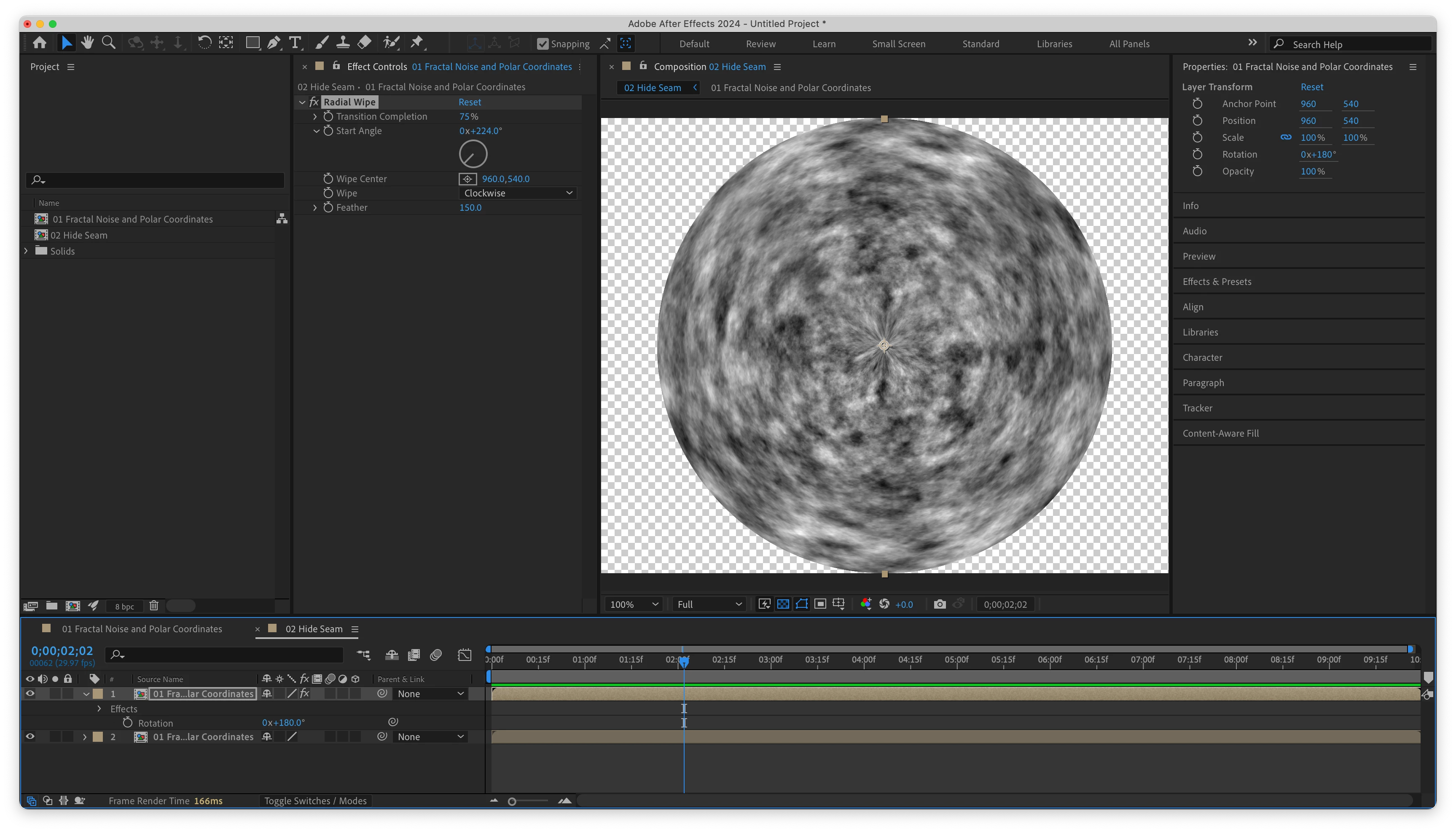
Try nesting the current Comp into a new Comp.

Duplicate the nested Comp.

Change the Rotation of the duplicate Comp to 180 degrees.

Apply Radial Wipe to the duplicate Comp and set the Radial Wipe properties as follows:

  • Transition Completion: 75%
  • Start Angle: 0x+224.0
  • Wipe Center: 960, 540 (or center value of the Comp)
  • Wipe:  Clockwise
  • Feather:  150


It should look something like this:


1 reply

Warren Heaton
Community Expert
Warren HeatonCommunity ExpertCorrect answer
Community Expert
May 2, 2024

Try nesting the current Comp into a new Comp.

Duplicate the nested Comp.

Change the Rotation of the duplicate Comp to 180 degrees.

Apply Radial Wipe to the duplicate Comp and set the Radial Wipe properties as follows:

  • Transition Completion: 75%
  • Start Angle: 0x+224.0
  • Wipe Center: 960, 540 (or center value of the Comp)
  • Wipe:  Clockwise
  • Feather:  150


It should look something like this:


Max DTAuthor
Known Participant
May 2, 2024

That's beautiful, Warran. Thank you!

Max DTAuthor
Known Participant
May 2, 2024

*Warren