
Answered
Render Frame Rates
Can anyone please let me know there is a way around this other than a new machine! I've just spent £700 upgrading it. 
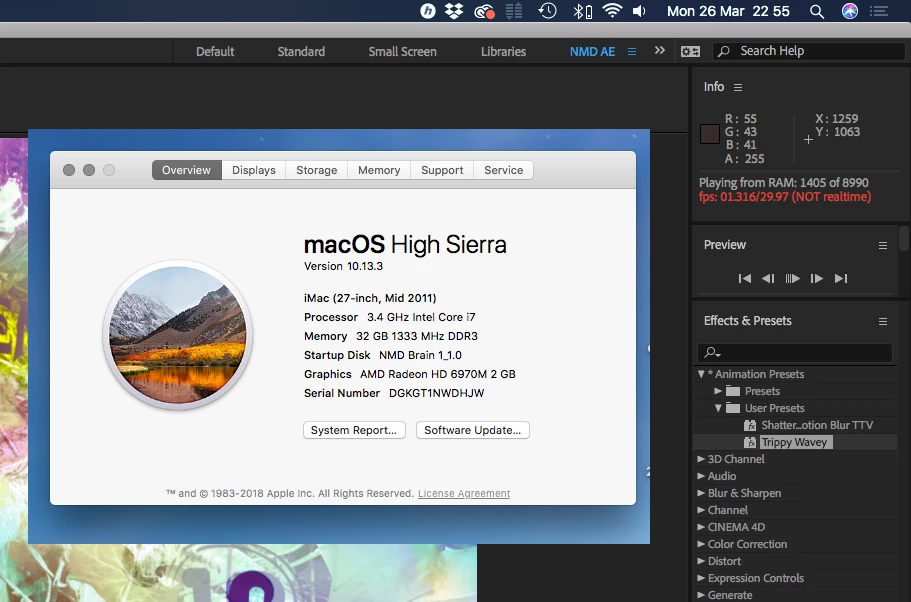
Can anyone please let me know there is a way around this other than a new machine! I've just spent £700 upgrading it.
Relax, will you ? EVERYBODY goes through this with AE! You just need to learn how AE previews.
Lesson One: don't hit play. Hit zero on the numeric keypad, and give AE time to create a RAM Preview. This is NOT a video editing application, you know. AE has to render all the video. That's how it works.
Too impatient for that? Drop AE and start using Premiere Pro.
Lesson Two: don't expect AE to play back in full frame rate under all circumstances. You'll be greatly disappointed. Instead, drop comp resolution to half just to check the motion -- PEOPLE DO IT ALL THE TIME!
Lesson Three: get to know the Views And Previews section of AE Help for more helpful strategies in previewing.
And keep them fingers off the space Bar!
Already have an account? Login
Enter your E-mail address. We'll send you an e-mail with instructions to reset your password.
 AdChoices