

Lawn Care Ninja
Inspiring
November 6, 2017
Answered

Rendering a title with alpha background either looks bad/plays horribly/doesn't have alpha

  • November 6, 2017
  • 2 replies
  • 1815 views

So I am trying to export a title I am making for a friend and no matter what settings I use, I can't get it to look good, or the file is too large, or some other thing. Here are some examples of what I am talking about.

Great looking animation, but the comp bg color is visible

NBP_GOOD_QUALITY_BUT_NO_TRANSPARENCY on Vimeo

This is the worst looking one and my mask are not working correctly

https://vimeo.com/240934092/8cb28e8325

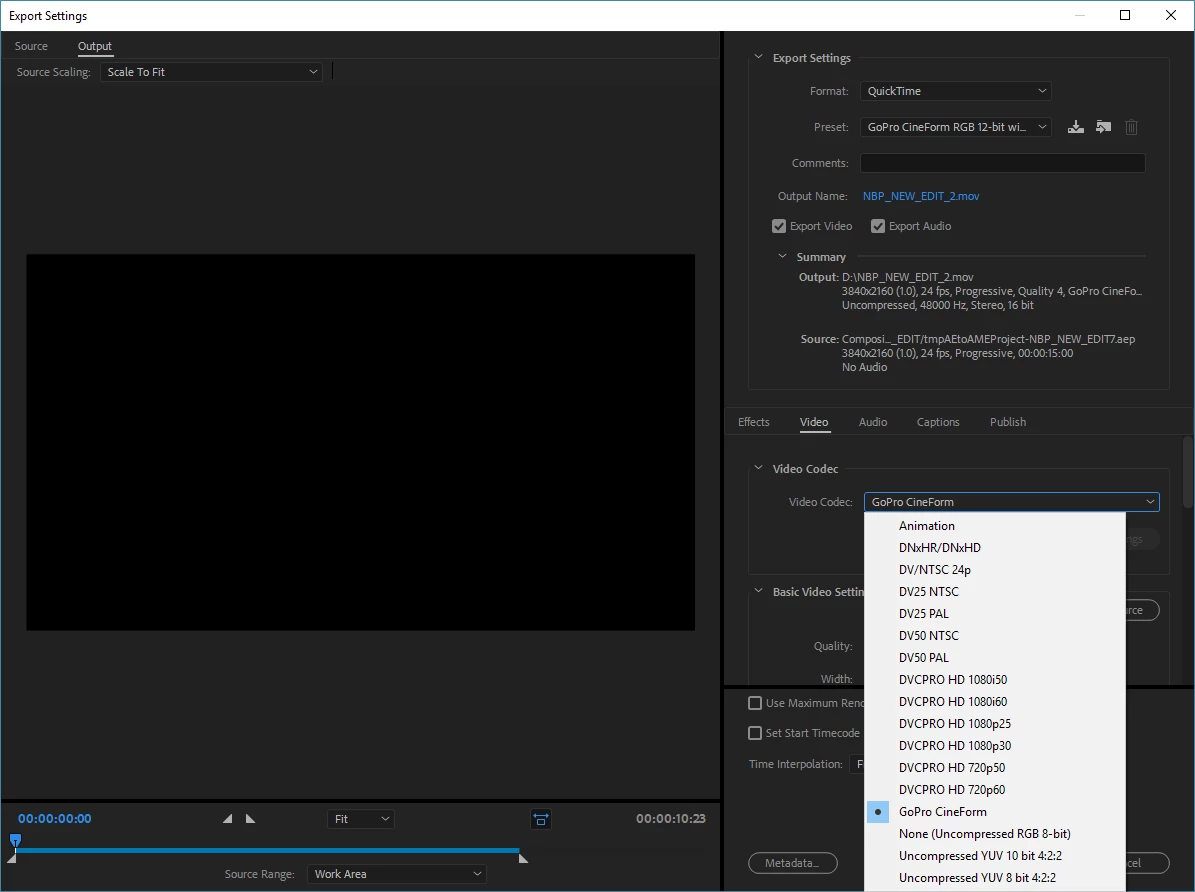
Also, here are my settings. I have read that I need to select PNG as the codec in the QuickTime Wrap, but I do not have that option. When I select 'Animation' as the codec, I get the video in link #2.
    This topic has been closed for replies.
    Correct answer Lawn Care Ninja

    OK, so it seems like the option is actually 'Animation' to export it with the alpha channel intact. I just tried that and imported the file into a PP sequence and it looks exactly like it should.

    2 replies

    Lawn Care Ninja
    Lawn Care NinjaAuthorCorrect answer
    Inspiring
    November 6, 2017

    OK, so it seems like the option is actually 'Animation' to export it with the alpha channel intact. I just tried that and imported the file into a PP sequence and it looks exactly like it should.

    Community Expert
    November 6, 2017

    Most video formats that support an alpha channel look pretty bad in a media player. Some look OK. The only real way to judge the quality of the transparency is to open up the rendered file in a program designed to use Alpha channels like Premiere Pro, Final Cut, Avid, After Effects and so on.

    One more little FYI, the Adobe After Effects output module default Lossless with Alpha has the alpha premultiplied but the standard for all popular editing and compositing apps is Straight Alpha. This will give you a little better edge quality in most cases. I have edited the default in my copies of AE so I'm always rendering a Straight Alpha. The only reason I can think of to pre-multiply the edge pixels is to match a background color in the composite and that's pretty difficult to properly set up. Lots of folks do just fine rendering premultiplied alphas, they are just not for me.

    Community Expert
    November 6, 2017

    The picture looks like Premiere’s export page not After Effects. Is this posted in the wrong forum?

    In After Effects you can go to the top of the interface/Composition/Add to render CuE/Click the output module: “Lossless”/Set the video output to RGB + Alpha/Render.

    Lawn Care Ninja
    Inspiring
    November 6, 2017

    I exported to AME, that is why. I did not use 'Add to Render Queue' that is within AE.

    If I do Lossless, the file is 8GB. For a simple animation that only lasts about 10 seconds, that's absurd.